
# Grayscale Release
Feature Background
The Grayscale Release feature can display different versions of Mini-Program content to users who have been imported by user ID or matching rule conditions. You can click here (opens new window) to view the demo video.
# 1. Feature Introduction
The Grayscale Release feature is one of the core features of FinClip. With this feature, developers can release updated Mini-Programs to a small scope to verify whether the Mini-Program features in the new version meet expectations. Grayscale Release requires rule configuration to determine the scope of users who will receive the new version of the Mini-Program.
# 2. Operation Instructions
Since the Grayscale Release feature needs to be implemented in the form of a "Release Plan" based on "Grayscale Release Rules," we will introduce the complete usage flow in this order below.
# 2.1 Create and Import Release Rules
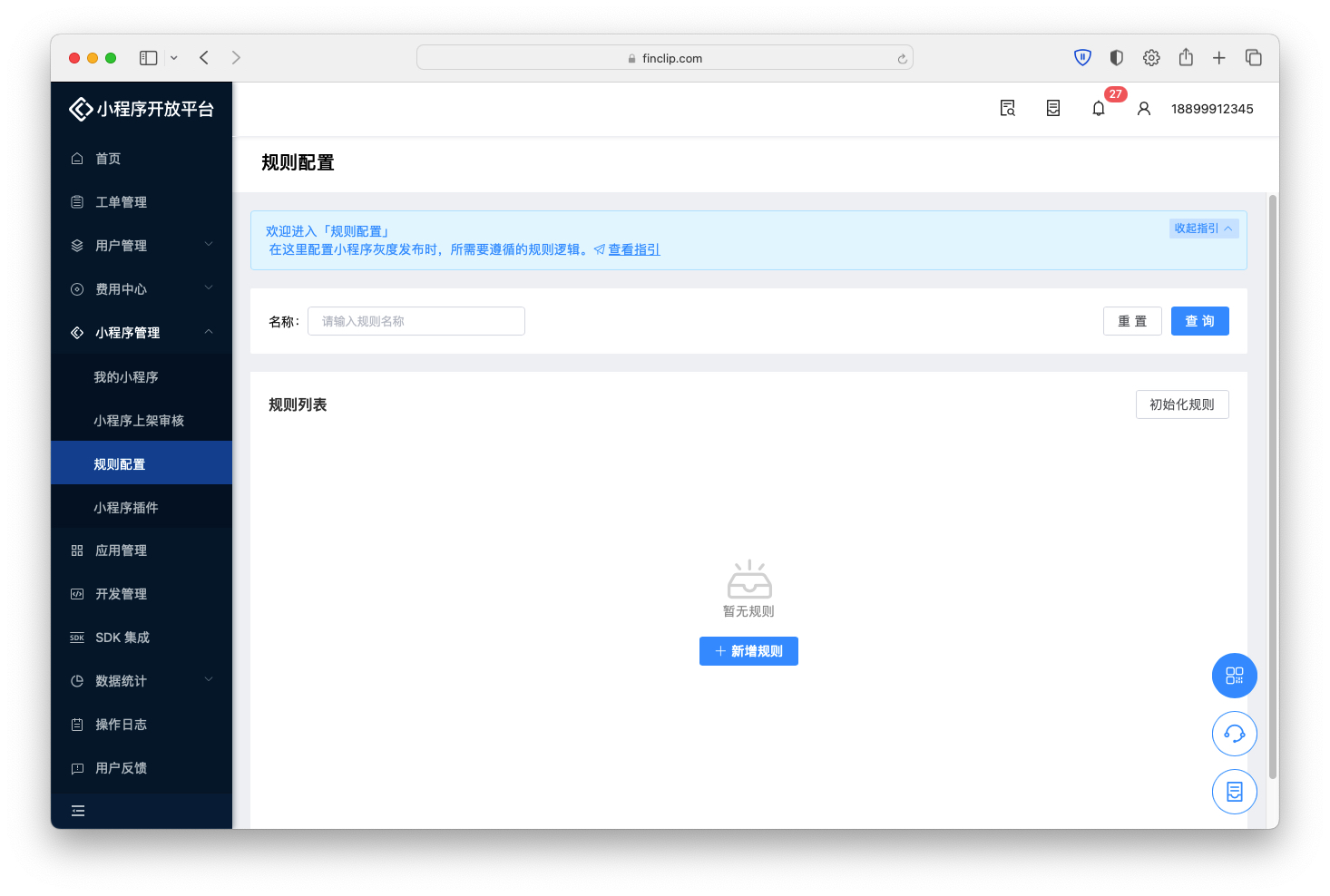 Rule configuration is a supporting feature of Grayscale Release. You can predefine various configuration data required for Grayscale Release.
When entering the rule configuration page for the first time, you need to click the "Initialize Rules" button in the upper right corner to import the corresponding grayscale rules into the current account. We provide some default rules such as "Base Library, System Version, Mini-Program SDK" to facilitate your use of the Grayscale Release feature.
After the rules are imported, you can perform detailed configuration and secondary modifications on the existing Mini-Program rules.
# 2.2 View Release Rules
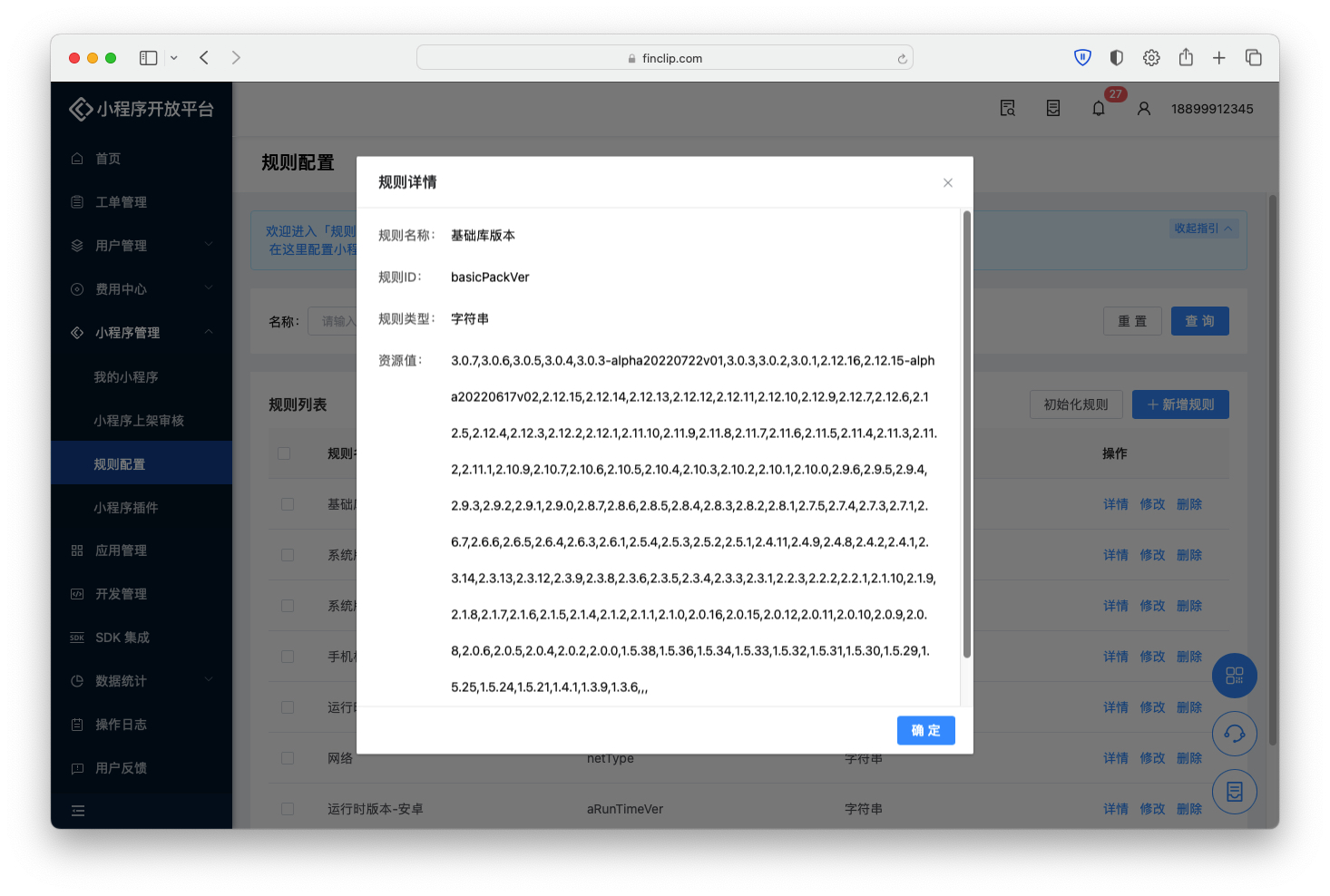
The content in rule configuration includes the Base Library or Mini-Program SDK version related to the Mini-Program, or system model, current network, and other content unrelated to the Mini-Program. When adding rule configurations, we need to configure them reasonably according to our required scenarios. You can click "Add Rule" in the upper right corner to configure the required Grayscale Release rules.
Currently, FinClip supports the following types of Grayscale Release rules:
- String;
- Number;
- Percentage;
- Boolean;
- Regular Expression;
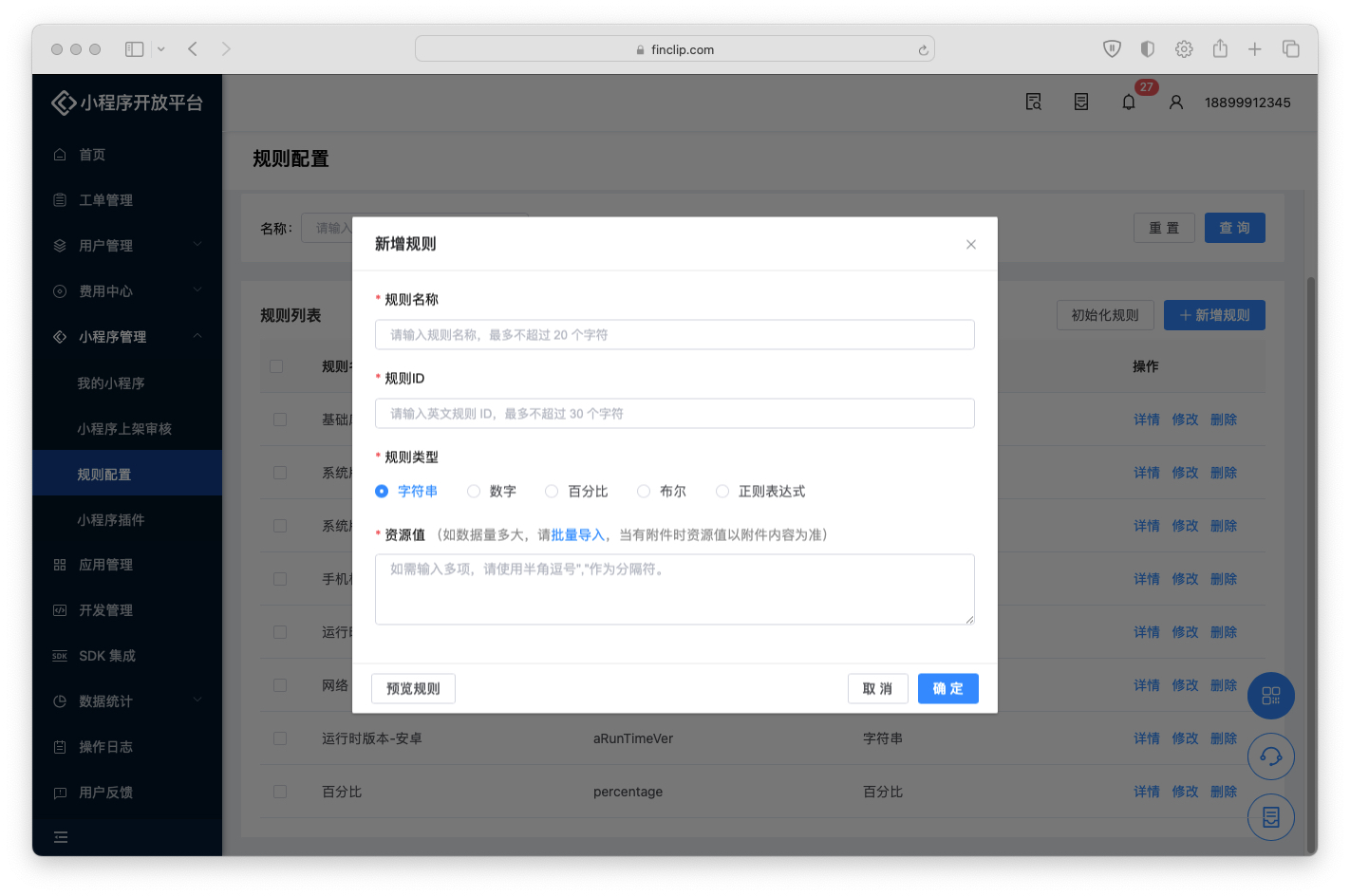
Rule content consists of the following parts:
- Rule Name: The name of different Grayscale Release rules;
- Rule ID: The unique identifier of the Grayscale Release rule;
- Rule Type: To adapt to Grayscale Release in different customers' own environments, we provide four rule types: "String, Boolean, Integer, Decimal";
- Resource Value: The corresponding resource value for rule hit and matching.
You can click "Network" and "Device Model" in the rule configuration list to learn how to organize the rule information you need, for example:
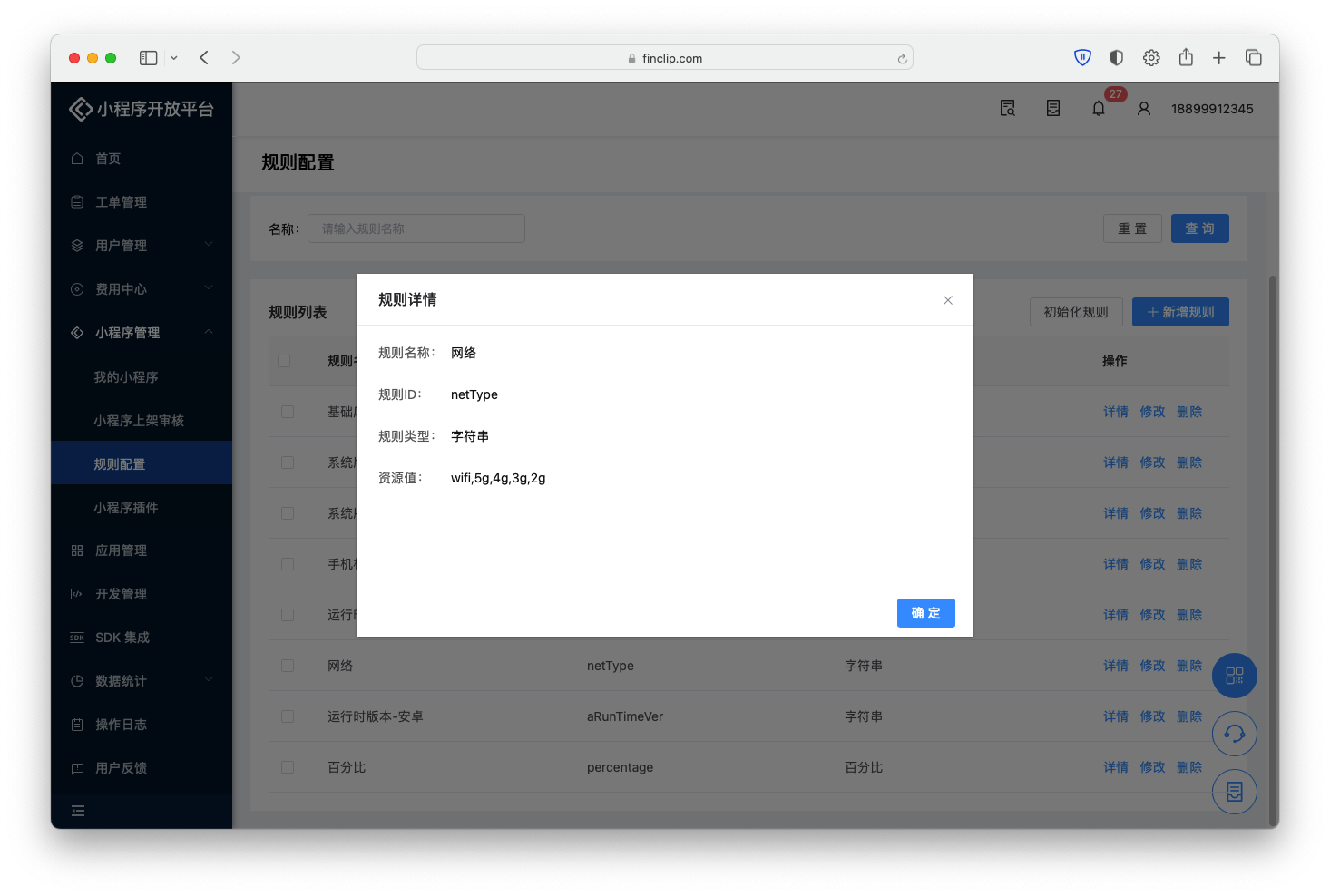
In the above image, the rule type is String, and the content in the resource value is wifi,5G,4G,3G,2G. This means that after the Mini-Program SDK obtains the user's current network status, the Grayscale Release feature can display different versions of Mini-Program information based on the network type of different users.
Please Note
In iOS/Android, you can also customize Grayscale Release rules based on the Mini-Program SDK to configure the Grayscale Release scope based on richer attributes. For details, please see:
# 2.3 Create Release Plan
After completing the required rule configuration, we can officially start creating a Grayscale Release plan. Before use, the Mini-Program also needs to meet the following conditions:
- The Mini-Program has a version that has "passed review and has not yet been published" available for Grayscale Release;
- The version number of the "passed review and has not yet been published" Mini-Program version cannot be lower than the version number in the online environment.

We can click "Mini-Program Management - My Mini-Programs - Mini-Program Details - Grayscale Release" to enter the Grayscale Release management details page. If the current Mini-Program can undergo Grayscale Release, we will see the "Create Release Plan" button to the right of the corresponding serial number in the list below.

In the newly opened popup, we need to fill in "Plan Basic Information" and "Plan Rule Information" respectively.
- Plan Basic Information
- Release Effective Time: The effective time of the Grayscale Release plan; the Grayscale Release plan will take effect during this time period;
- Release Remarks: Remarks and description of the Grayscale Release plan;
- Plan Rule Information
- Release to Specified Users: If user information has been uploaded, the Grayscale version of the Mini-Program can only be displayed when the user's identity information matches the user table uploaded here (optional);
- Release by Specified Rules: Select the corresponding rules from the "Rule Configuration" page here, such as city, system version, etc.;
- Configure Plan Effective Method: After selecting release rules, you need to configure the effective method of the Grayscale Release rules here. If multiple rules are configured, you need to supplement the "AND/OR" effective rules between rules.
Please Note
Since FinClip Mini-Programs do not provide a user system, when you select "Release to Specified Users," you need to pass the user information from the App into the Mini-Program through a Mini-Program custom API. Only then can the Mini-Program be released to specified users (when using a custom API to pass in user ID, the default rule ID is xUserId).
To learn how to use a custom API to pass in user ID, please see the links below:
After completing all the relevant content for the grayscale plan, click the "Confirm" button in the lower right corner to create the Grayscale Release plan. When the grayscale plan is released, if a user is not within the rules, the online version of the current Mini-Program will be opened.
# 2.4 View Release Results

After the Mini-Program Grayscale Release plan starts, a "View" button will appear in the operation column. You can click this button to view details.

The Grayscale Release plan details page includes the following content:
- Grayscale Release Plan Content
- Cumulative Release Duration: The total effective time of this Grayscale Release; timing will stop after the Grayscale Release is stopped;
- Cumulative User Count of Grayscale Version: The Mini-Program SDK generates a unique UUID based on the App to identify independent users. If a user uninstalls and reinstalls the App during the statistical period, duplicate counting will occur;
- Cumulative Open Count of Grayscale Version: Open count refers to each opening of the Grayscale version Mini-Program being recorded once;
- Performance Exception Count of Grayscale Version: The total number of performance exceptions that occurred during the grayscale period for this Grayscale version Mini-Program, including: startup failure, Mini-Program crash.
- Hit Overview
- Open Count: Displays the number of openings of the Grayscale version Mini-Program during the grayscale period;
- User Count: Displays the number of users using the Grayscale version during the grayscale period.
- Hit User Analysis
- Regional Analysis: The regions where users of the Grayscale version Mini-Program are distributed during the grayscale period; if analysis is not possible or geographic location is not reported, it will be summarized as "Unknown";
- Terminal Analysis: The Android/iOS distribution of Grayscale version users during the grayscale period;
- Grayscale Version Performance Analysis
- Mini-Program Startup Failure Count: Whether the Grayscale version Mini-Program had startup failures or crashes during the release period;
- Mini-Program Crash Count: If it occurs, the corresponding error logs will be displayed below to facilitate developers in problem localization.
# 3. FAQ
You can click here to see frequently asked questions about the Grayscale Release feature.
# 4. Feature and Environment Comparison
The current feature may have differences and limitations in different environments. Please see the table below for details. If you need to further understand the differences and introductions between different versions, you can click here (opens new window).
| Community Edition Environment | SaaS Environment | Enterprise Edition (Annual Subscription or One-time Purchase) | |
|---|---|---|---|
| Grayscale Management | ❌ | ✅ | Purchase on demand |