
# Grayscale Publishing FAQ
# 1. Feature Introduction
You can click here to view the introduction to the grayscale publishing feature.
# 2. Common Questions
# 2.1 How to Obtain User ID?
When setting up grayscale publishing, you need to import user IDs yourself. The rules for setting user IDs may vary across different Host-Apps. You need to use a custom API to obtain the relevant data. For details, please refer to:
# 2.2 Why Can't I Edit the Publishing Rules After Setting the Plan Activation Method?
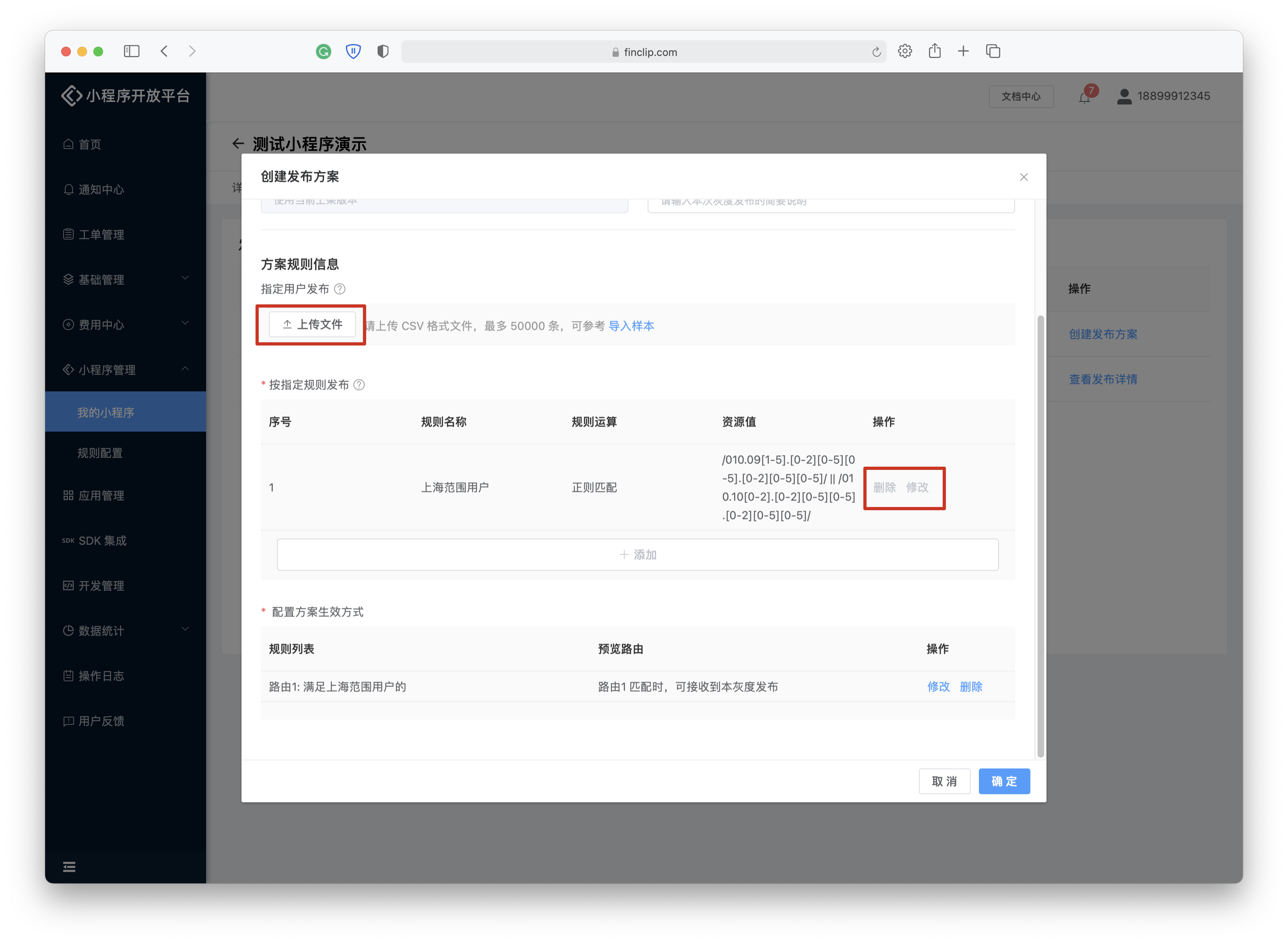
After setting the plan activation method, the "Add" button in the [Publishing Rules] section will become unavailable, as shown in the figure below. At this point, developers will be unable to:
- Delete the imported user list
- Delete other selected rules
- Add new rules
If you need to modify the rules at this point, you must first delete the configured [Publishing Rules]. After deletion, you can continue editing the publishing rules.
# 2.3 How Are "Within Range" and "Outside Range" Defined?
"Within Range" includes the upper and lower limit values, while "Outside Range" excludes the upper and lower limit values.
When you set a "Within Range" value for a rule, it will appear as: [2.0.1,2.2.1]
When you set an "Outside Range" value, it will appear as: 2.1,2.2
# 2.4 How Many Grayscale Publishing Plans Can Be Created?
The number of grayscale publishing plans you can create depends on the product environment you are using. In the FinClip SaaS environment, each Mini-Program can only have 1 active grayscale publishing plan. If you need to create additional grayscale publishing plans, you must first stop other versions that are currently being published.
# 2.5 Can I Modify the Rule Configuration Myself?
Yes, you can. The rule configurations we provide may not meet your actual needs. You can create new rules or modify existing default rules based on your specific scenario.