
# uni-app Integration
Integration Sample Code
We provide a DEMO project. Developers can obtain the integration sample code from Github (International) (opens new window) or Gitee (Domestic) (opens new window).
# 1. Obtain Credentials
Please Note
To integrate the SDK, you must first create an application and bind a Mini-Program in the FinClip platform. After obtaining the application-specific SDK KEY and SDK SECRET, you can then fill in the corresponding parameters during SDK integration. When opening a Mini-Program, the SDK will automatically initialize and verify whether the SDK KEY, SDK SECRET, and BundleID (Application ID) are correct.
You can 【Click Here】 to view how to obtain the required SDK KEY and SDK SECRET. Please ensure the parameters filled in during SDK integration are correct; otherwise, the Mini-Program will fail to open.
# 2. Integrate the Plugin
Integrating FinClip Mini-Programs in uni-app essentially utilizes the plugin capability within uni-app. You can click here (opens new window) to learn more about the plugin functionality.
TIP
Note: This project is developed based on HBuilderX 3.96 and FinClip Core SDK (2.45.5). For additional features, you can use the Android/iOS source code project for development and extension, then regenerate the plugin.
# 2.1 Import the Plugin
Developers can obtain the plugin SDK example (finclip-uniapp-demonativeplugins/MopSdk) from Github (International) (opens new window) or Gitee (Domestic) (opens new window).
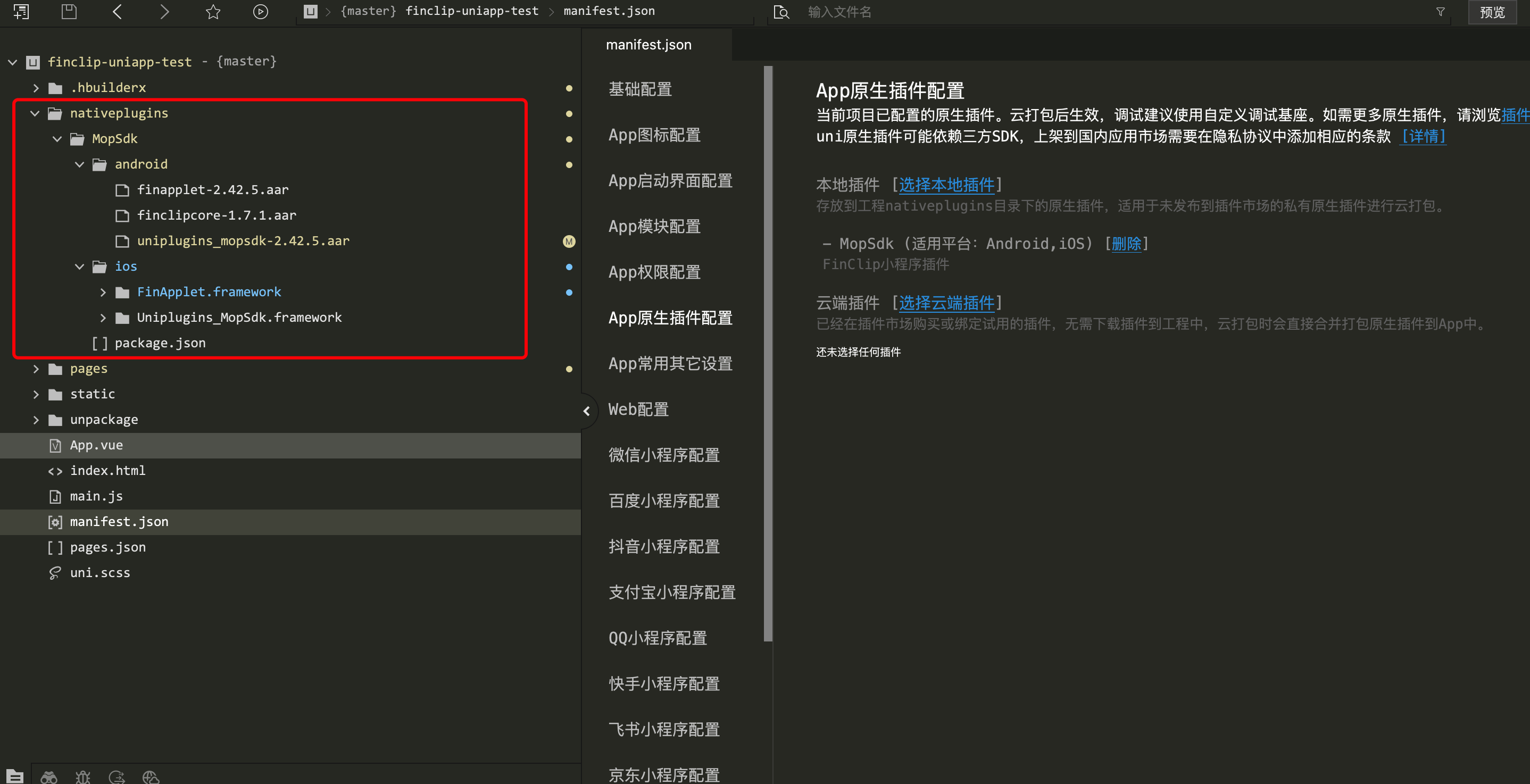
# 2.2 Select the Plugin
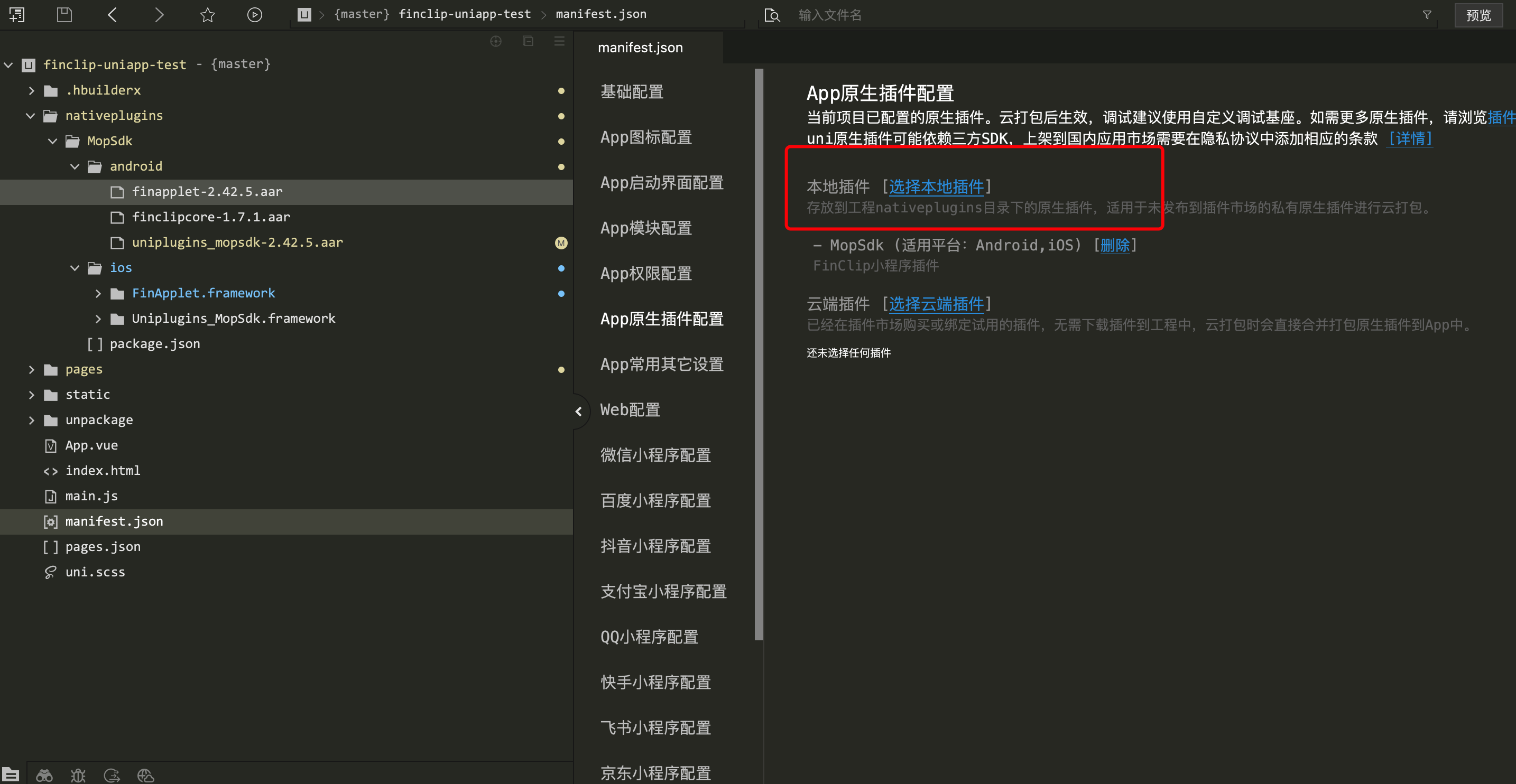
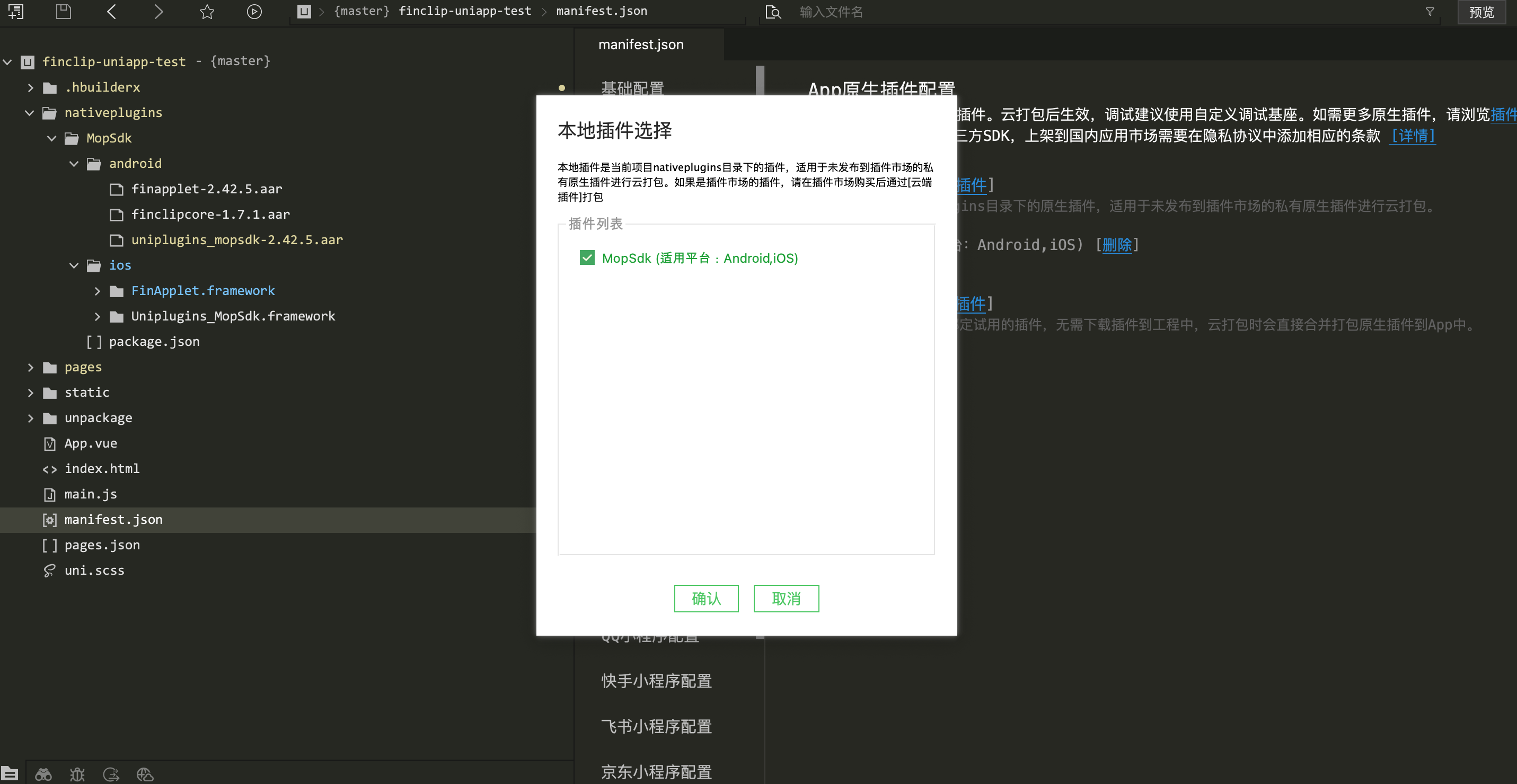
# 2.3 Generate a Custom Base for Debugging
TIP
(Taking Android as an example, note that the package name must be consistent with the package name used to obtain the SDK KEY and SDK SECRET (opens new window))
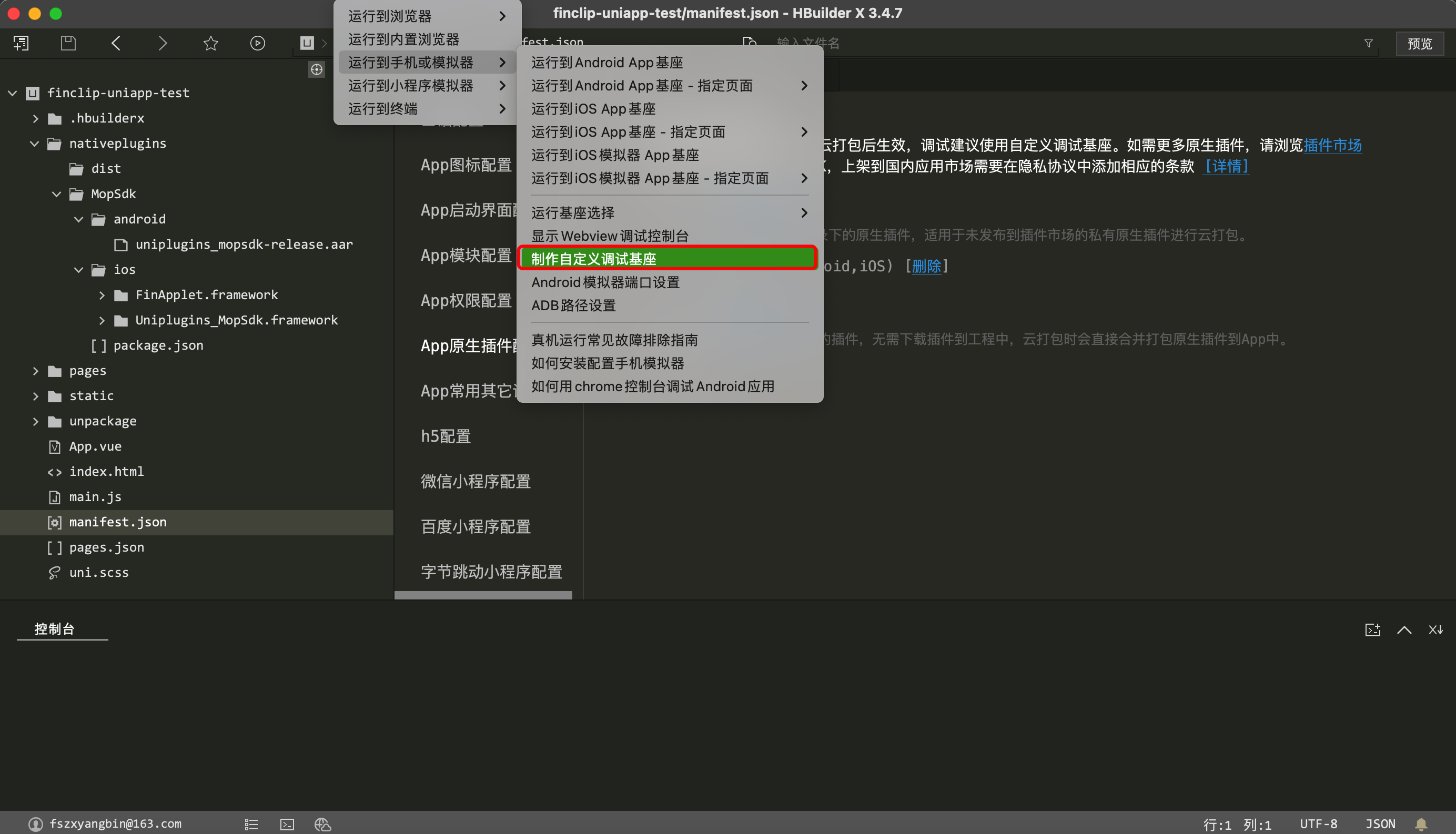
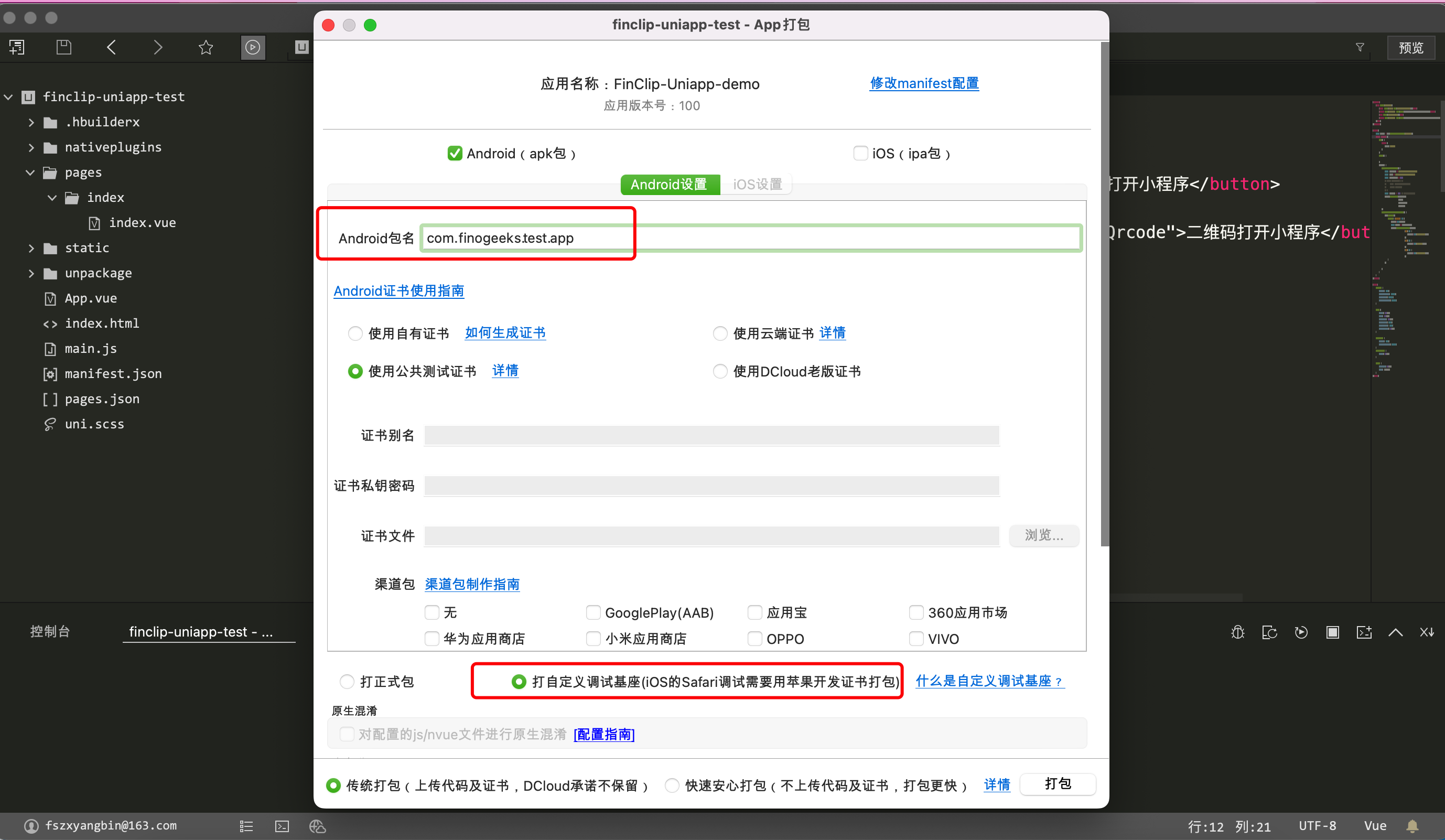
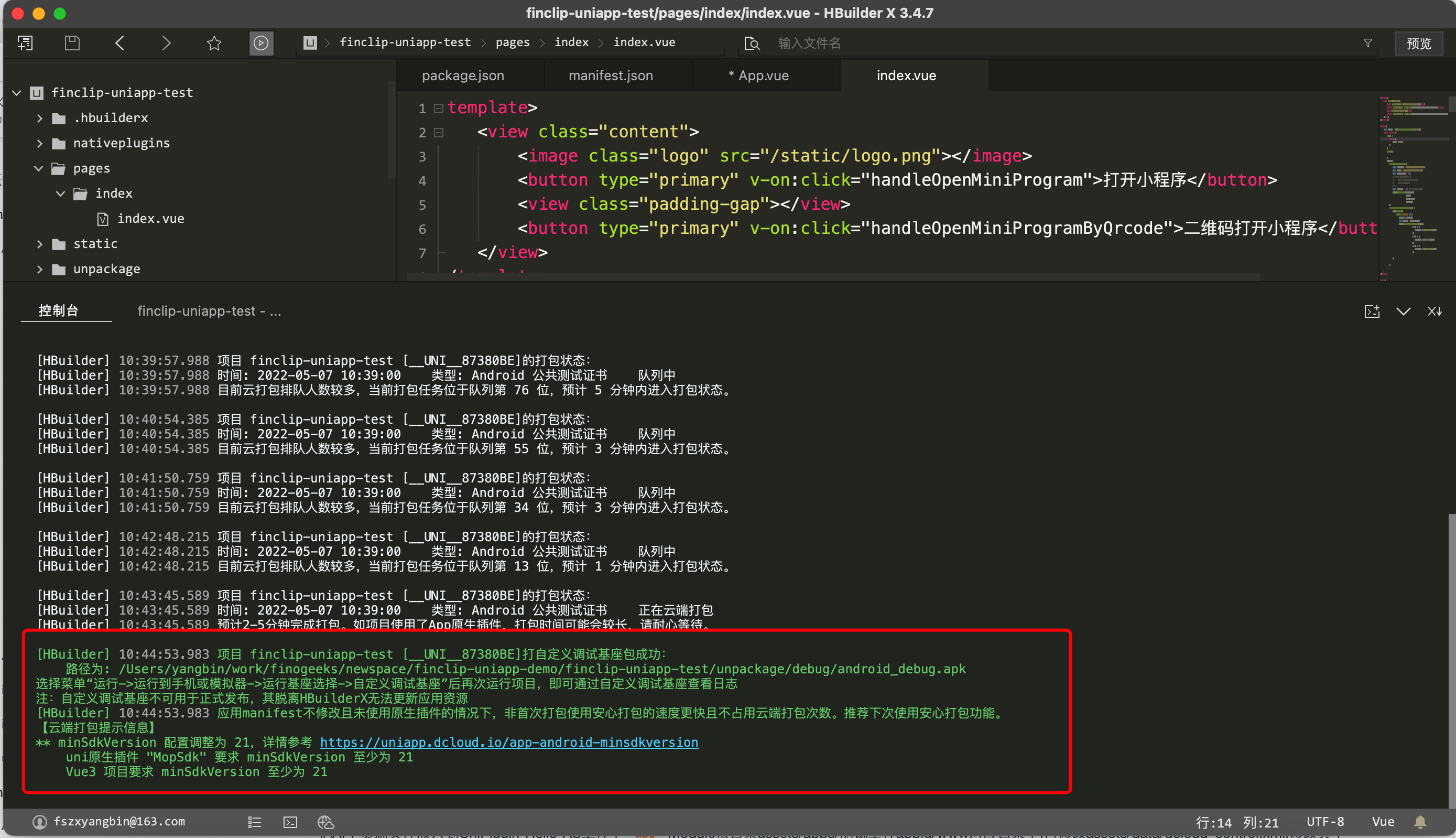

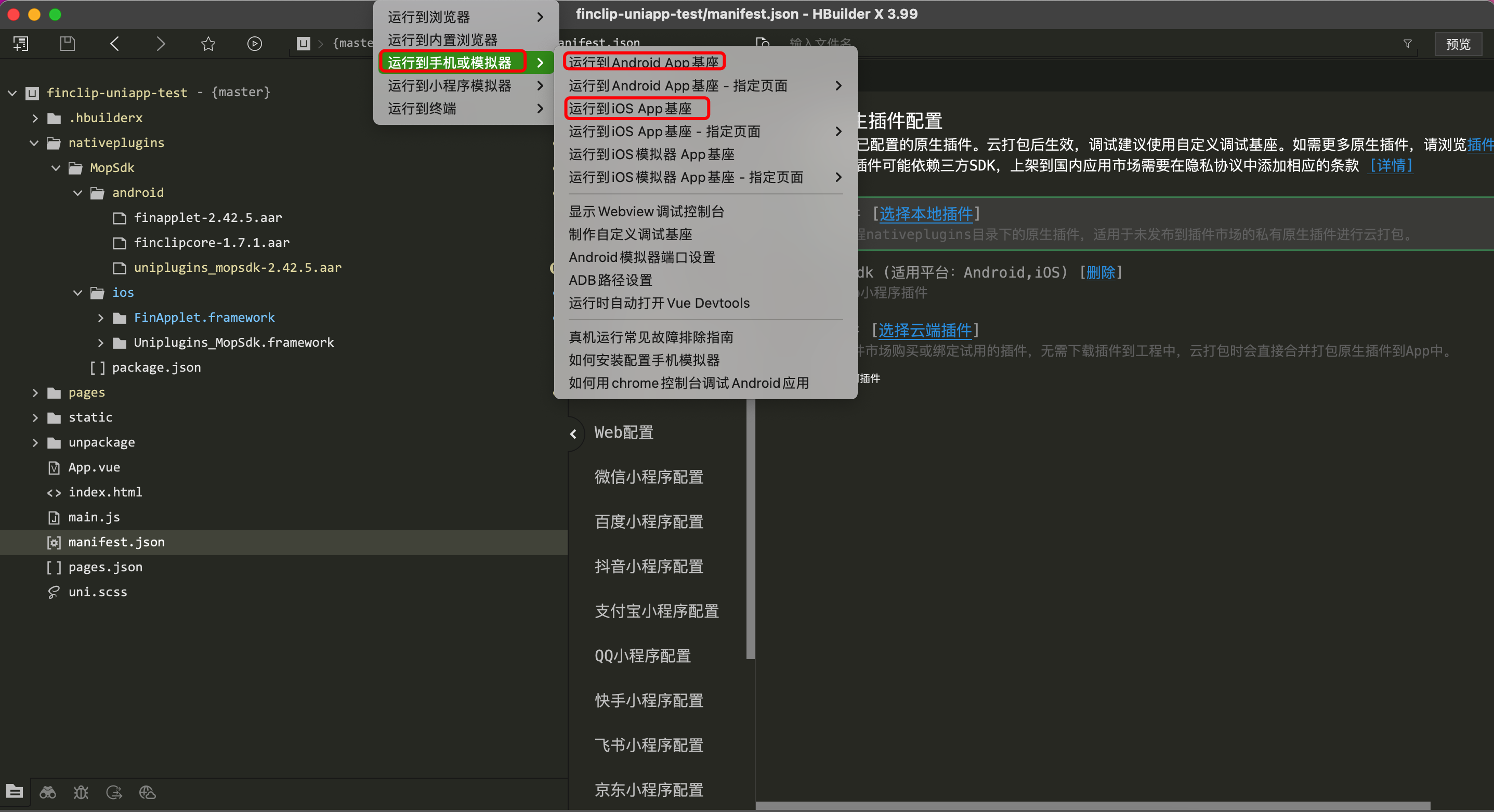
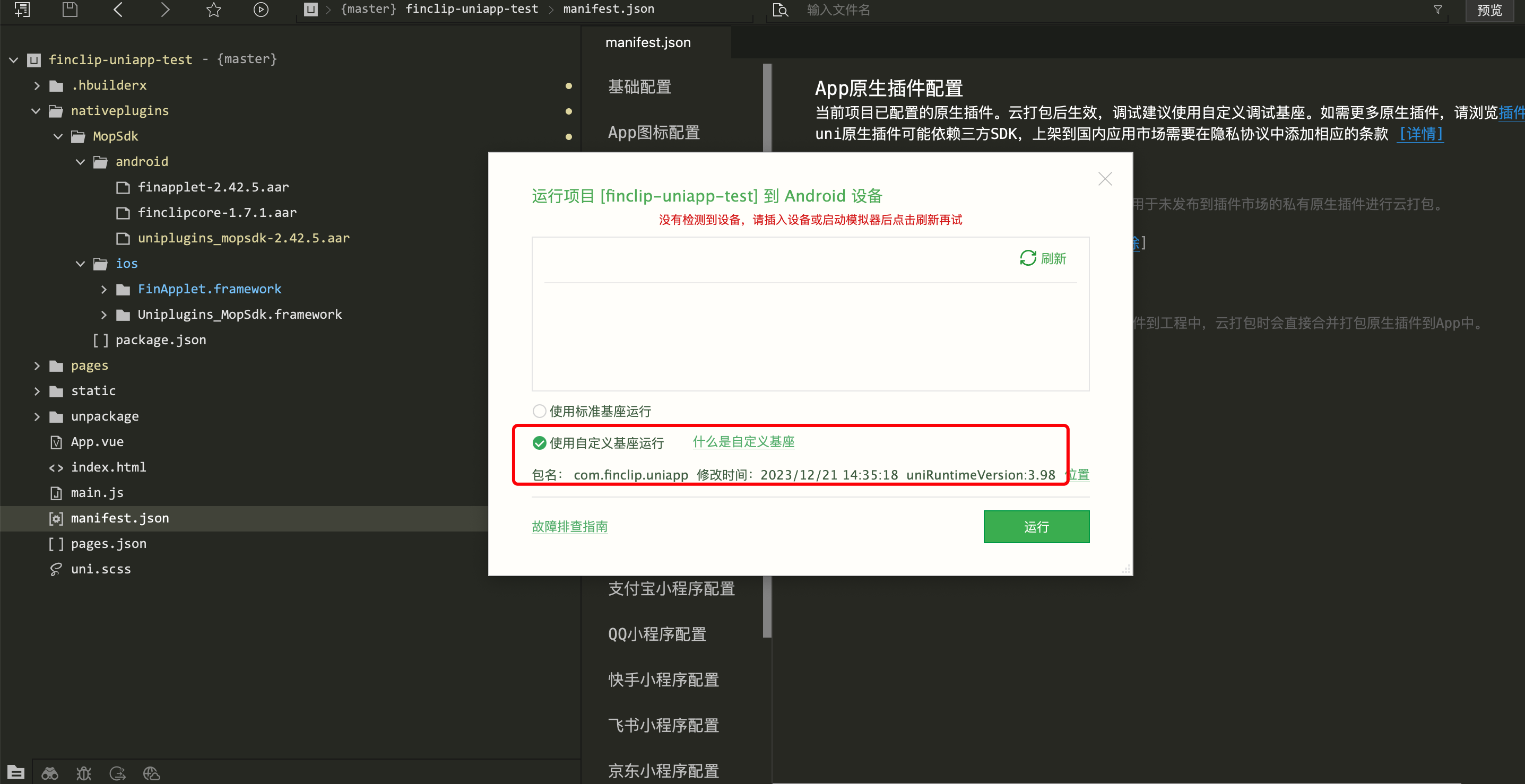
# 2.4 Initialize the FinClip Mini-Program SDK in the uni-app Project
    const MopSdk = uni.requireNativePlugin('MopSdk')
    export default {
        onLaunch: function() {
            MopSdk.initialize({
                                finStoreConfigs: [{
                                    'sdkKey': '22LyZEib0gLTQdU3MUauAa2CctUv+NxTLFWyPxC28y2gA4x+JWh7hhNS5aO52BFs',
                                    'sdkSecret': '65146ffa924ecfdc',
                                    'apiServer': 'https://api.finclip.com'
                                }]
                             },
                             (ret) => {
                                 console.log('App Launch Success', ret)
                             },
                             (ret) =>{
                                 console.log('App Launch Fail', ret)
                             });
        }
    }
# 2.5 Open a Mini-Program in the uni-app Project
<template>
   <view class="content">
     <image class="logo" src="/static/logo.png"></image>
     <button type="primary" v-on:click="handleOpenMiniProgram">Open Mini-Program</button>
   </view>
</template>

<script>
    const MopSdk = uni.requireNativePlugin('MopSdk');
    export default {
       data() {
          return {
            title: 'Hello'
          }
        },
        onLoad() {
        },
        methods: {
          handleOpenMiniProgram() {
              const apiServer = 'https://api.finclip.com'
              const appId = '5eec56a41464cc0001852e9a'
              MopSdk.openApplet({apiServer,appId})
          }
      }
   }
</script>
# 3. Plugin Update or Source Code Secondary Development Instructions
The FinClip uni-app plugin can be developed using the official native plugin development documentation provided by uni-app. If you need to extend the plugin source code, you must have Android/iOS development capabilities.
TIP
uni-app iOS Plugin Development Documentation (opens new window)
uni-app Android Plugin Development Documentation (opens new window)
WARNING
Note: The resources in this project are developed using HBuilderX 3.96. Different uni-app versions may vary.
# 3.1 iOS Plugin Update and Extension Instructions
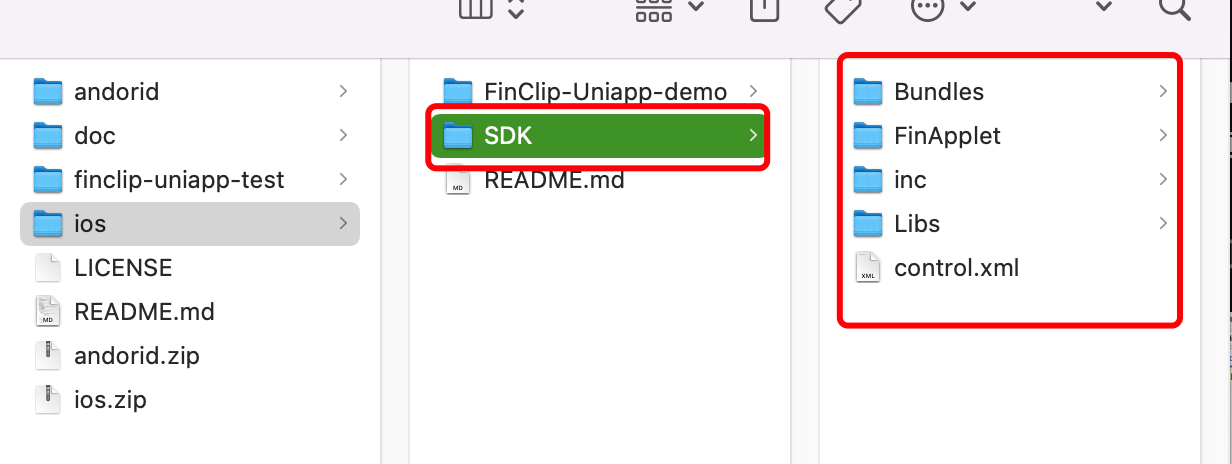
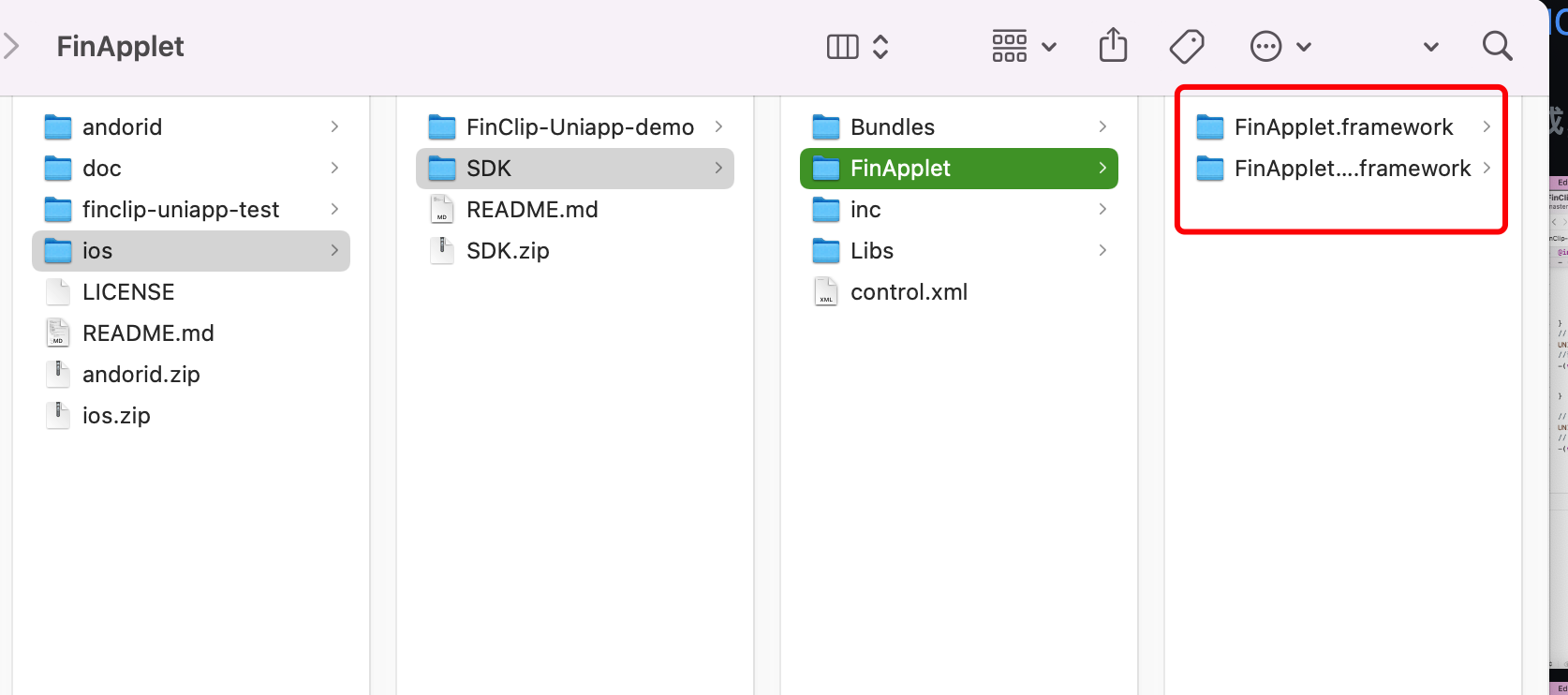
Please unzip the ios-demo.zip file from the git repository project. Because the iOS uni-app offline SDK is relatively large, you need to download the offline SDK corresponding to the version mentioned in the uni-app iOS Plugin Development Documentation (opens new window) by yourself. After downloading the SDK, place it in the unzipped iOS directory as shown below (only copy the Bundles, inc, and Libs directories), then open the project using Xcode.
After downloading the SDK, please place it in the unzipped ios directory as shown below:
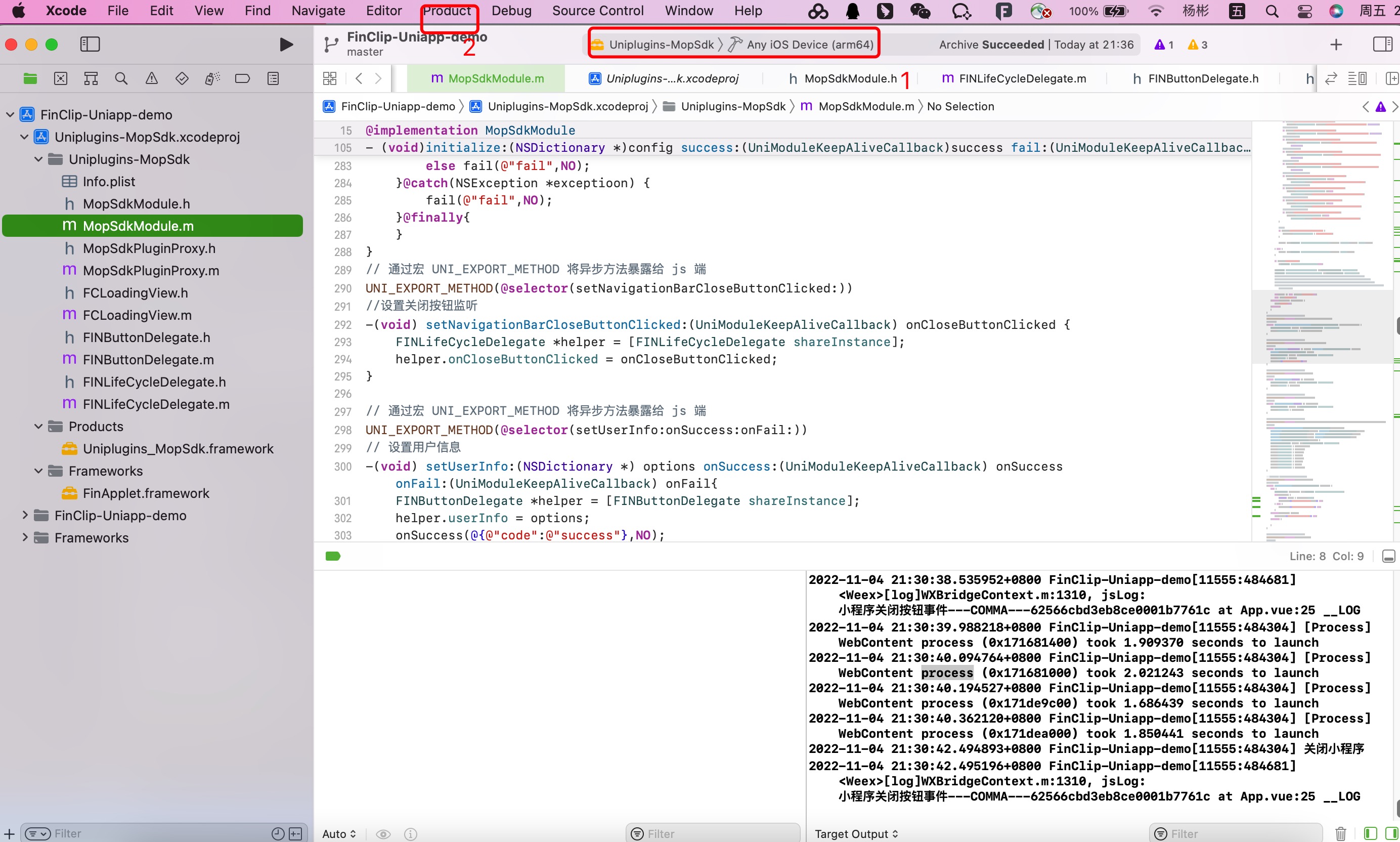
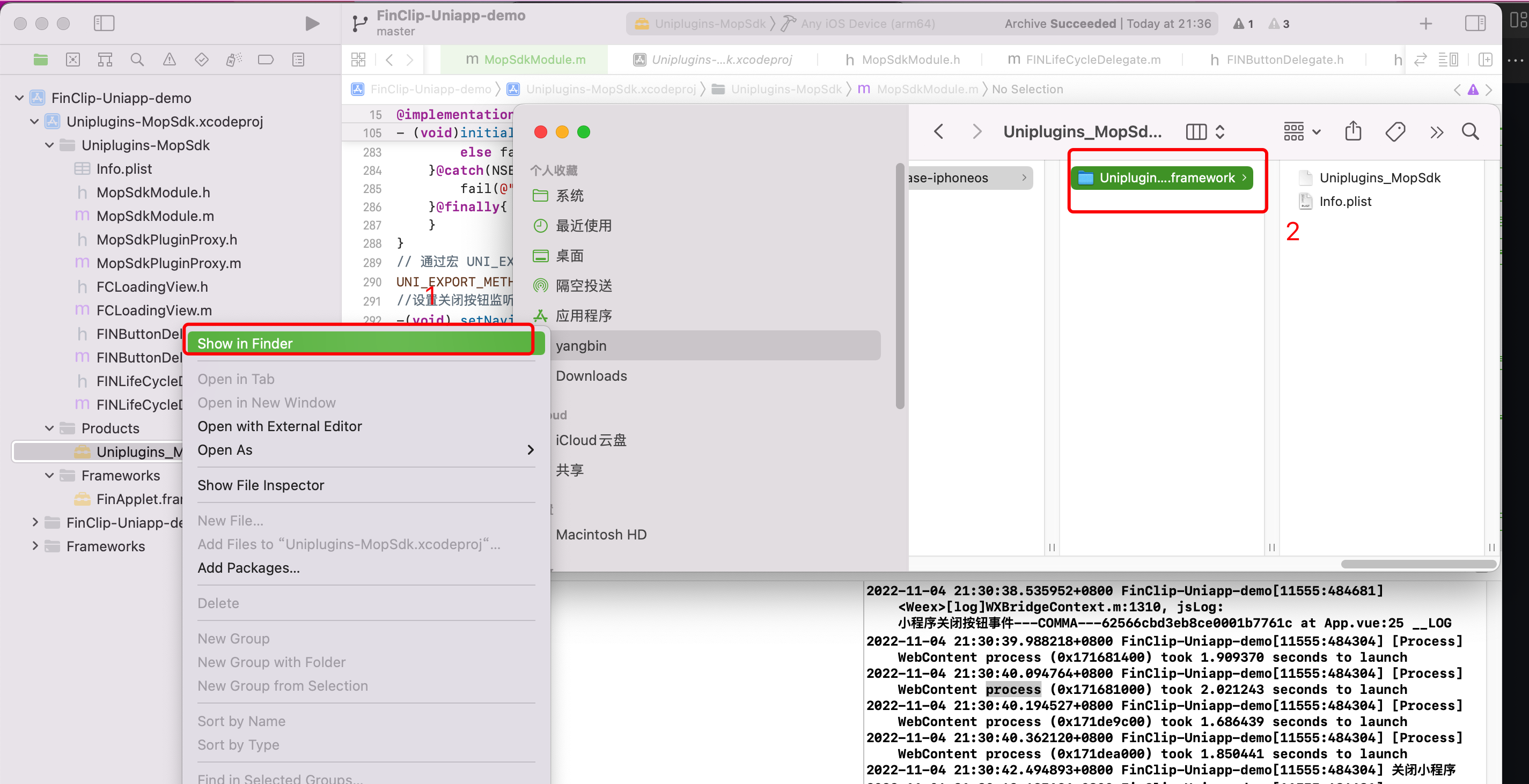
- For iOS plugin generation, refer to the images below:
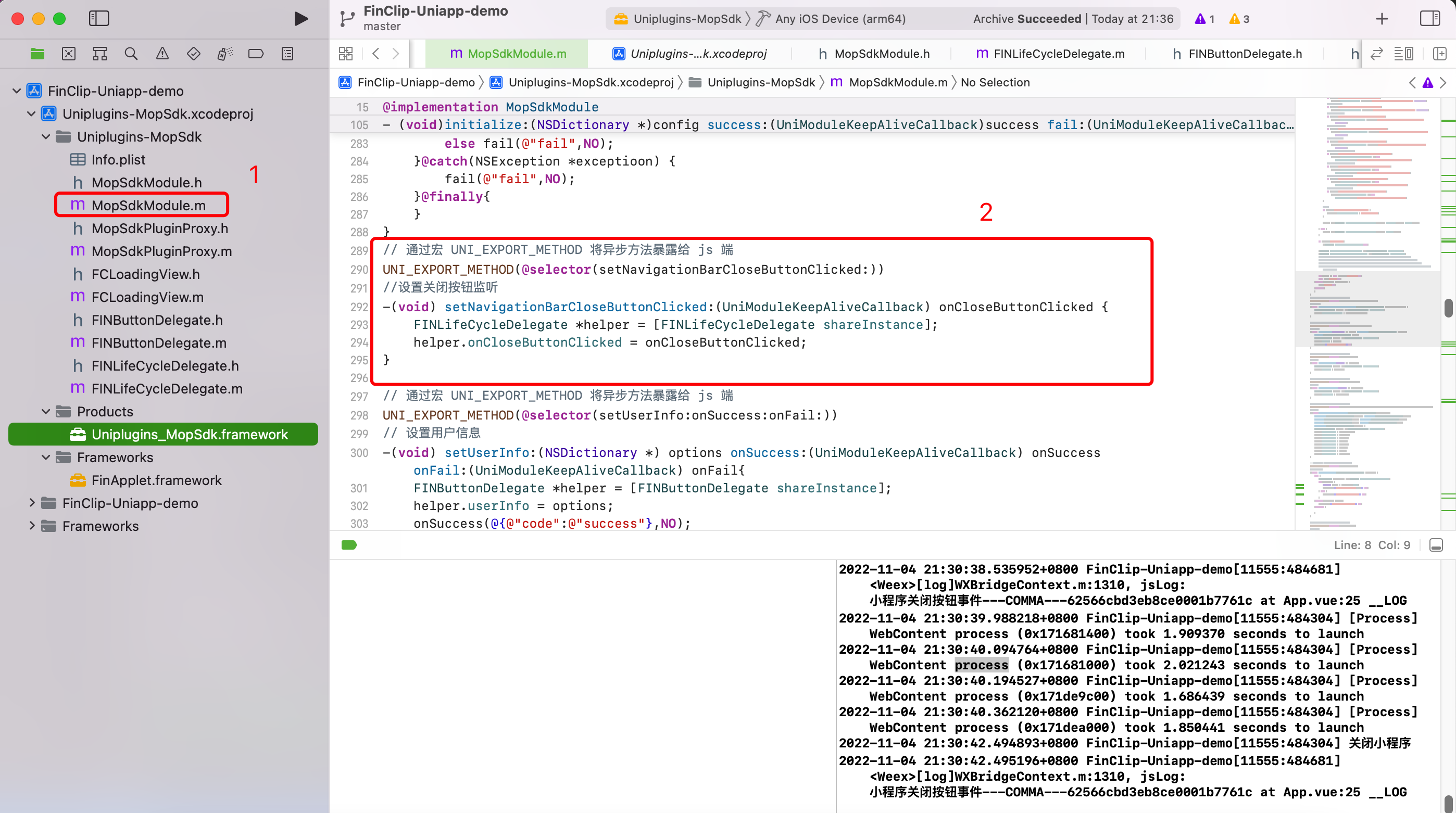
- If you need to extend the SDK's API, refer to the image below:
- During plugin debugging, if you need to update the FinClip SDK, you can introduce the new SDK (opens new window) as shown below and reopen the iOS project:
# 3.2 Android Plugin Extension Instructions
Please unzip the andriod-demo.zip file from the git repository project and open the unzipped Android project using Android Studio.
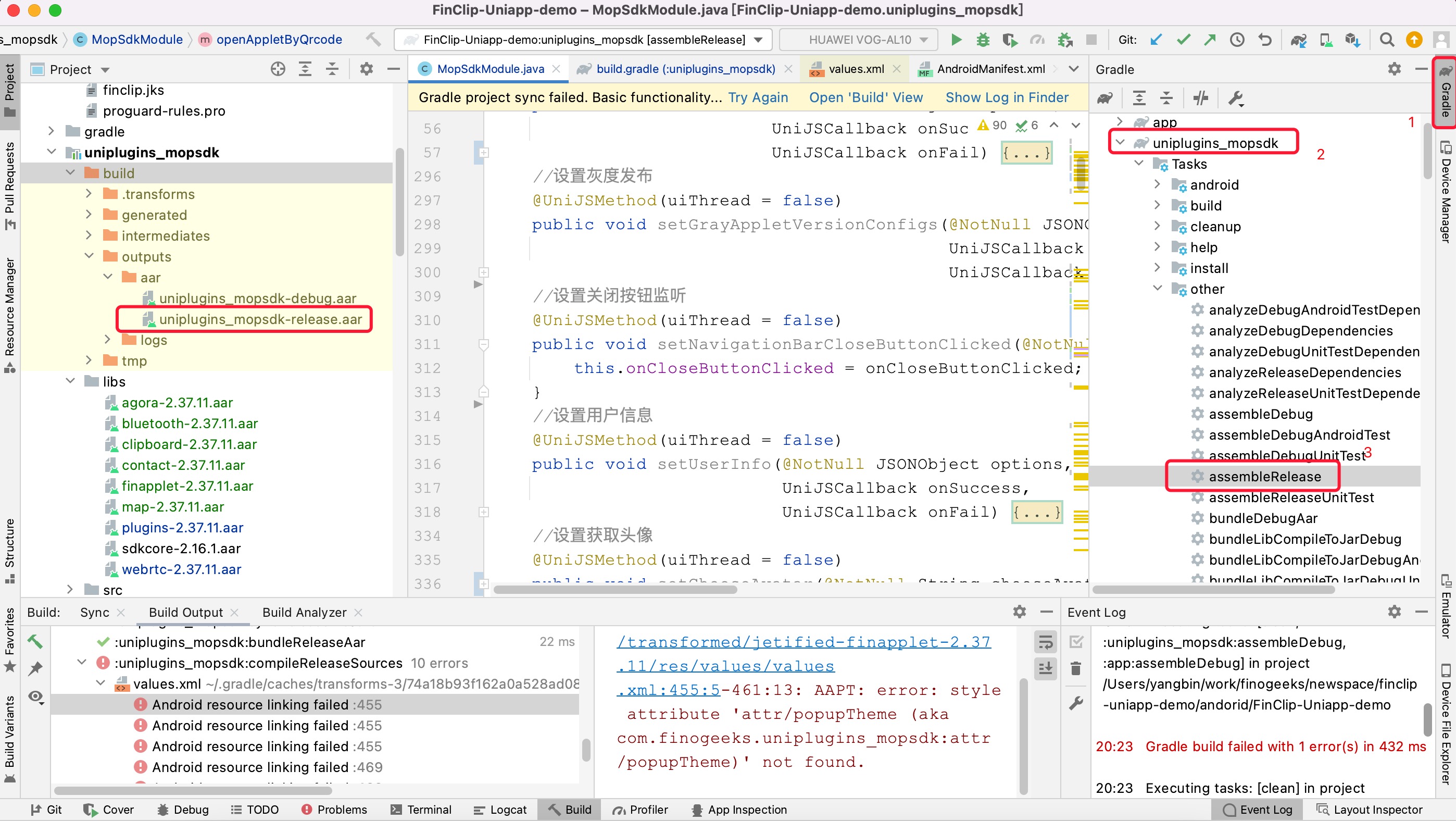
For Android plugin generation, refer to the image below:
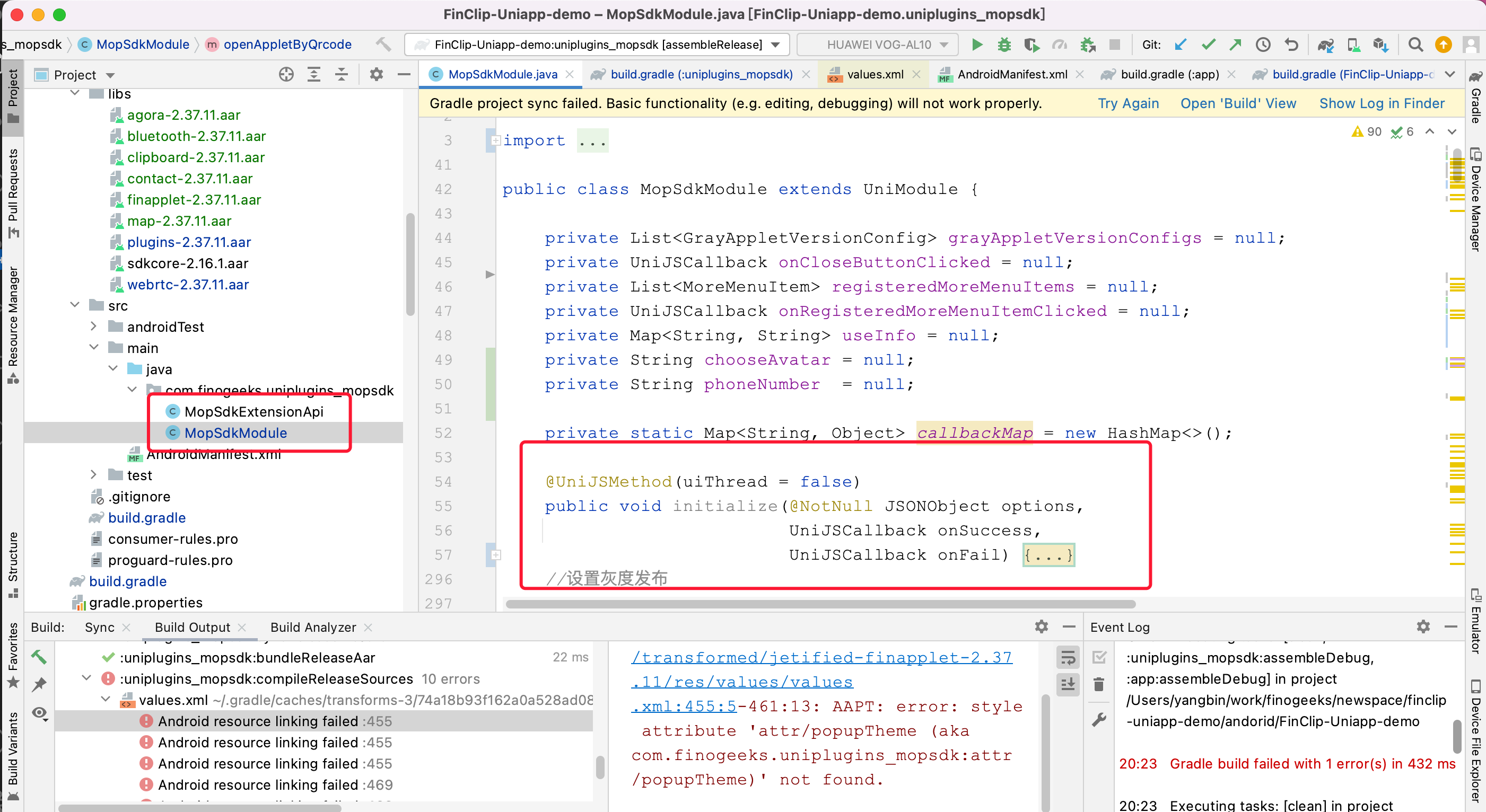
If you need to extend the SDK's API, refer to the image below:
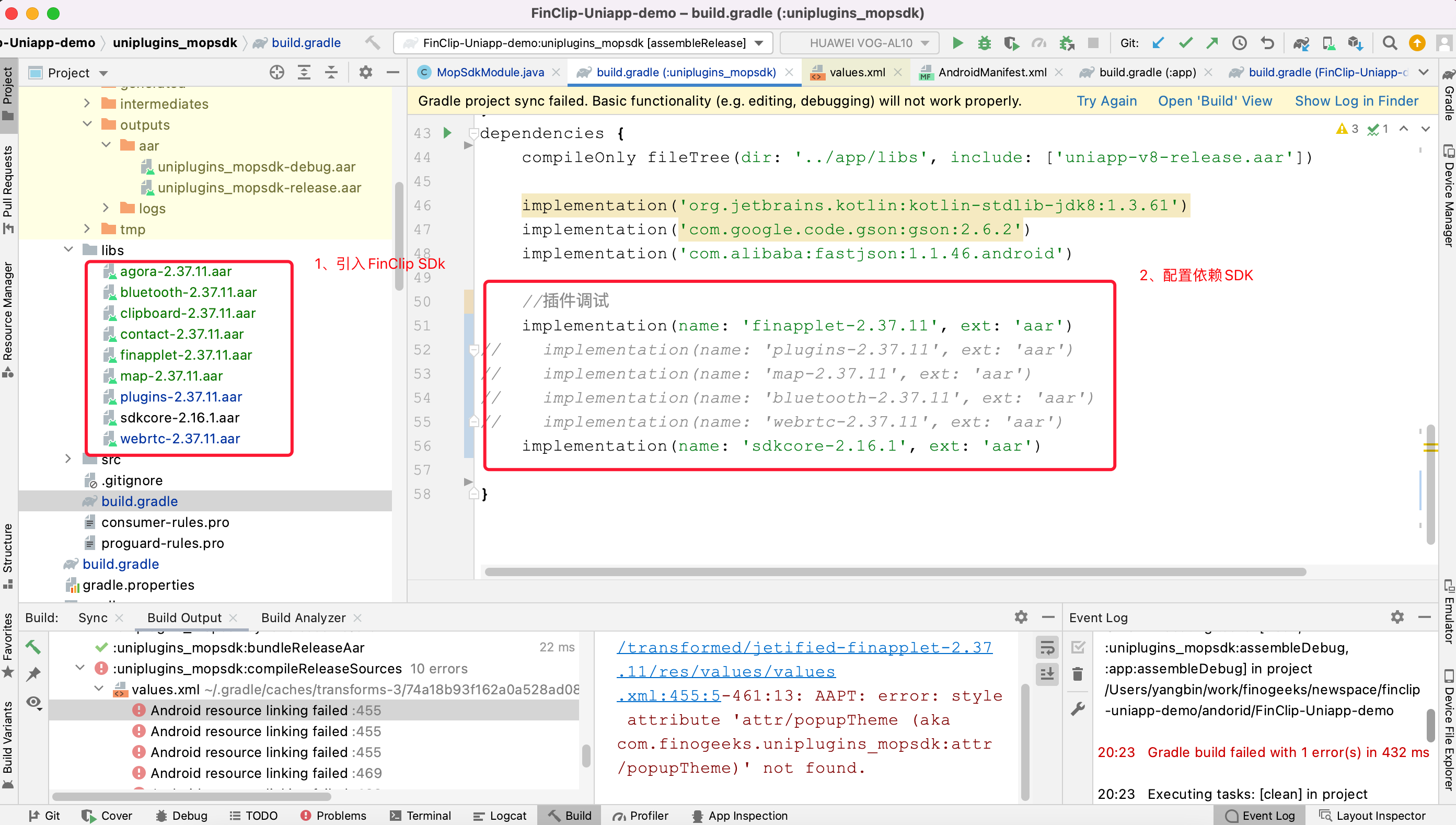
During plugin debugging, if you need to update the FinClip SDK, you can introduce the new SDK (opens new window) as shown below:
# 4. Plugin Usage and Payment Instructions
WARNING
Regarding plugin usage, you can use the plugin unconditionally and obtain the plugin project source code to modify and extend the plugin API functionality. The FinClip team will maintain this open-source project periodically. Additionally, if your project uses the uni-app plugin, the FinClip team can provide related technical consultation services. If the uni-app plugin in the open-source repository does not meet your project's development needs (the plugin currently covers most of the native SDK's API functionality) and you require the FinClip team to provide uni-app plugin update support, you will need to pay an additional fee to purchase the uni-app plugin service.