
# Introduction to FinClip
FinClip consists of three parts: Cloud-side, End-side, and Developer Tools:
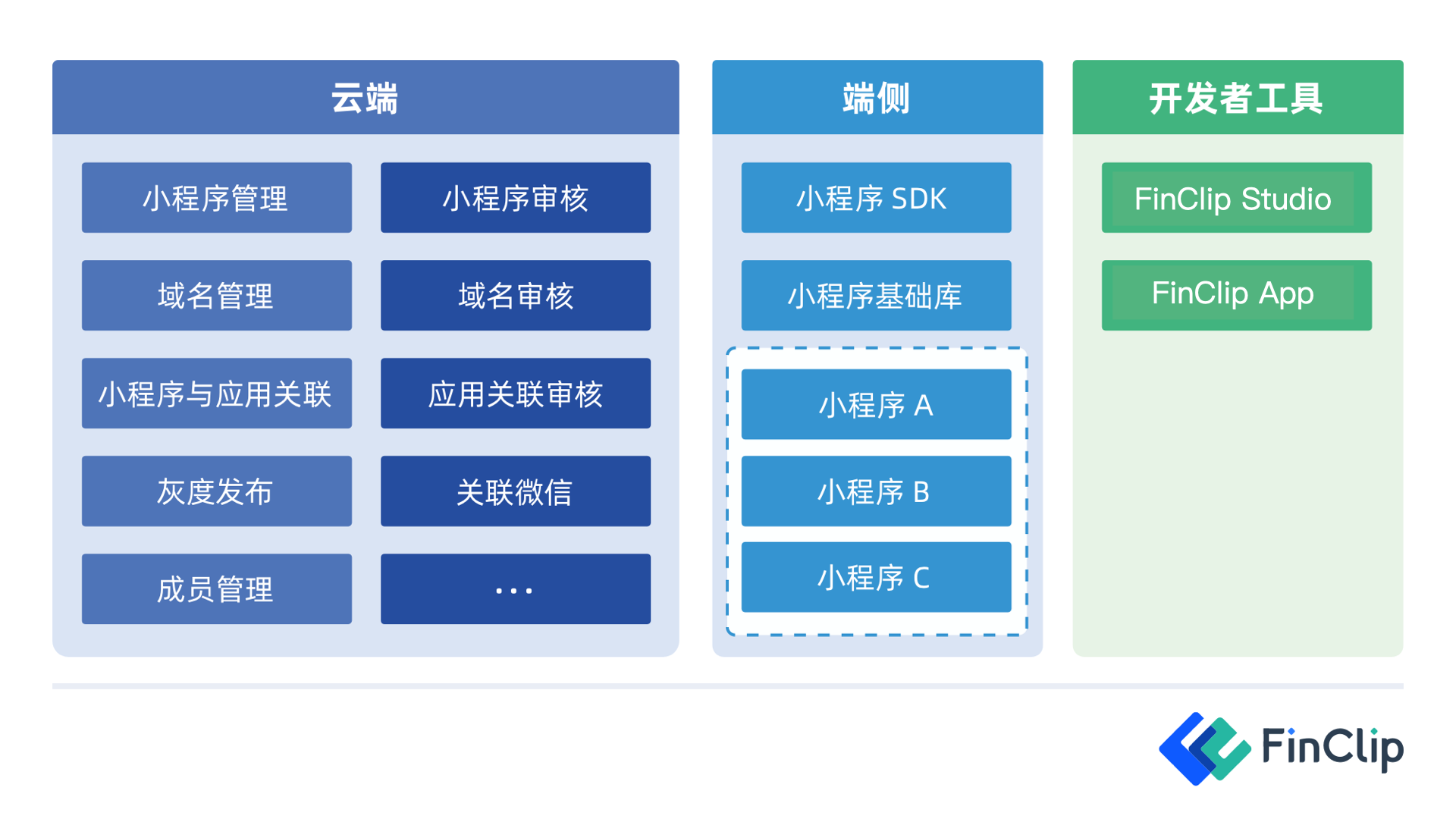
- The Cloud-side represents the
FinClip Management Console(opens new window), which manages the entire lifecycle of Mini-Programs, including development and publishing; - The End-side represents the
FinClip Mini-Program SDK, referring to mobile apps or various smart devices that have integrated the FinClip Mini-Program SDK, enabling them to run Mini-Programs; - Developer Tools are primarily used for writing, debugging, uploading, and previewing Mini-Program code.
# How Does the FinClip Mini-Program SDK Work?
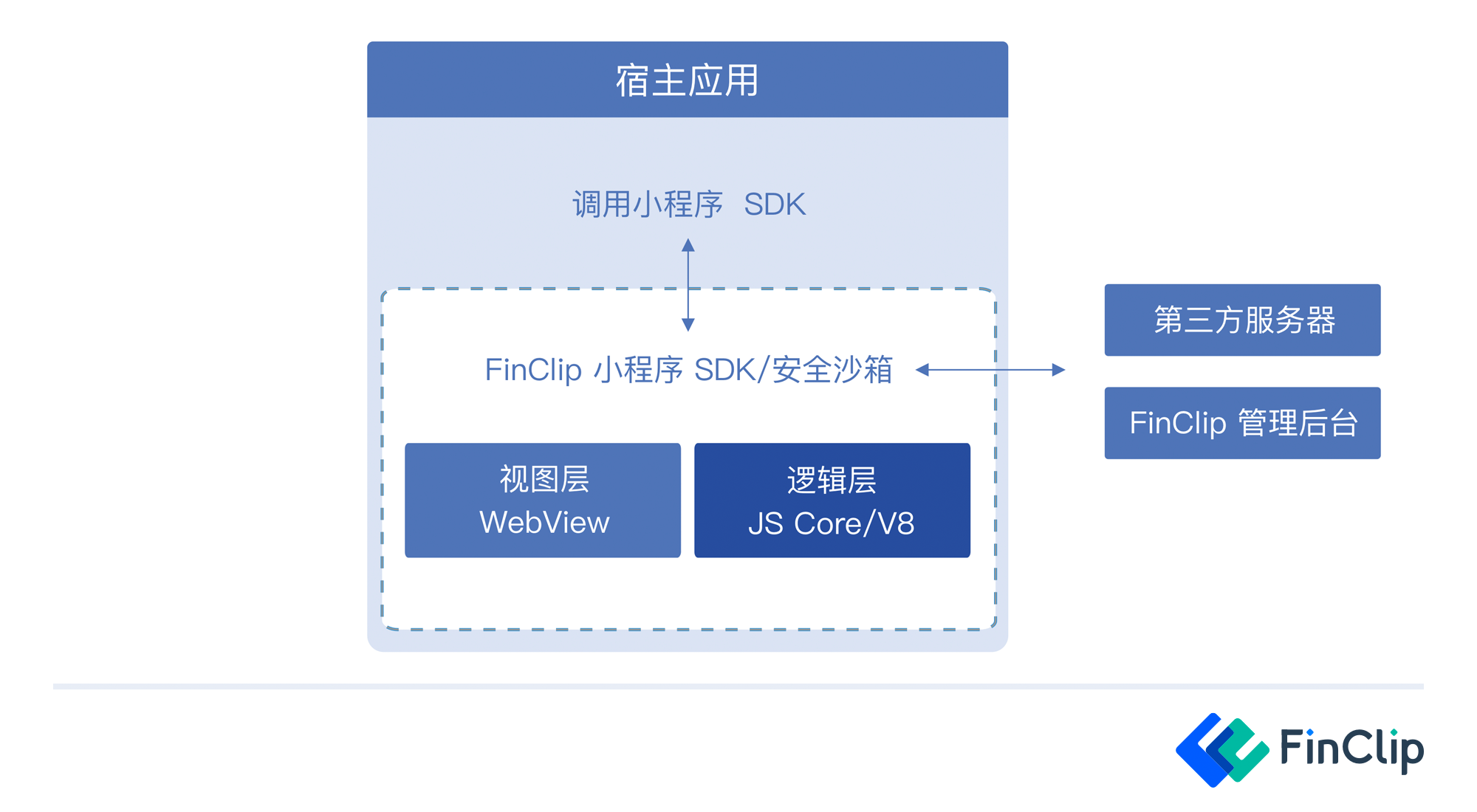 The FinClip Mini-Program SDK provides a Security Sandbox and Host Environment capable of running Mini-Program business code:
- The
Security Sandboxis responsible for protecting the business applications within the Mini-Program, ensuring data transmission in a secure and trusted environment, free from third-party interference and eavesdropping; - The
Host Environmentis responsible for executing the Mini-Program's JS business logic code and using WebView to render and display Mini-Program pages (Learn more).
# What Is the FinClip Mini-Program Security Sandbox?
The FinClip Mini-Program SDK also serves as the Security Sandbox for Mini-Program execution. Within the Mini-Program's Host Environment, mobile or desktop applications need to interact with both the Logic Layer and the View Layer, which cannot communicate directly with each other and must communicate through the Host-App.
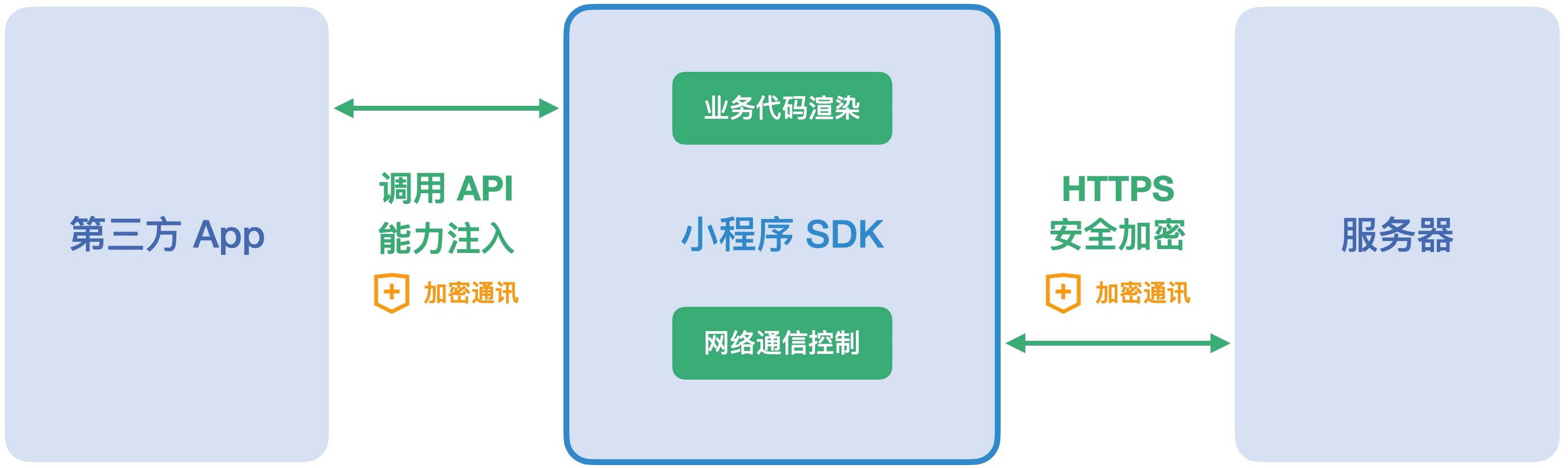
Because of this, FinClip can also ensure the security and reliability of the Mini-Program runtime environment:
- The FinClip Mini-Program SDK provides a closed, secure runtime environment for business code, effectively preventing risks such as external code interference and data leakage. Third-party network platforms' hosts can only launch the Runtime through the interfaces actively exposed by the SDK;
- The FinClip Mini-Program SDK can fully control the runtime environment required by the business application and its external communications, using various mechanisms to ensure that network communications are not intercepted or interfered with;
In desktop and Android environments, we also employ the following methods and measures to ensure the security and reliability of the Mini-Program runtime environment:
- The desktop version uses the
Chromium Embedded Frameworkbrowser kernel. The runtime environment is completely isolated from the system browser, allowing for effective data isolation and protection based on this kernel.
# RN SDK Integration Guide
# Others...
If you need to view related DEMO showcases, you can check our Github (International) (opens new window) and Gitee (Domestic) (opens new window) repositories.