
# Setting Mini-Program Transition Animations
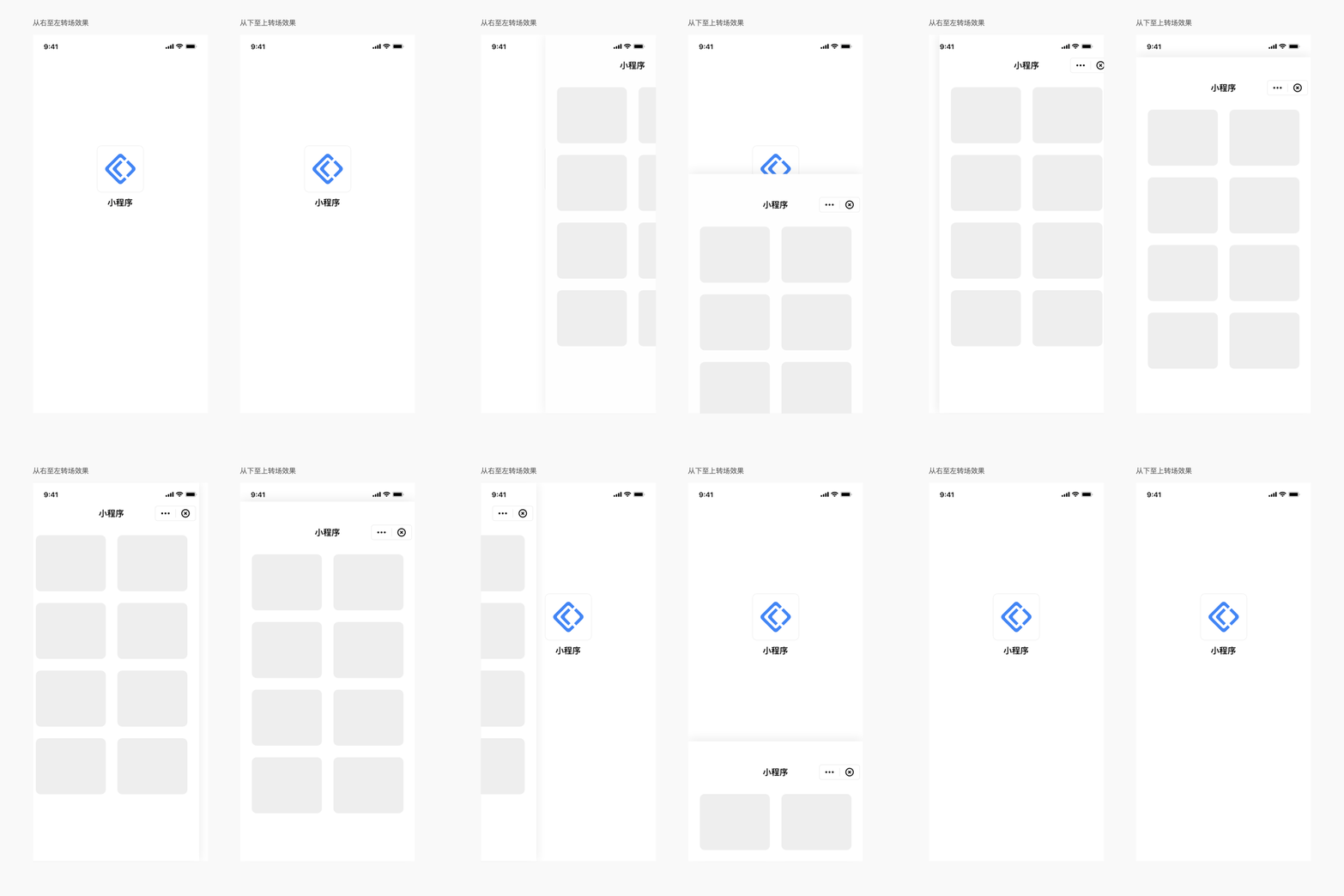
# 1. Effect Demonstration
# 2. iOS Setup Method
We support various Mini-Program transition animations. This setting is implemented by the App and needs to be configured each time a Mini-Program is opened.
// Transition effect from bottom to top
[[FATClient sharedClient] startRemoteApplet:@"appId" startParams:nil InParentViewController:self completion:nil];

// Transition effect from left to right
[[FATClient sharedClient] startRemoteApplet:@"appId" startParams:nil InParentViewController:self transitionStyle:FATTranstionStylePush completion:nil];
# 3. Android Setup Method
We support various Mini-Program transition animations. This setting is implemented by the App. Once set, all Mini-Programs within the App will use this effect.
Set the Activity transition animation for Mini-Programs by calling the setActivityTransitionAnim method of the IAppletApiManager interface:
FinAppClient.INSTANCE.getAppletApiManager().setActivityTransitionAnim(SlideFromRightToLeftAnim.INSTANCE);
Currently, five types of animations are available for configuration:
- NoneAnim: No animation;
- SlideFromLeftToRightAnim: Slide animation - enter from left, exit to right;
- SlideFromRightToLeftAnim: Slide animation - enter from right, exit to left;
- SlideFromTopToBottomAnim: Slide animation - enter from top, exit to bottom;
- SlideFromBottomToTopAnim: Slide animation - enter from bottom, exit to top.
TIP
Due to Android system limitations, Mini-Program transition animations will not take effect in multi-task stack mode on Android 12 and later versions.
# 4. HarmonyOS Setup Method
Currently, Mini-Program transition animations can only be set when starting a Mini-Program in Navigation mode; animations for other modes are system defaults and cannot be modified currently.
Starting from version 1.1.1, the startMode configuration includes a new navDestinationMode option, corresponding to NavDestinationMode (opens new window).
To customize transition animations, please refer to the documentation (opens new window).