
# WeChat Mini-Program Management Feature
Feature Background
The WeChat Mini-Program Management feature can be used to manage developers' existing Mini-Programs on the WeChat platform through FinClip, thereby improving management efficiency.
# 1. Feature Description
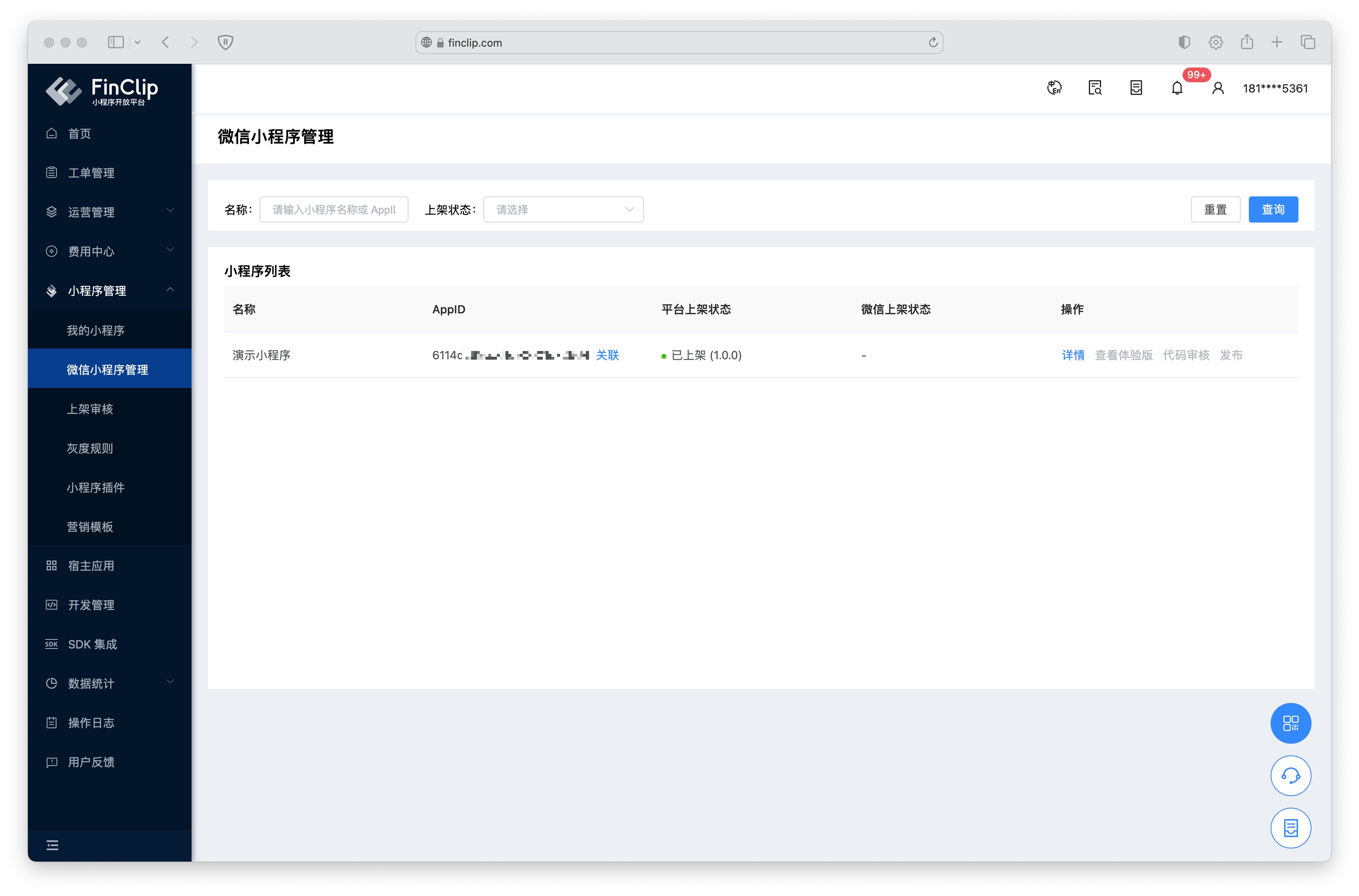 Within the WeChat Mini-Program Management feature, developers can associate their already launched FinClip Mini-Programs with WeChat Mini-Programs and directly upload WeChat WXML syntax Mini-Program code in FinClip Studio.
Subsequently, developers can configure the Mini-Program code directly through FinClip, such as setting the Mini-Program version as the experience version in the WeChat environment, submitting the WeChat Mini-Program code for review, and releasing the code version of the WeChat Mini-Program.
Please Note
- Code review and release operations in the WeChat Mini-Program environment must be processed for review by WeChat. FinClip cannot guarantee the timeliness of Mini-Program review and release (prompts such as "Please upload code" may appear).
- The current feature only supports associating WeChat Mini-Programs with already launched Mini-Programs in FinClip.
- To ensure the usability of the Mini-Program code in the WeChat environment, please ensure the Mini-Program is implemented using WeChat Mini-Program syntax (WeChat Mini-Programs can be used directly in the FinClip environment).
- Using FinClip to manage WeChat Mini-Programs requires the Mini-Program user type to be 'Enterprise'. Personal type Mini-Programs cannot be provided with complete management capabilities.
# 2. Usage Process
To manage a WeChat Mini-Program, first navigate to the "Mini-Program Management - WeChat Mini-Program Management" page. Find the existing FinClip Mini-Program, click the "Associate" button on the right side of the AppID, and use WeChat to scan the QR code on the newly opened page to complete the authorization binding between the WeChat Mini-Program and the FinClip Mini-Program. After successful binding, the WeChat Mini-Program's AppID (starting with 'wx') will be displayed in the AppID column.
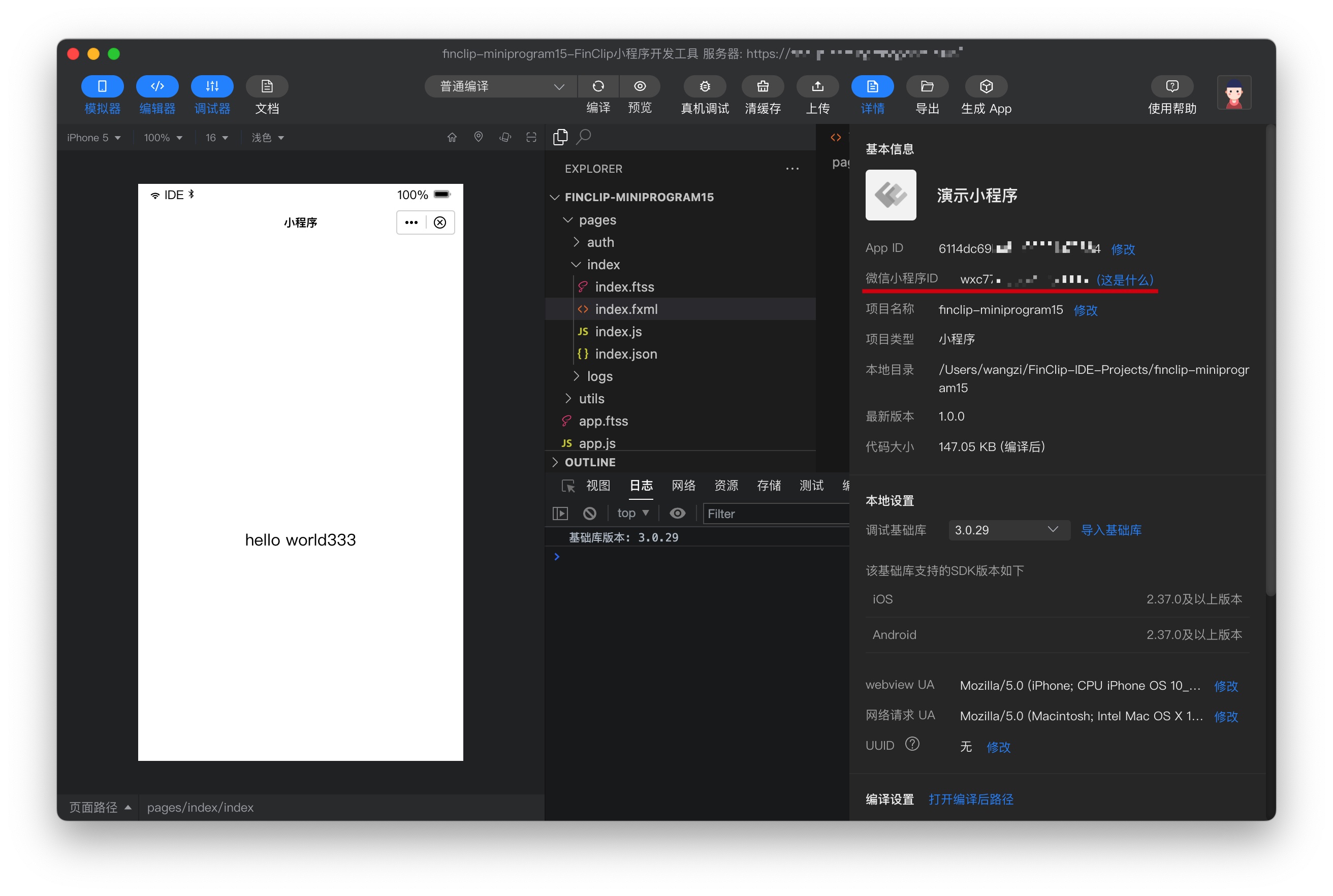
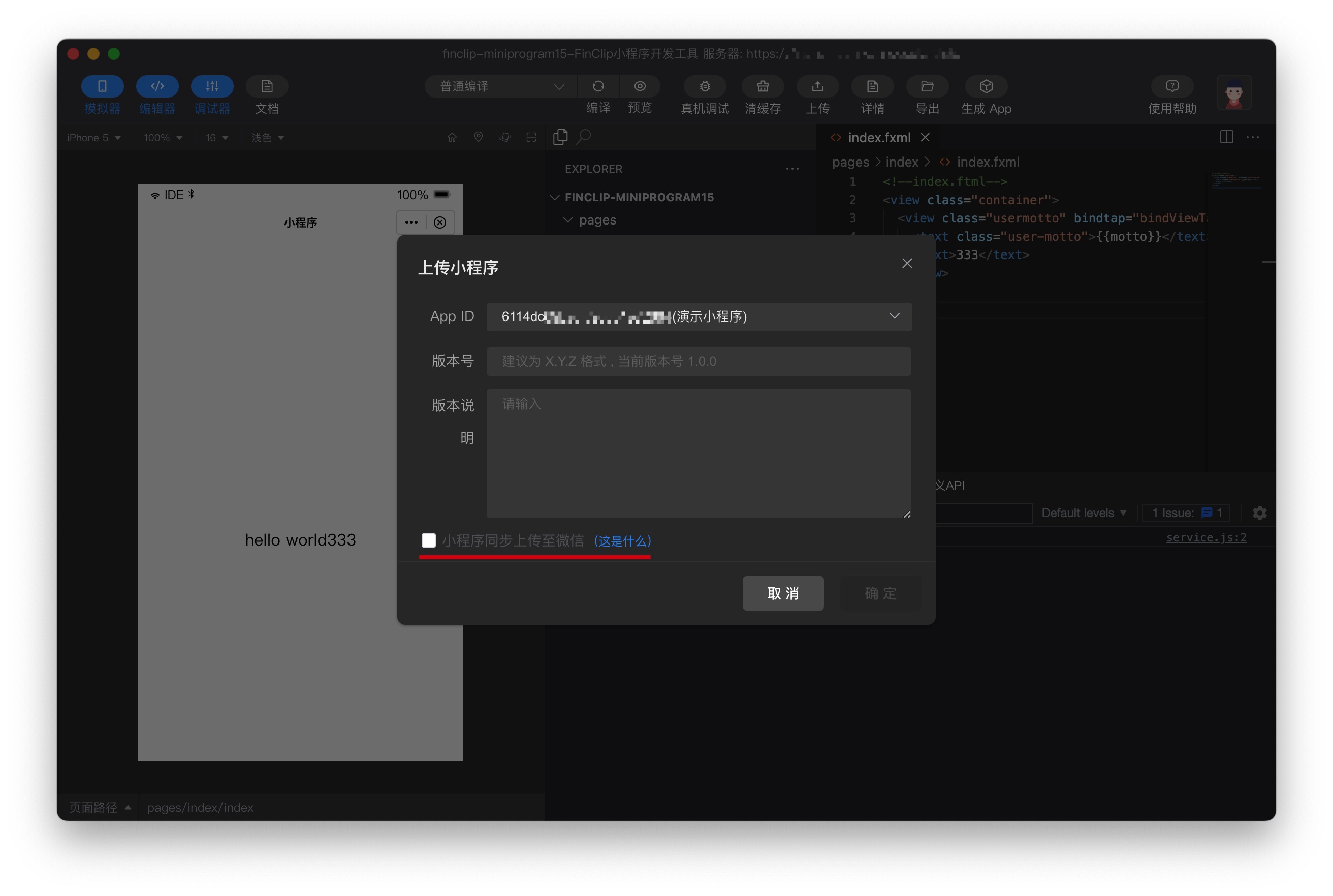
Open the corresponding Mini-Program using the FinClip Developer Tools. You can view the associated WeChat Mini-Program ID information on the "Details" page. After confirming the Mini-Program code is developed correctly, click the "Upload" button in the FinClip Studio interface and check the "Synchronously upload Mini-Program to WeChat" checkbox below. You can then return to the Mini-Program Management Console, open the "WeChat Mini-Program Management" page for subsequent operations.
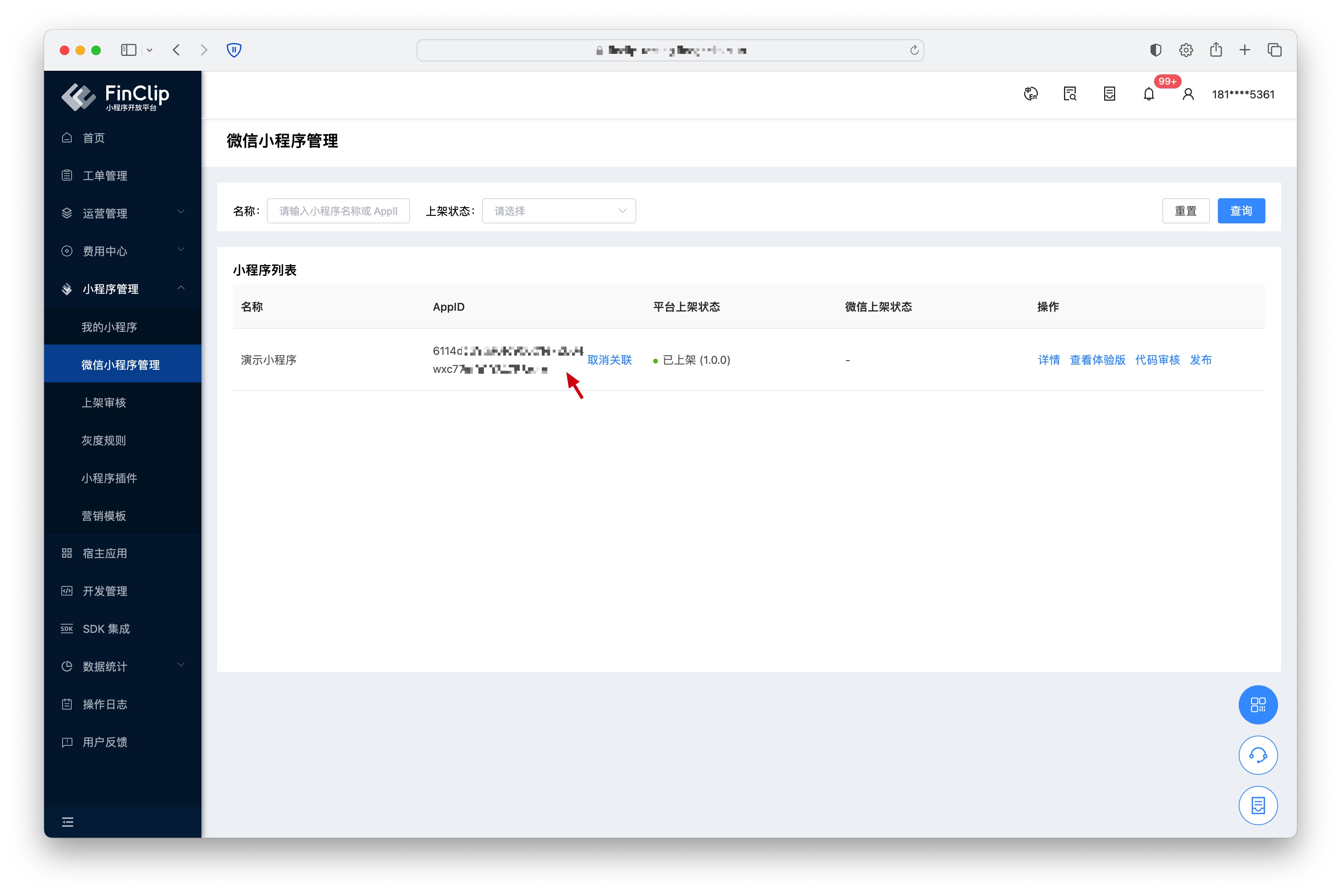
The functions in the operation column are as follows:
- Details: Jump to the FinClip Mini-Program details page to view relevant details of the Mini-Program.
- View Experience Version: After the Mini-Program code has been uploaded via FinClip Studio, you can click this button and scan the QR code with the WeChat App to experience the Mini-Program.
- Code Review: Submit the current experience version Mini-Program code to WeChat for review. The review status and comments will be returned after the review is completed.
- Release: Publish the Mini-Program that has passed the code review to the online version.
# 3. Common Errors or Exception Codes
The actual implementation of this feature still requires WeChat to review the Mini-Program content. Therefore, when using it, please be sure to follow the "Upload Code -> Version Release -> Set as Experience Version -> Submit for Review -> Publish Online" operation sequence. If you encounter function errors during use, you can contact us in the developer community to report the issue.
# 4. Feature and Environment Comparison
This feature may have differences and limitations in different environments. Please refer to the table below for specifics. To learn more about the differences and introductions between different versions, you can click here (opens new window).
| Community Edition Environment | SaaS Environment | Enterprise Edition (Annual Payment or One-time Purchase) | |
|---|---|---|---|
| WeChat Mini-Program Management | ❌ | ✅ | Available as an optional purchase |