
# User - Developer Center
# 1. Role Management
# 1.1 Function Description
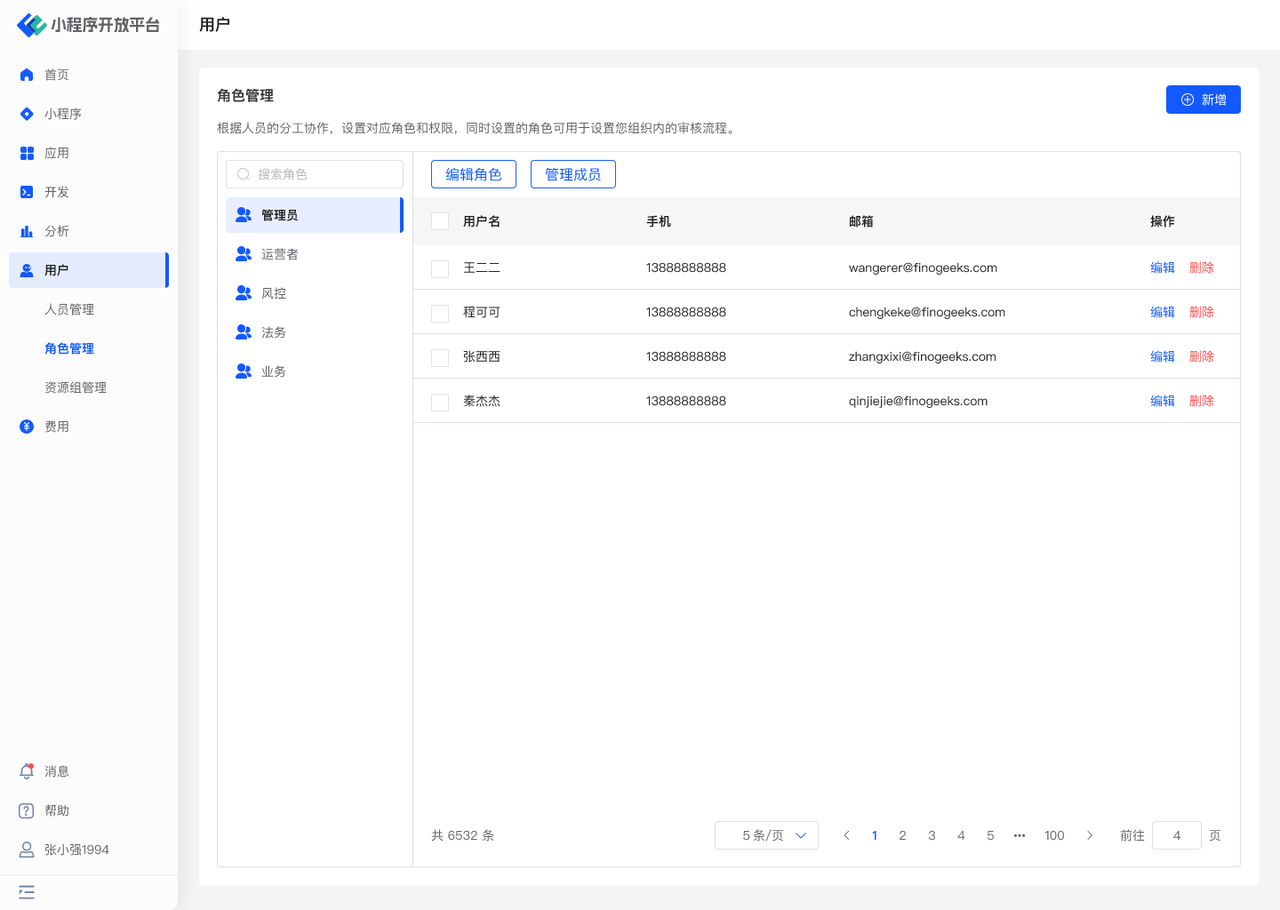
In the "Role Management" menu, you can:
- Manage roles: Create custom roles, edit role permissions, delete roles
- Manage members under roles: Add and remove members
# 1.2 Terminology Definition
None
# 1.3 Usage Instructions
# Managing Roles
- The "Administrator" role is the system default role, containing all permission functions, and page permissions can be adjusted.
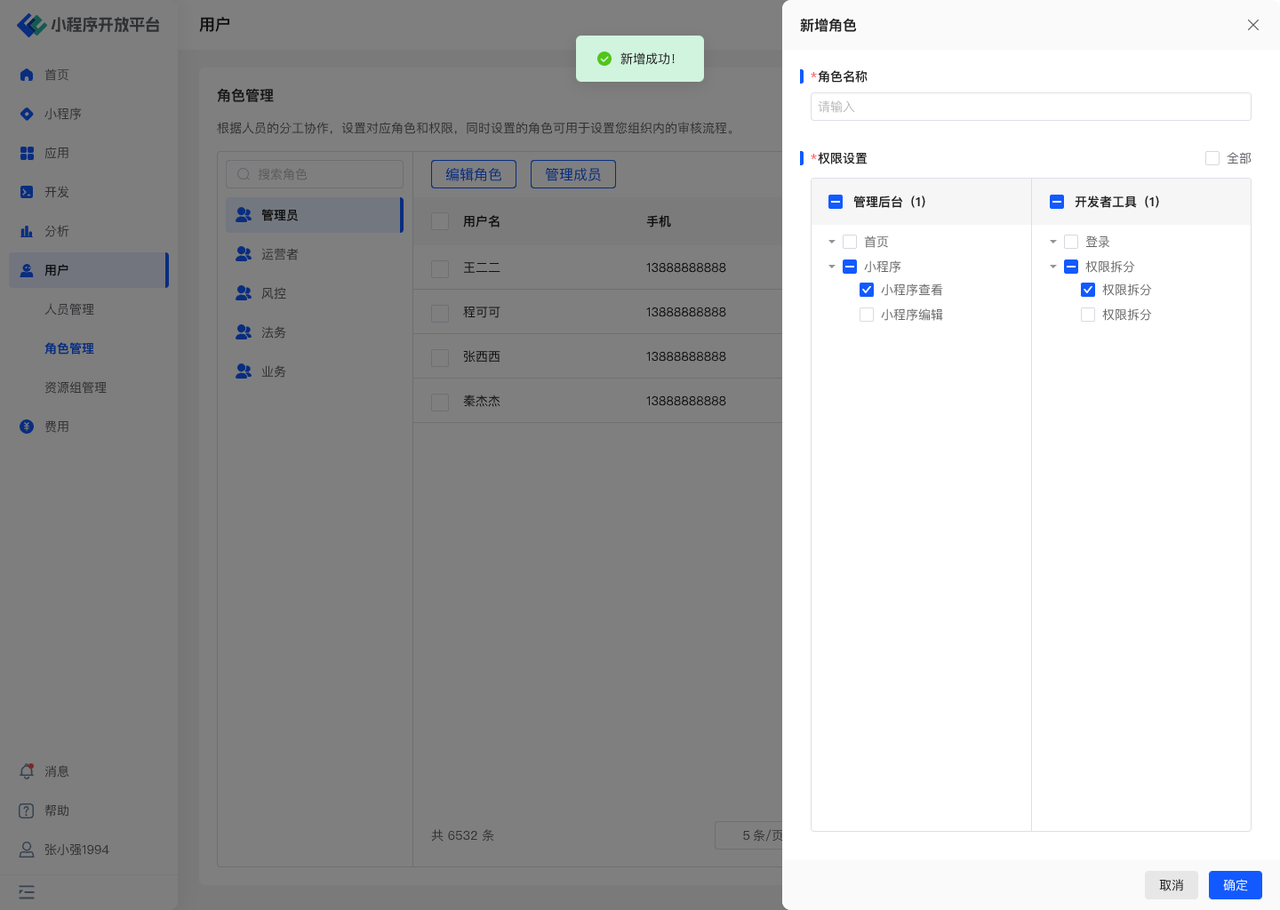
- You can create custom new roles using the "Add" function and configure corresponding page permissions.
- After successful creation, you can adjust specific permission content using the "Edit Role" function. The role name cannot be changed.
# Managing Members Under Roles
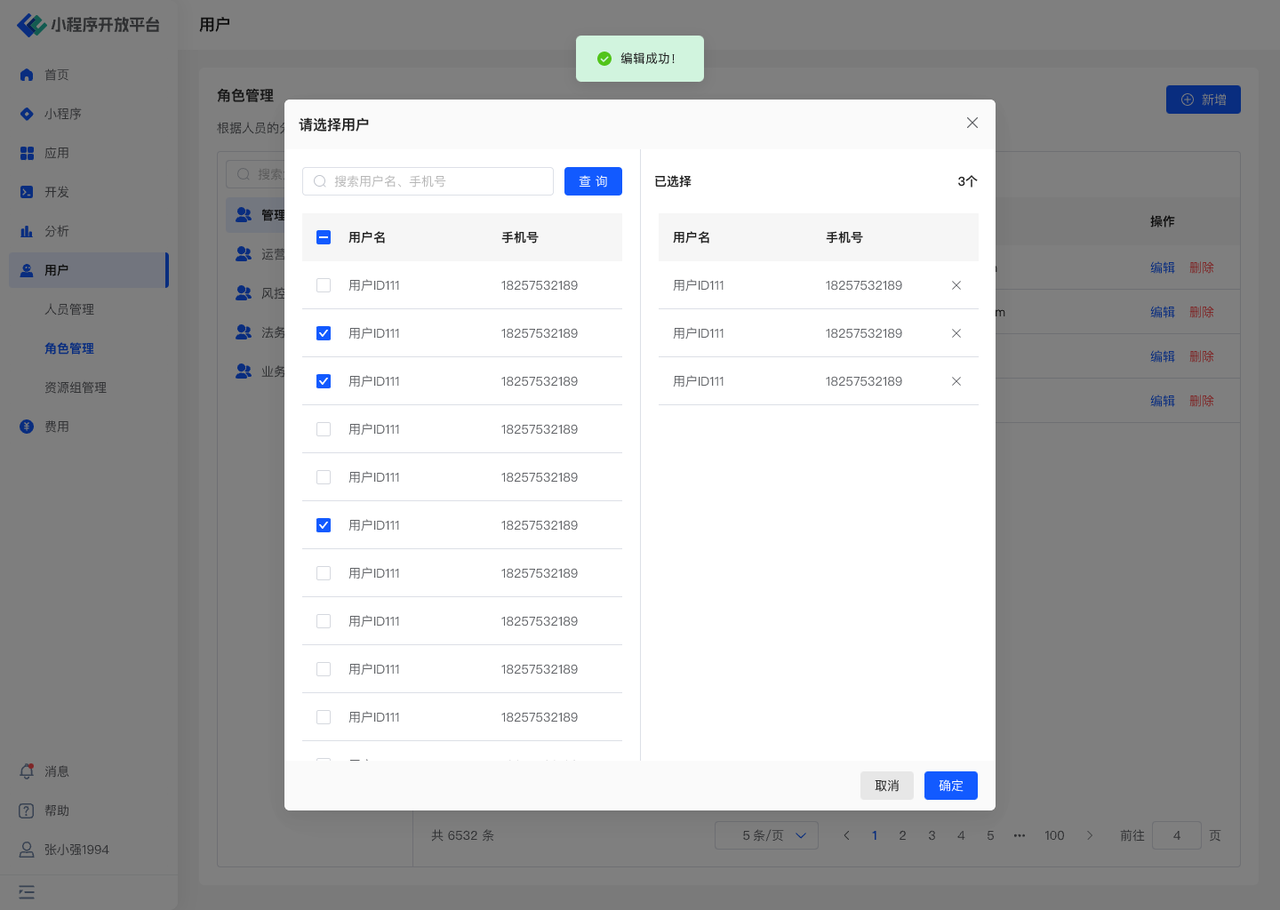
- Using the "Manage Members" function, you can quickly assign corresponding role permissions to multiple users or revoke their permissions.
- It also supports "Editing" individual users to modify their role permissions.
# 1.4 Environment Description
| Community Edition | SaaS Edition | Enterprise Edition (Annual Payment or One-time Purchase) | |
|---|---|---|---|
| Role Management | ✅ | ✅ | ✅ |
# 2. User Management
# 2.1 Function Description
In the "User Management" menu, you can:
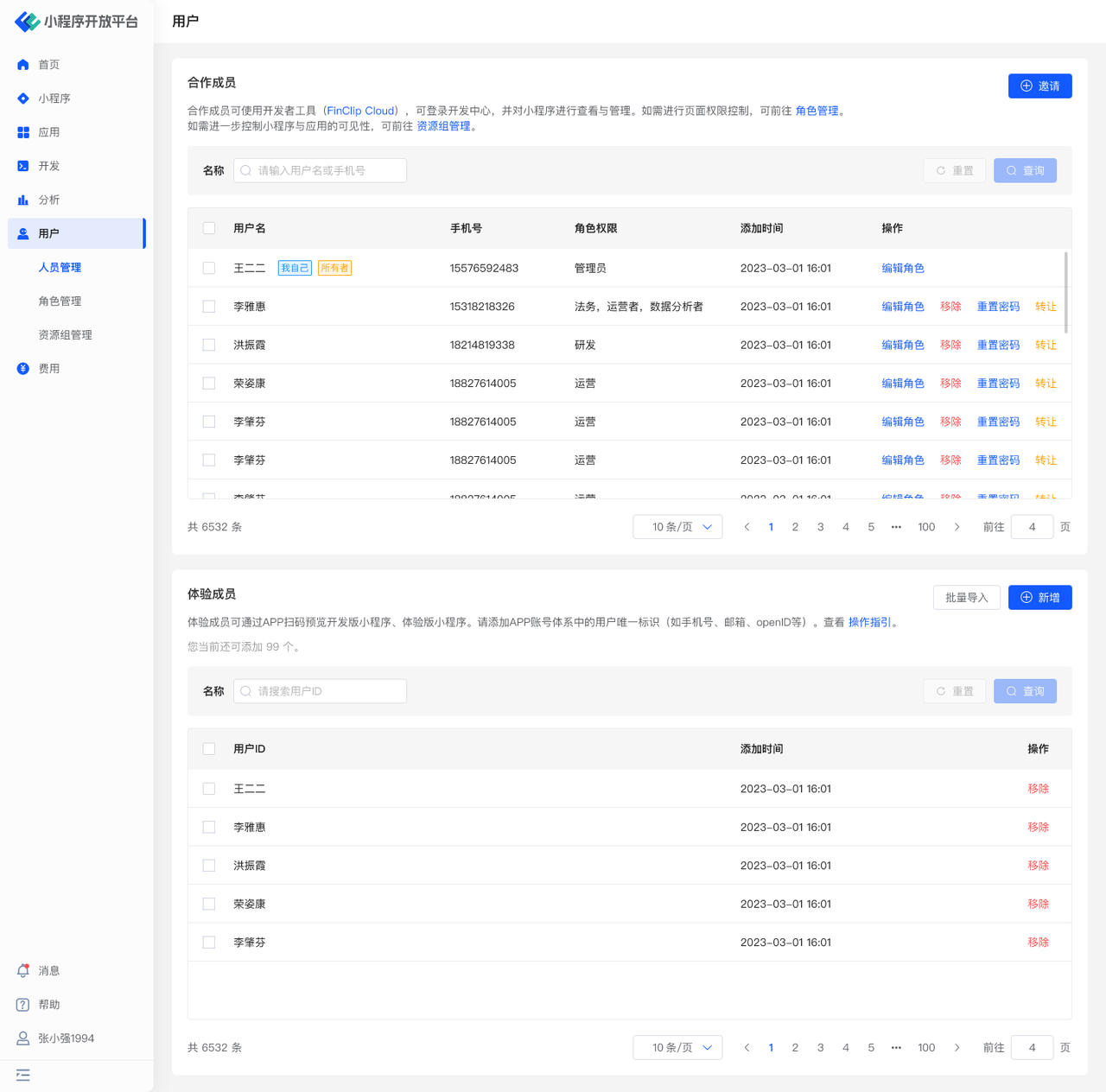
- Manage collaborators: "Invite" new members to join. Assign different role permissions to members, or remove members from the organization.
- Manage test members: Add/bulk import test members, remove members from the organization.
# 2.2 Terminology Definition
Collaborator: Refers to personnel who can use the Developer Tools, log in to the Developer Center, and view and manage Mini-Programs.
Test Member: Refers to personnel who can preview the development version or trial version Mini-Programs of this organization by scanning a QR code with the APP.
# 2.3 Usage Instructions
# Inviting Collaborators
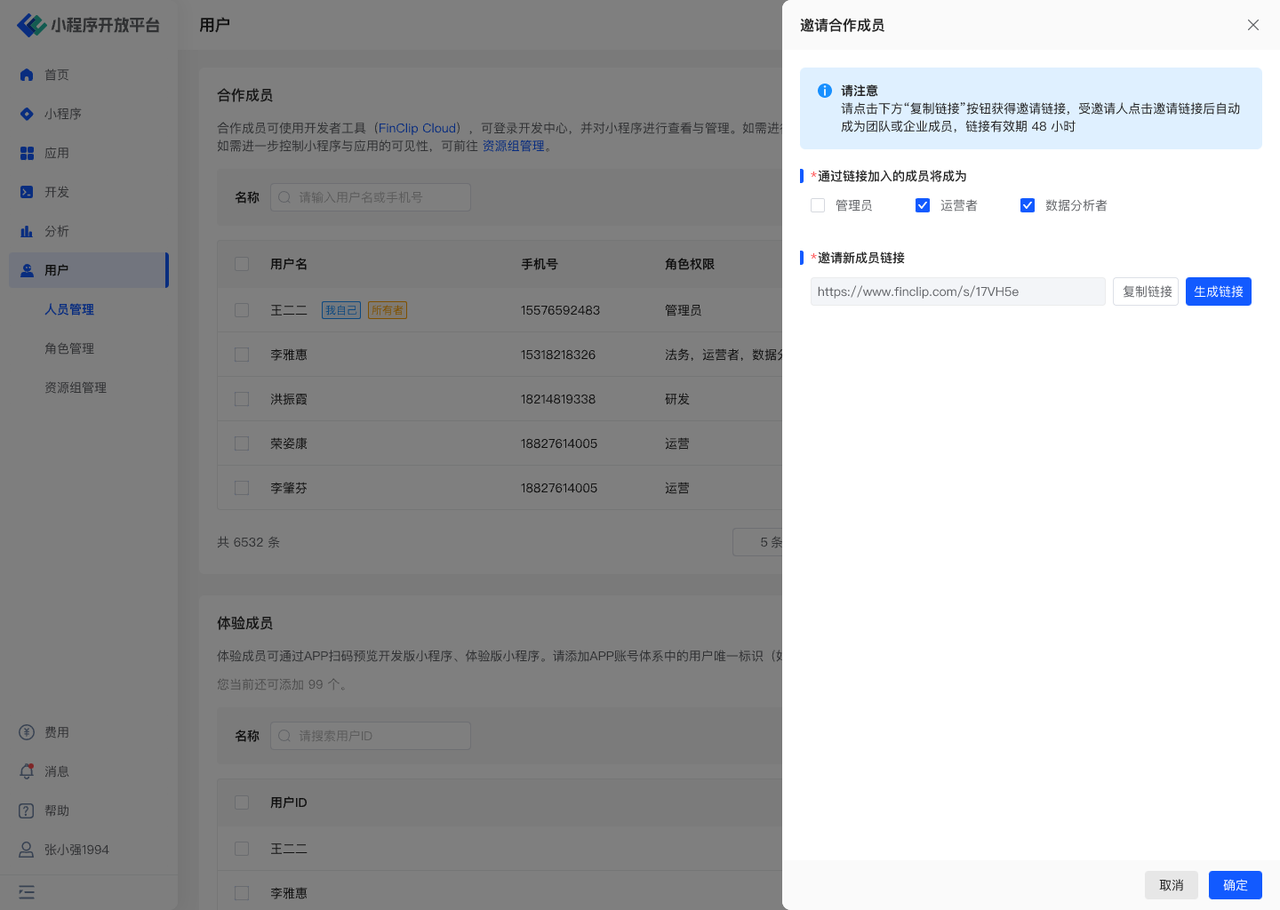
- Collaborators are added by "invitation only". Users can only join the organization through an invitation link. When sending an invitation, a role must be selected. After the user successfully joins, the administrator can edit their role again.
- If the user does not have an account on the Mini-Program platform, they must register before they can join the new organization.
- Once a user is "Removed", that user can no longer log in to view all data under the current organization.
# Adding Test Members
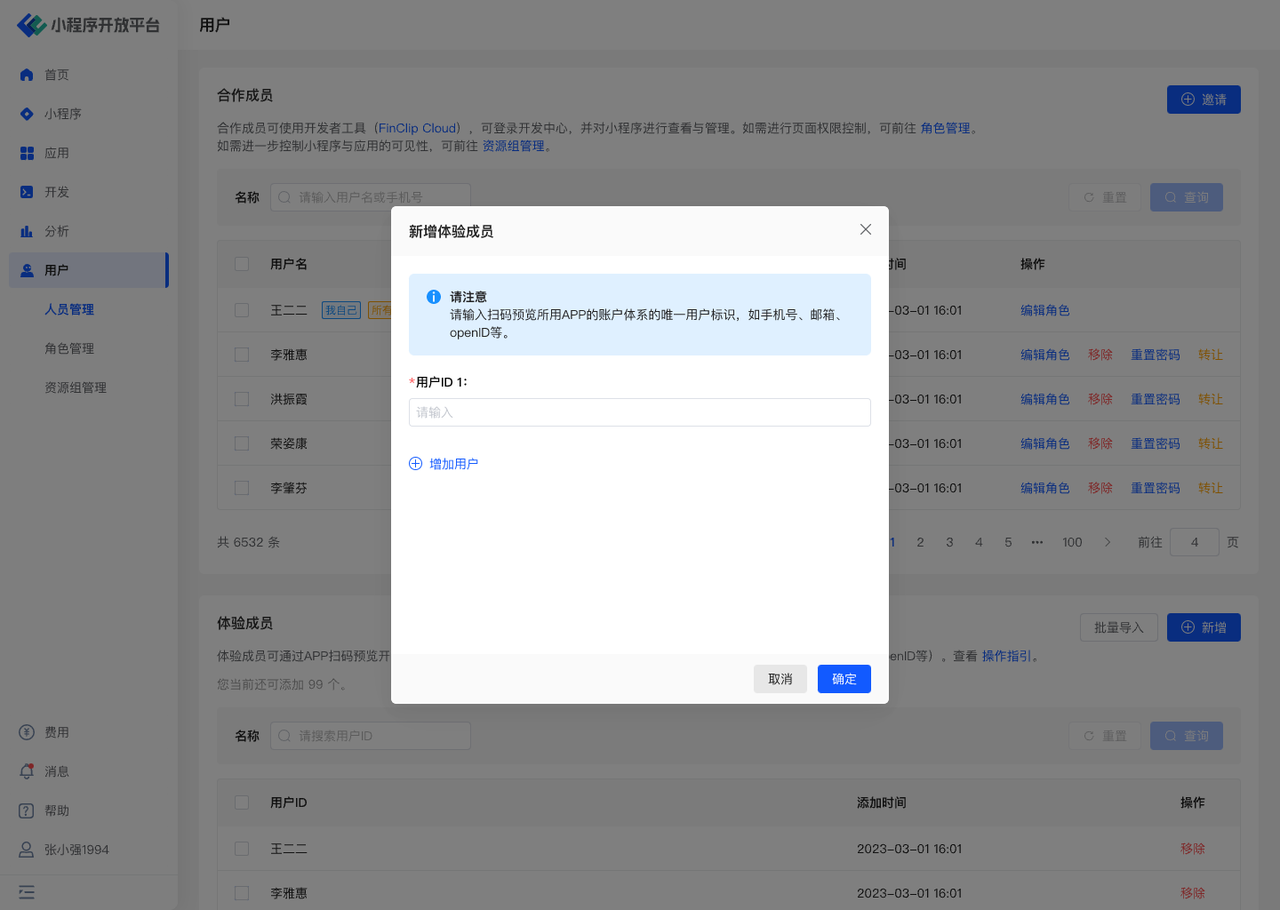
- Unlike collaborators, test members are added by an "addition system", where external personnel are designated as test members by adding their User ID.
Here, the User ID should be the unique identifier from the APP's account system, independent of the Mini-Program platform. It is the credential used by the APP system to verify in the background whether the user has permission. It is recommended that the APP injects the phone number as the User ID when integrating the SDK, which will make importing User IDs in the backend more convenient.
# 2.4 Environment Description
| Community Edition | SaaS Edition | Enterprise Edition (Annual Payment or One-time Purchase) | |
|---|---|---|---|
| User Management | ✅ | ✅ | ✅ |
# 3. Resource Group Management
# 3.1 Function Description
In the "Resource Group Management" menu, you can:
- Manage resource groups: Create custom resource groups, edit resource groups, and delete resource groups.
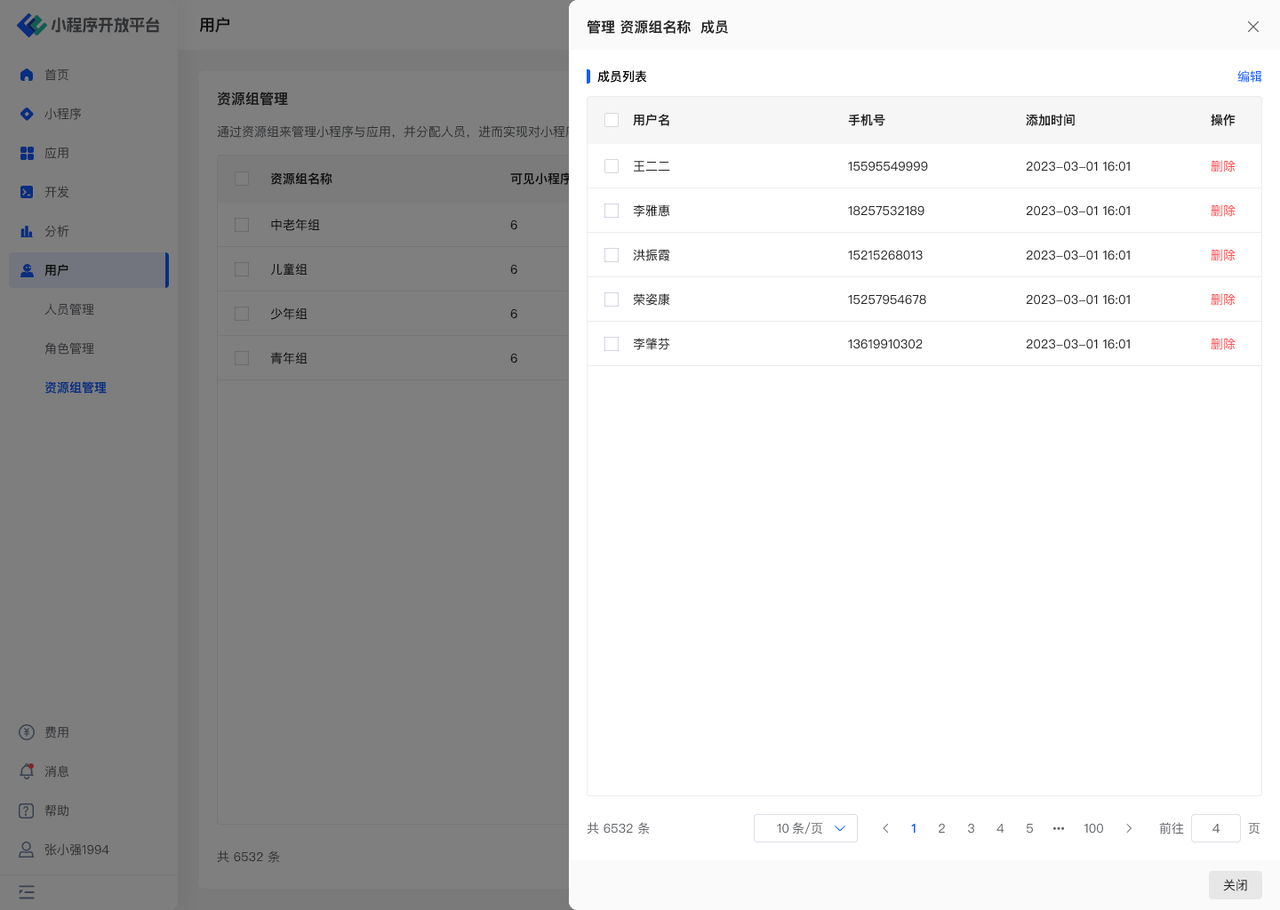
- Manage members under resource groups: Add and remove members.
# 3.2 Terminology Definition
Resource Group: Refers to a collection of permissions for viewing and managing specific Mini-Programs and specific applications.
# 3.3 Usage Instructions
# Managing Resource Groups
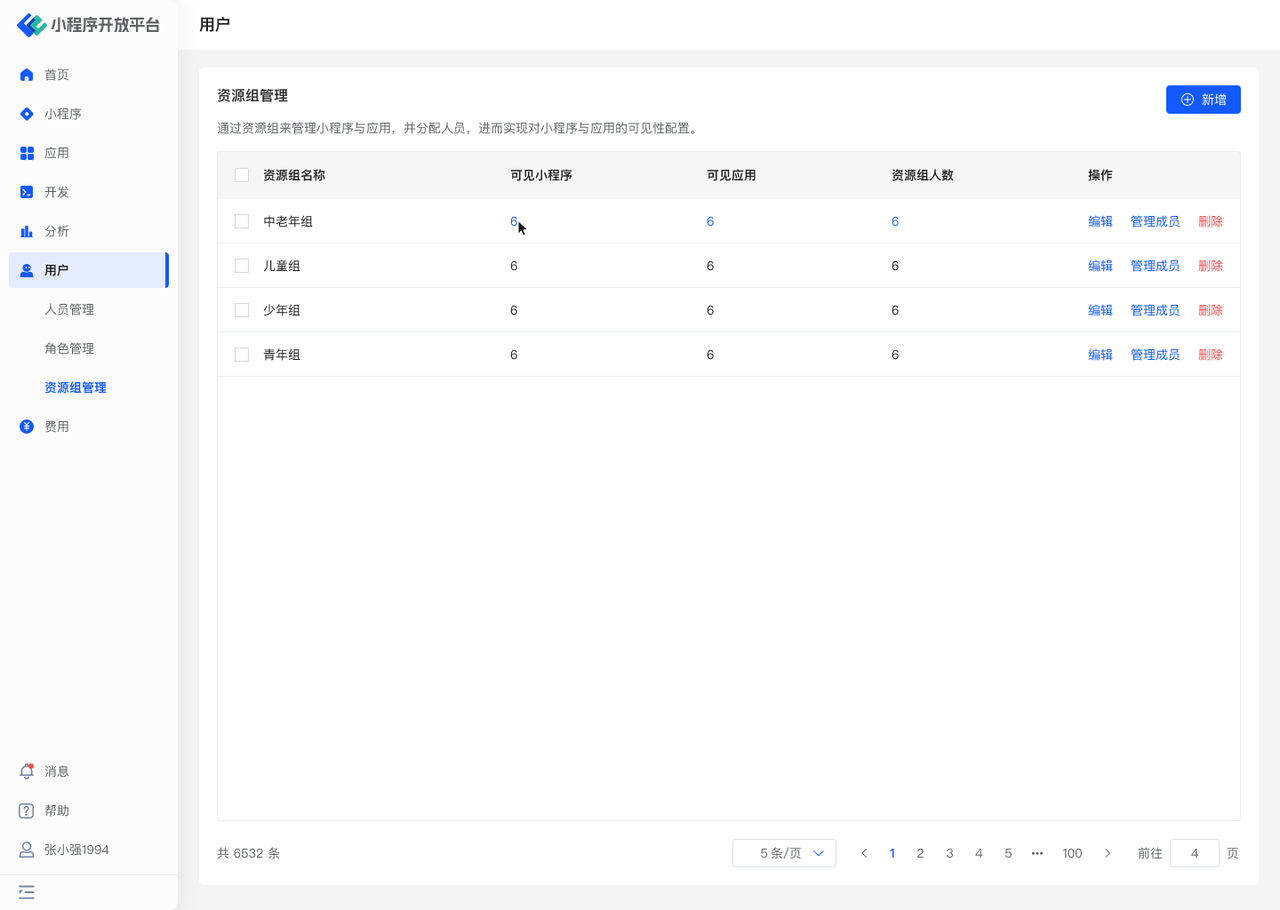
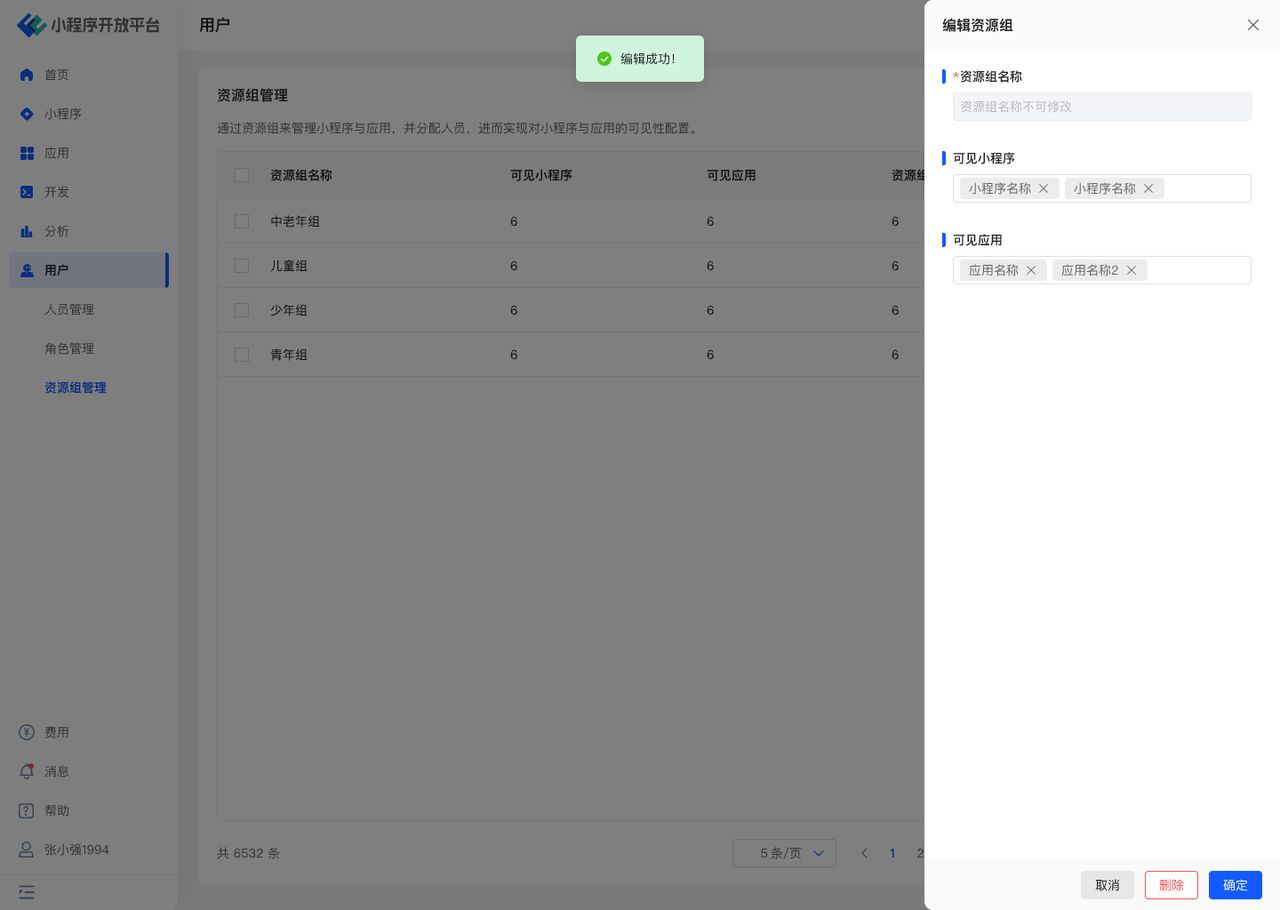
- Use the "Add" function to create custom resource groups and configure the corresponding Mini-Programs and Applications.
- You can "Edit" resource groups: The resource group name cannot be changed, but the specific Mini-Programs and Applications can be adjusted.
# Managing Members Under Resource Groups
- Using the "Manage Members" function, you can quickly assign corresponding resource group permissions to multiple users, restricting their ability to view and manage the corresponding Mini-Programs and Applications.
- If a user is not in any resource group, they can view and manage all Mini-Programs and Applications.
# 3.4 Environment Description
| Community Edition | SaaS Edition | Enterprise Edition (Annual Payment or One-time Purchase) | |
|---|---|---|---|
| Resource Group Management | ✅ | ✅ | ✅ |