
# Digital Center - Information Publishing
# 1. Function Introduction
In the "Information Publishing" menu, you can perform the following:
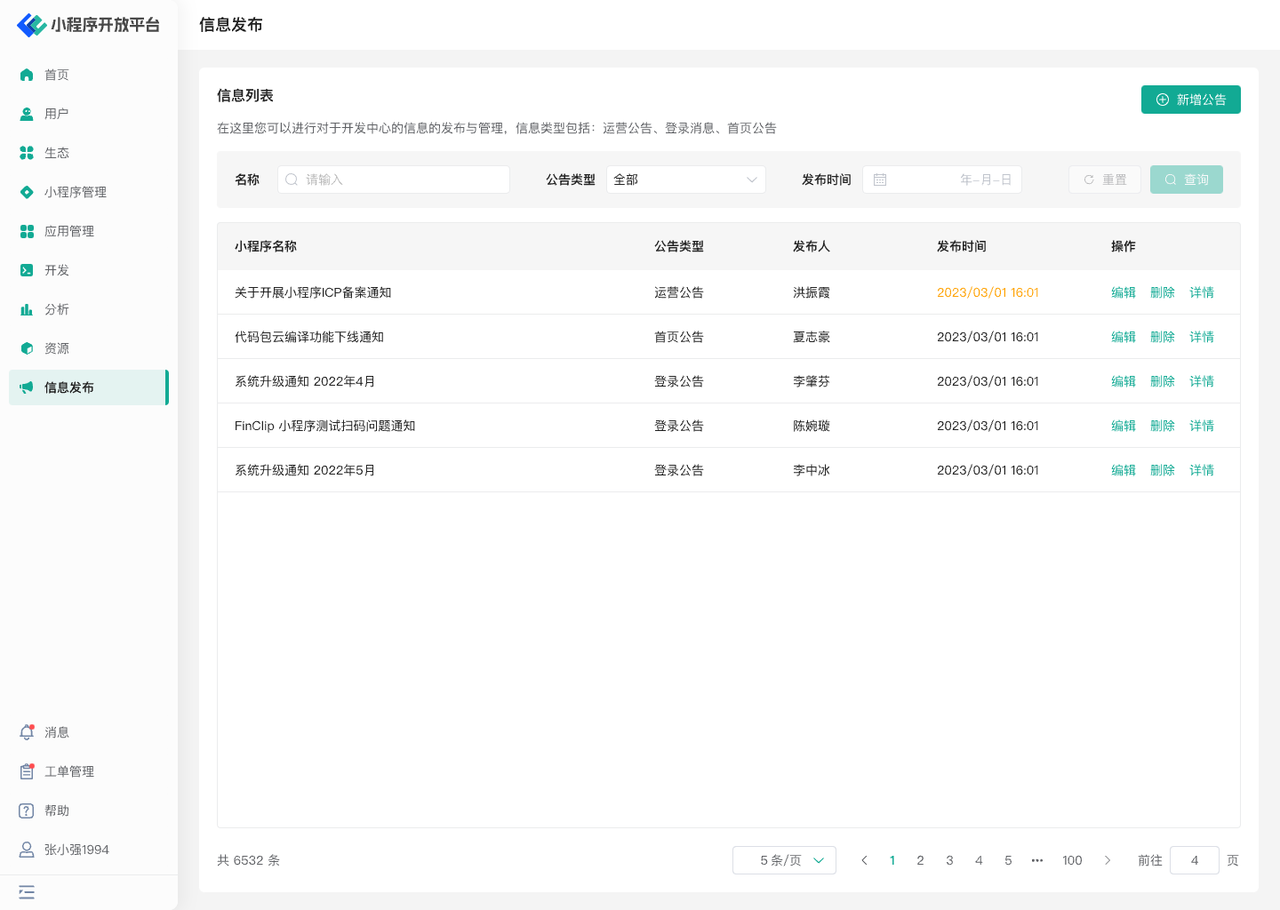
- Announcement Publishing: Edit different types of announcements, articles, etc., and set scheduled publishing and display frequency.
- Announcement Management: Edit the content of published or unpublished announcements, and also delete them.
# 2. Terminology Definitions
None
# 3. Usage Instructions
# 3.1 Add Announcement
Click the "Add Announcement" button above the information list to edit the announcement content. The announcement types are: Operational Announcement, Login Message, and Homepage Announcement.
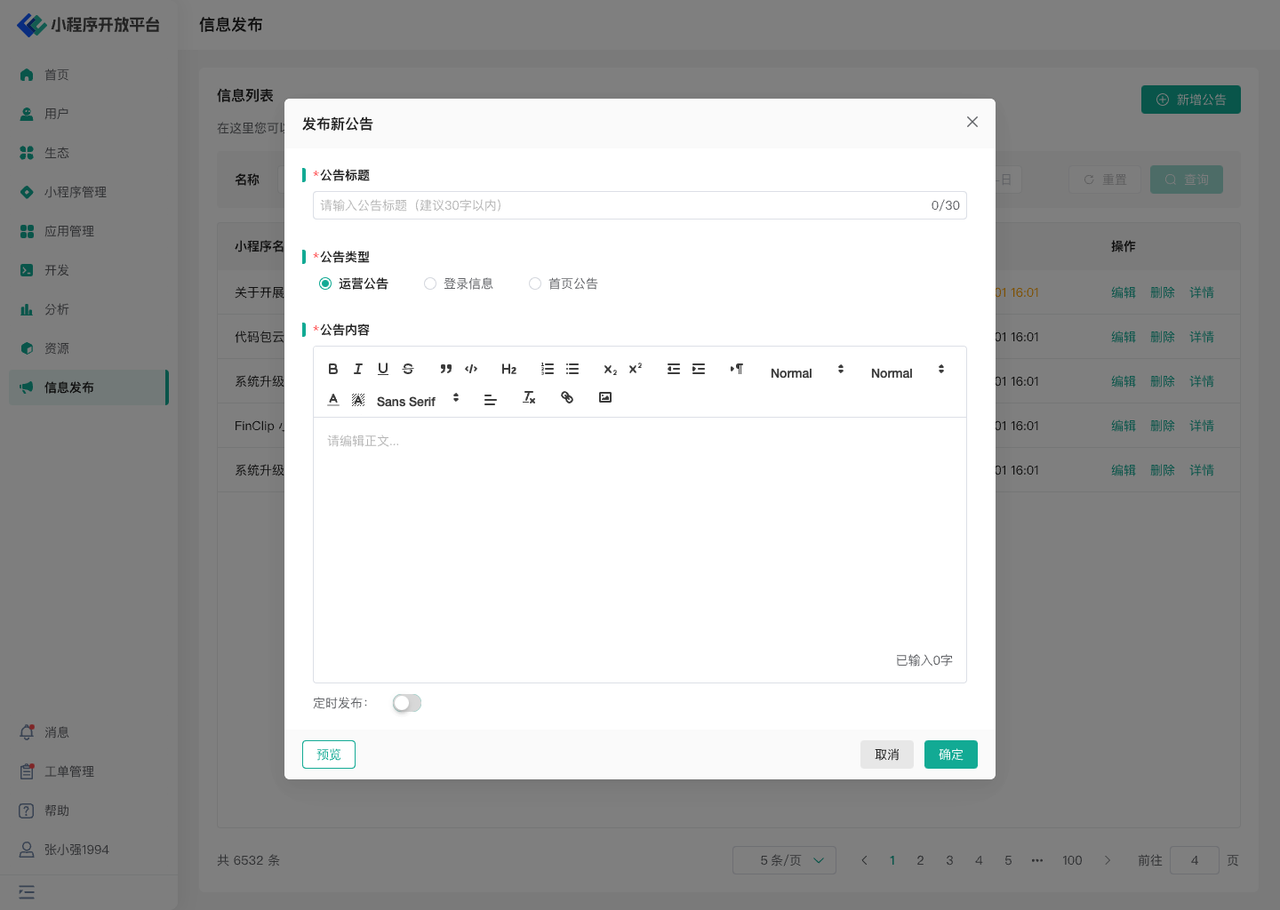
Among these, Operational Announcements and Login Messages can have their scheduled publishing time set, and they will be automatically published at the designated time. After editing the title, type, and content, click Preview to view the announcement style.
# 3.2 Manage Announcements
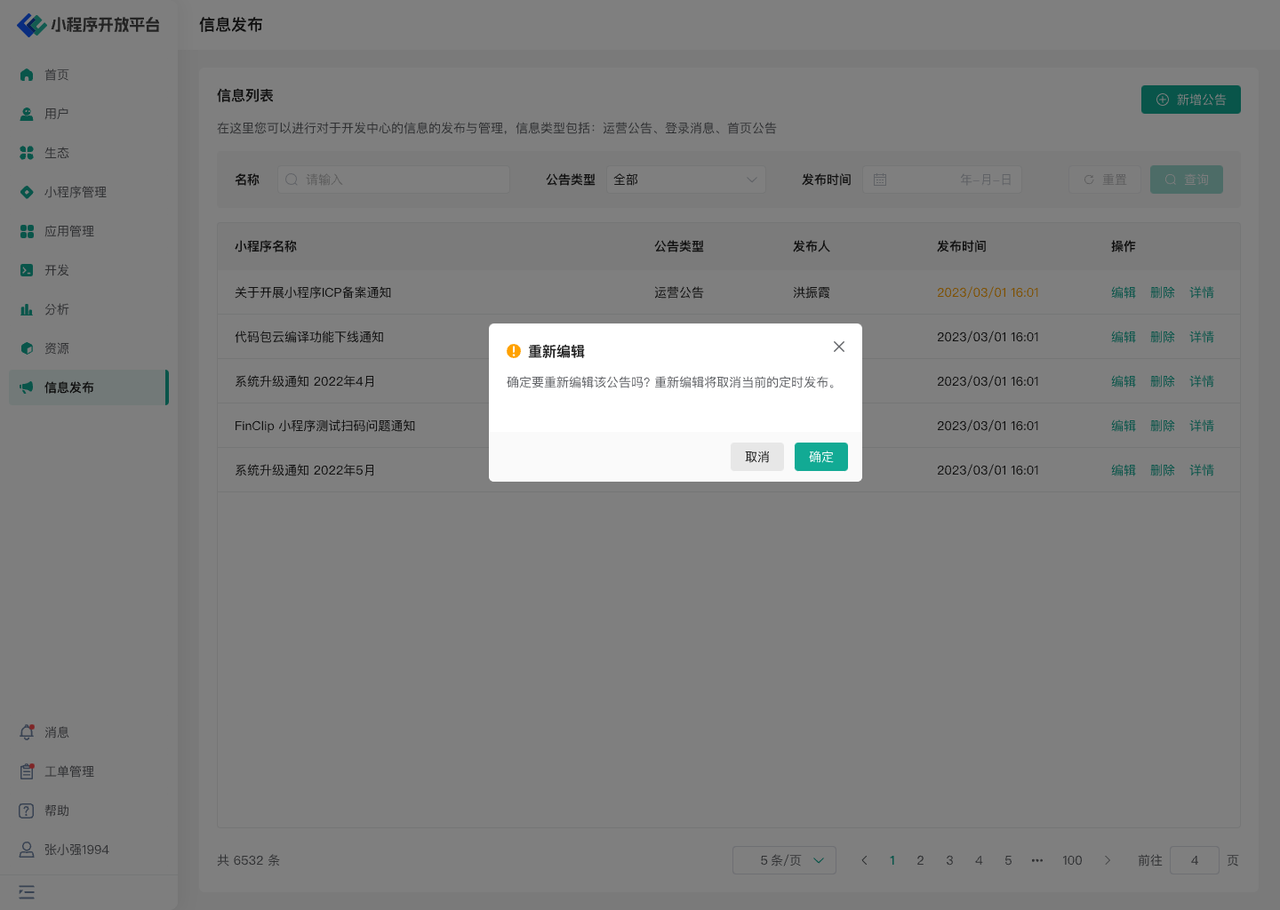
When an announcement is in an unpublished or publishing state, its content can be edited. After successful editing, the new content will take effect. Additionally, you can click the Delete button to remove redundant or incorrect announcement content.
# 4. Environment Specifications
| Community Edition | SaaS Edition | Enterprise Edition (Annual Payment or One-time Purchase) | |
|---|---|---|---|
| Role Management | ✅ | ✅ | ✅ |