
# Mini-Program Management - Operation Center
# 1. Feature Overview
Within the "Mini-Program Management" menu, you can perform the following operations:
- Mini-Program Release Approval Settings: Manage permissions for mini-program release approvals. Can be set to either self-approval by the Developer Center or mandatory approval by the Operation Center.
- Mini-Program Information Viewing: View the basic information of mini-programs, online (under review) version information, and review record information.
- Mini-Program De-listing: Perform de-listing operations for mini-programs that are already published.
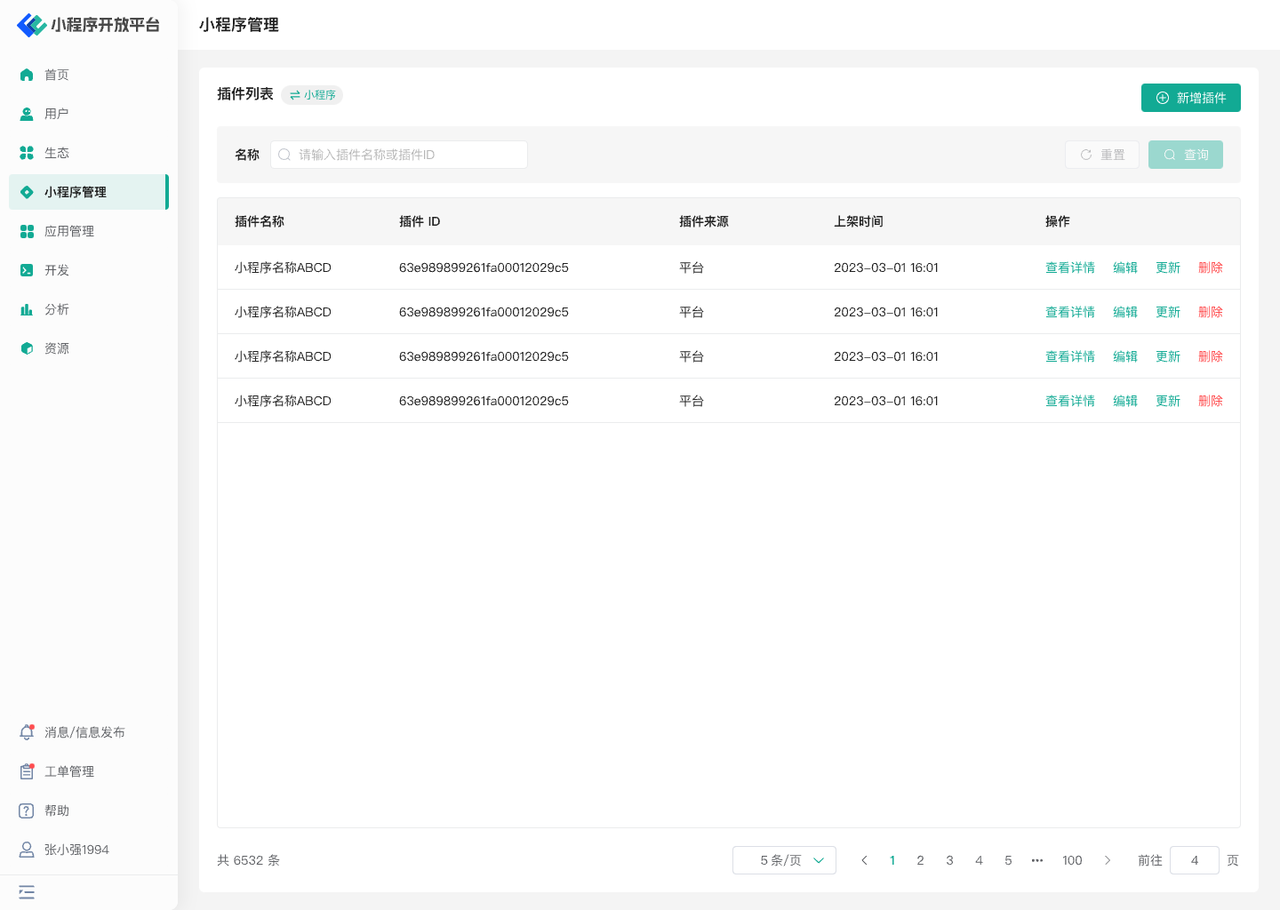
- Plugin Management: Add, delete, or modify existing plugins.
# 2. Terminology Definitions
None
# 3. Usage Instructions
# 3.1 Mini-Program Release Approval Settings
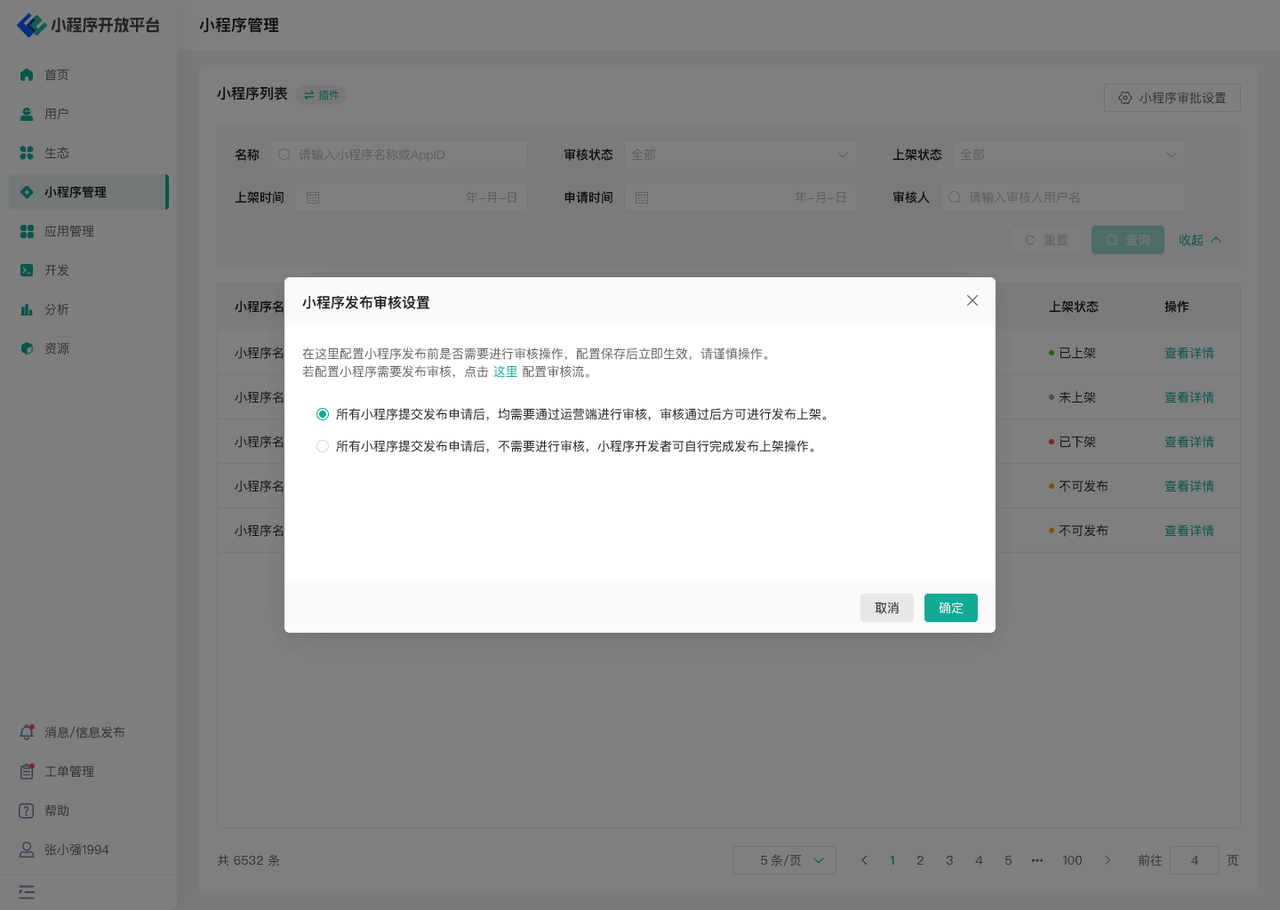
- The mini-program list page provides functionality to set "Mini-Program Approval Permissions." Here, you can configure permission settings for mini-program release approvals:
- Can be self-approved by the Developer Center.
- Must be approved by the Operation Center (Note: The approval workflow can be configured separately. For details, refer to: Operation Center - Users).
# 3.2 Mini-Program Information Viewing
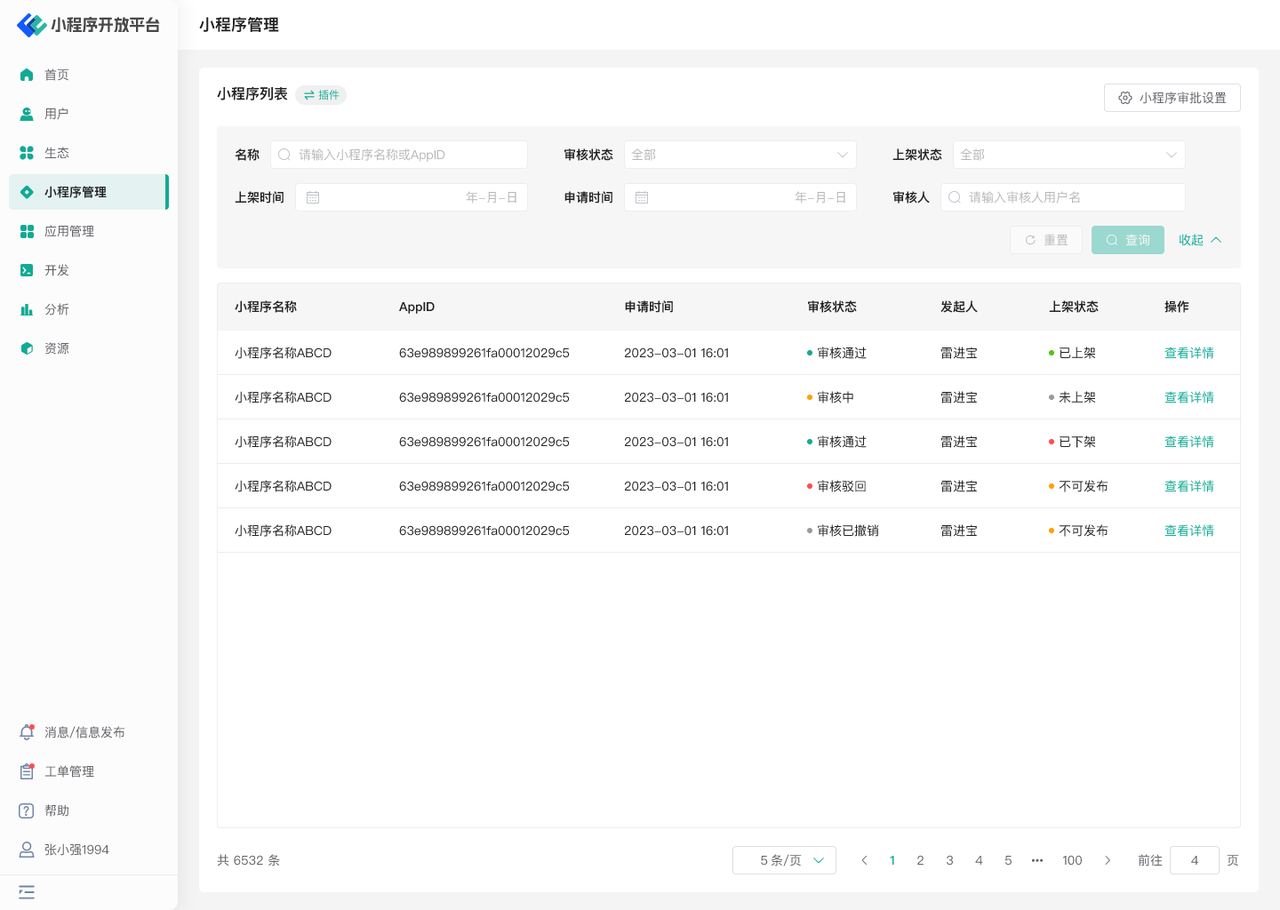
- The mini-program management list provides a global query for mini-program information. Here, you can use the corresponding filter components to search for the mini-program information you need to understand. You can comprehensively grasp the basic information, review information/online information, and review records of mini-programs, facilitating operators to conduct refined operations.
# 3.3 Mini-Program De-listing
On the mini-program details page, you can operate on published mini-programs by performing a de-listing operation (approval for publishing needs to be handled in the Pending Center), enabling unified management.

# 3.4 Plugin Management
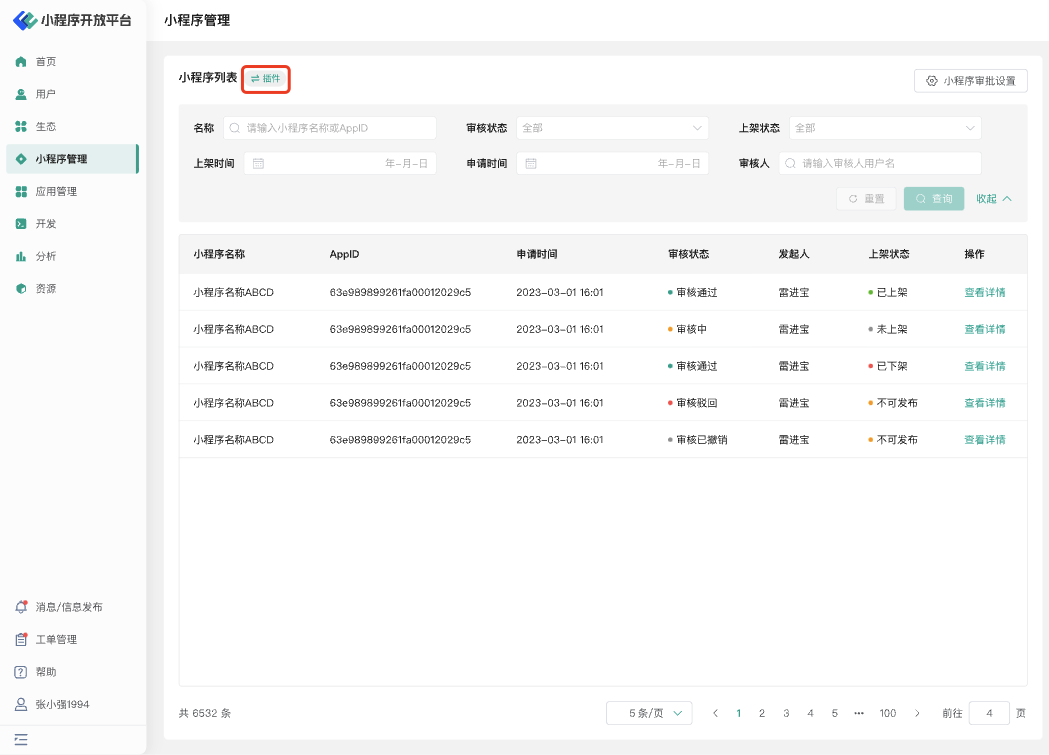
Click the toggle button at the top of the list to switch to the plugin management page. Here, you can view plugin information, edit plugins, update plugins, and delete plugins.
# 4. Environment Specifications
| Community Edition | SaaS Edition | Enterprise Edition (Annual Payment or One-time Purchase) | |
|---|---|---|---|
| Role Management | ✅ | ✅ | ✅ |