
# Ecosystem - Digital Center
# 1. Function Introduction
The ecosystem management page mainly includes two functional parts: "Organization Management" and "Member Management", which can help Mini-Program ecosystem platform operators manage all the enterprise and member information registered on the platform.
# 2. Terminology Definitions
- Basic Information: The basic information provided during the registration of the current organization.
- Administrator Information: The certified administrator of the current organization.
- Associated Company Information: Other organizations associated with the current organization.
# 3. Usage Instructions
# 3.1 Organization Management
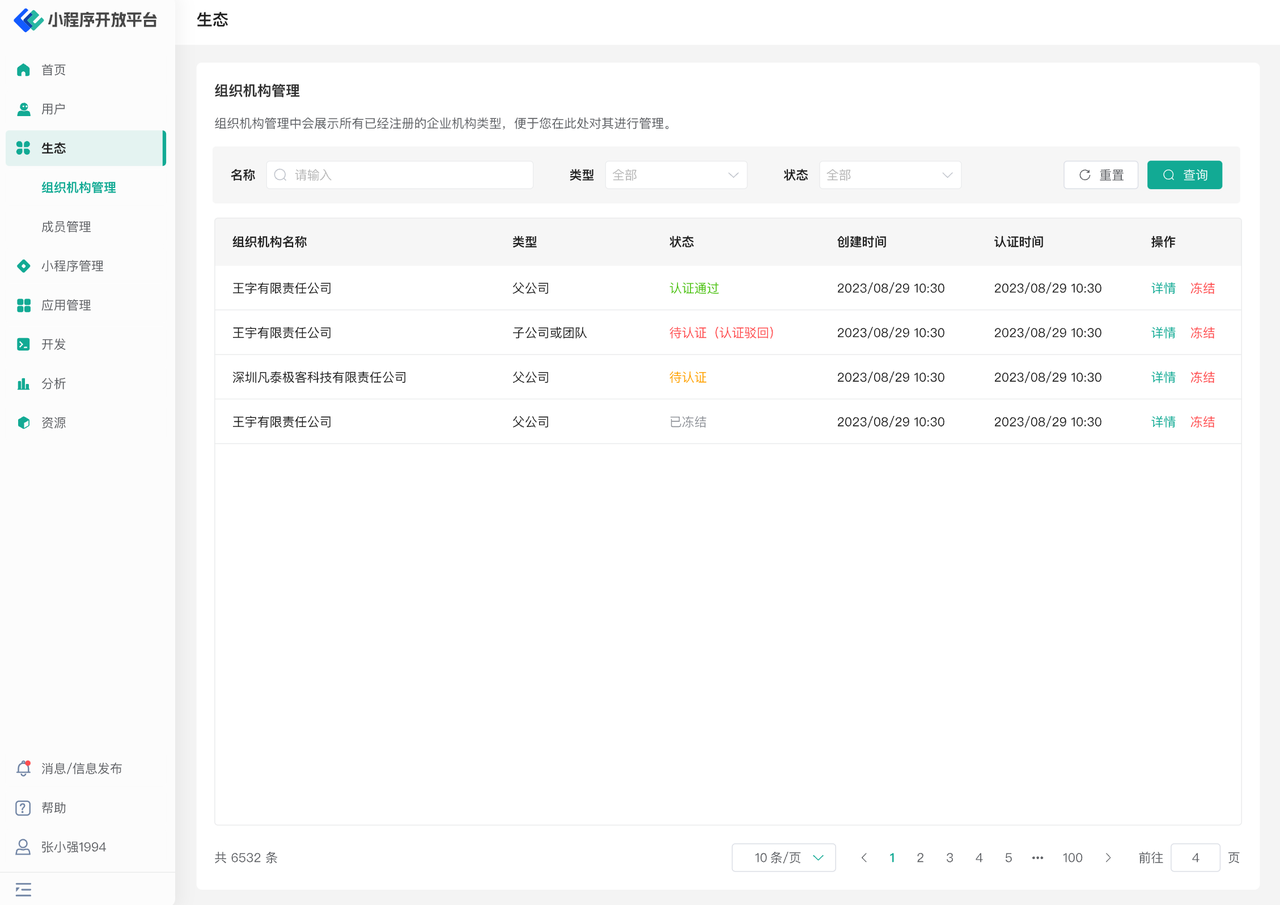
On the Organization Management page, you can view all the enterprise information registered in the current ecosystem platform. The list displays the type of the corresponding organization, its certification status, and the creation and certification time. You can click the button on the right to view the details of the enterprise or perform a freeze operation on it.
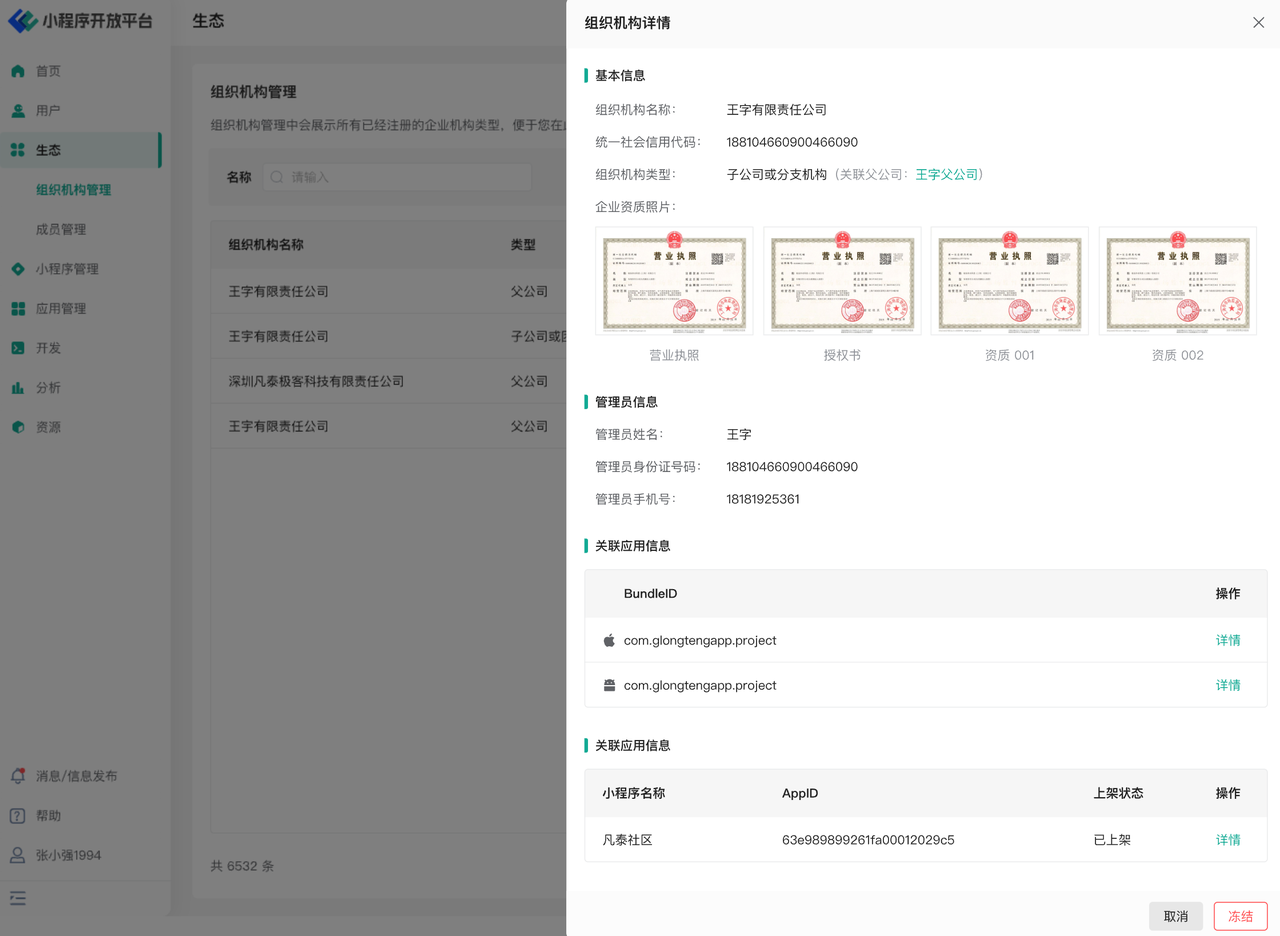
On the Organization Details page, you can also see all the Host-Apps and Mini-Program information created under the current enterprise.
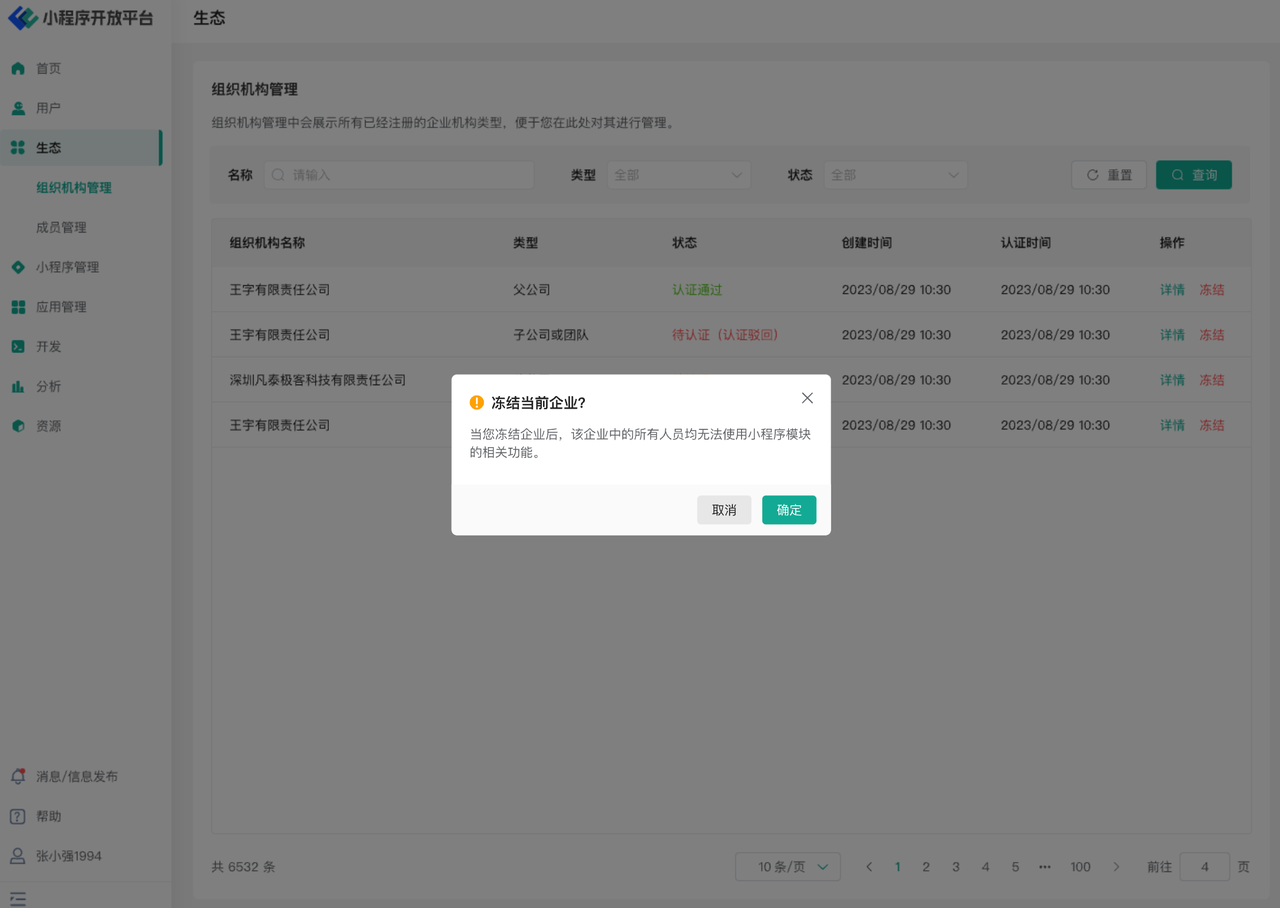
If you click the Freeze button, you can "suspend" the current organization. After freezing, all personnel in the current enterprise will no longer be able to use the Mini-Program module or related functions.
# 3.2 Member Management
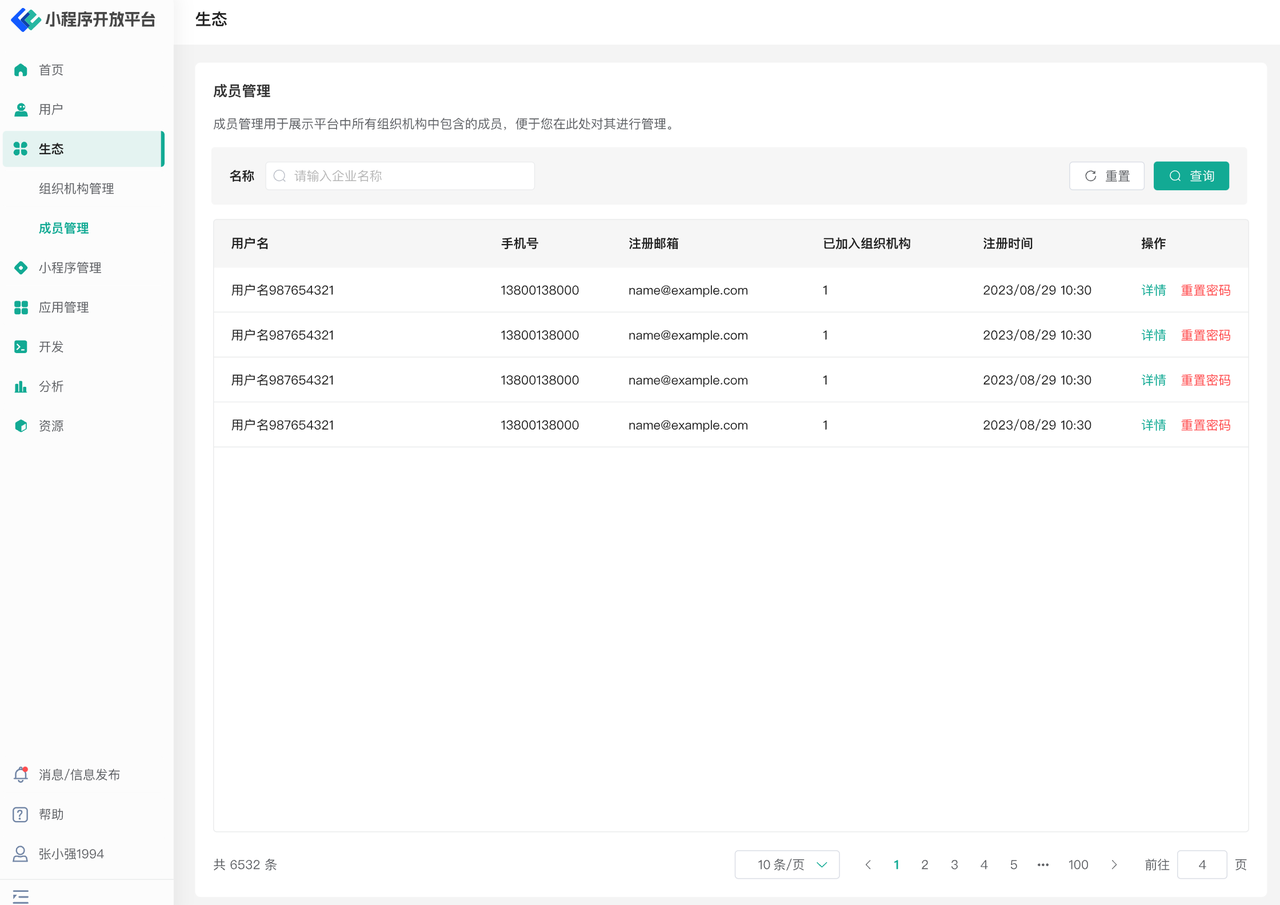
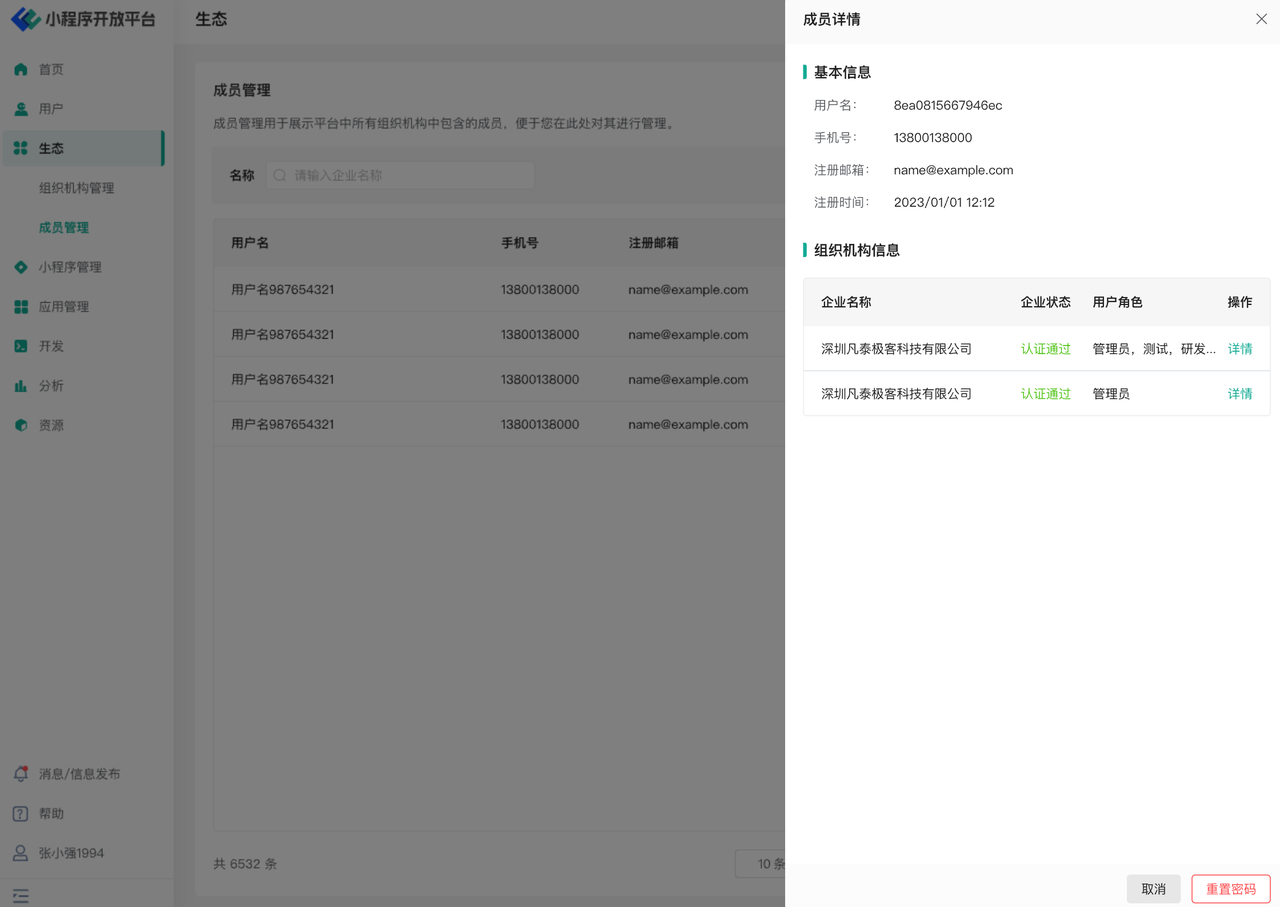
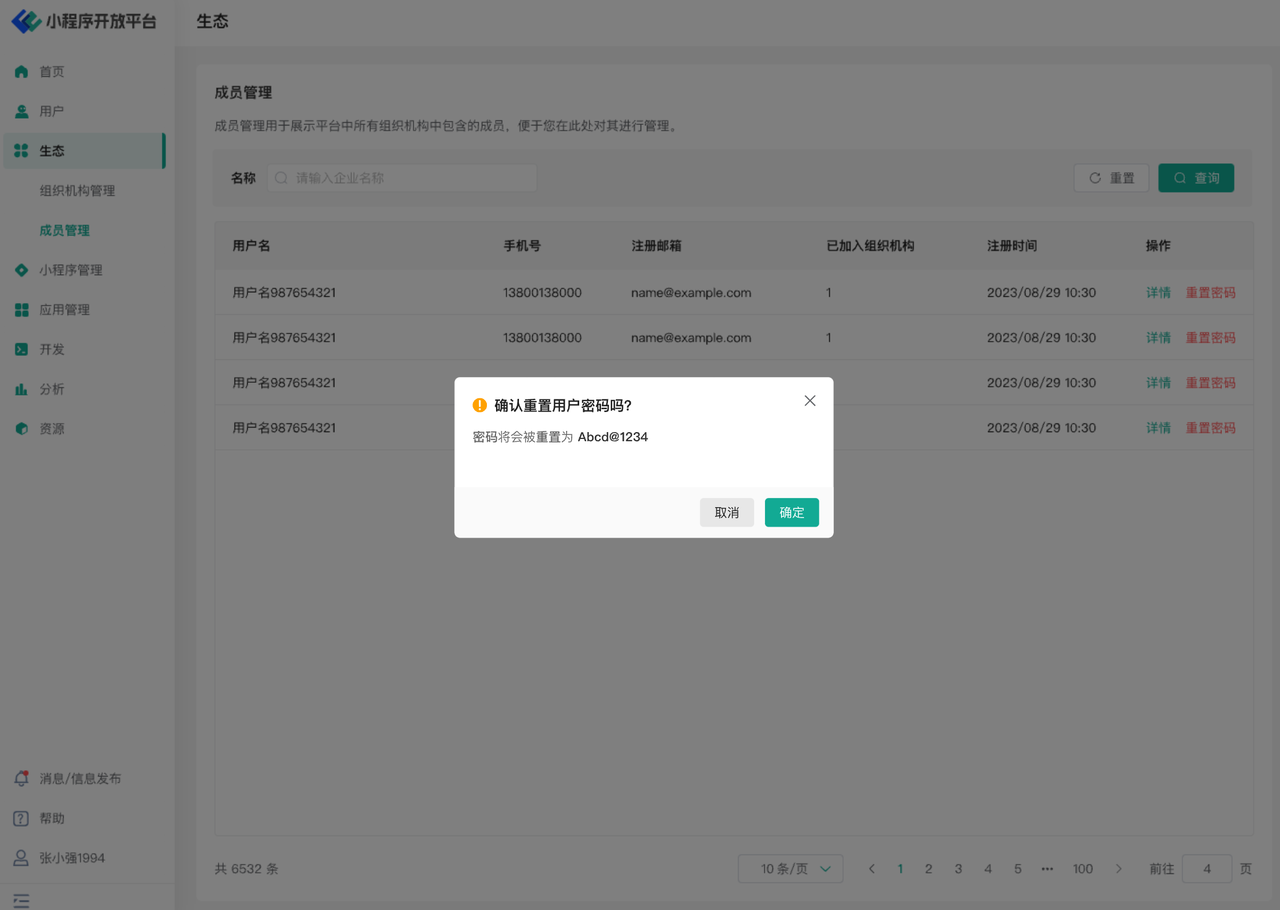
On the Member Management page, users can see all the member information registered in the current ecosystem platform. The list displays the corresponding user's username, registered mobile number, registered email, the organization(s) they have joined, registration time, and other information. You can click the button on the right to view the user's details or perform a password reset operation for them.
The Member Details page displays the organization(s) the current user has joined and their corresponding role(s), presented in a list format.
If you need to reset a user's password, the user's password will be initialized according to the platform's security configuration. The user will be required to change their password upon login.
# 4. Environment Specifications
| Community Edition | SaaS Edition | Enterprise Edition (Annual Payment or One-time Purchase) | |
|---|---|---|---|
| Organization Management | ✅ | ✅ | ✅ |
| Member Management | ✅ | ✅ | ✅ |