
# Digital Center - Ticket Management
# 1. Consultation Feedback
# 1.1 Feature Description
In the "Consultation Feedback" menu, you can perform the following:
- Ticket Reply: Respond to tickets submitted by the Developer Center
# 1.2 Terminology Definition
None
# 1.3 Usage Instructions
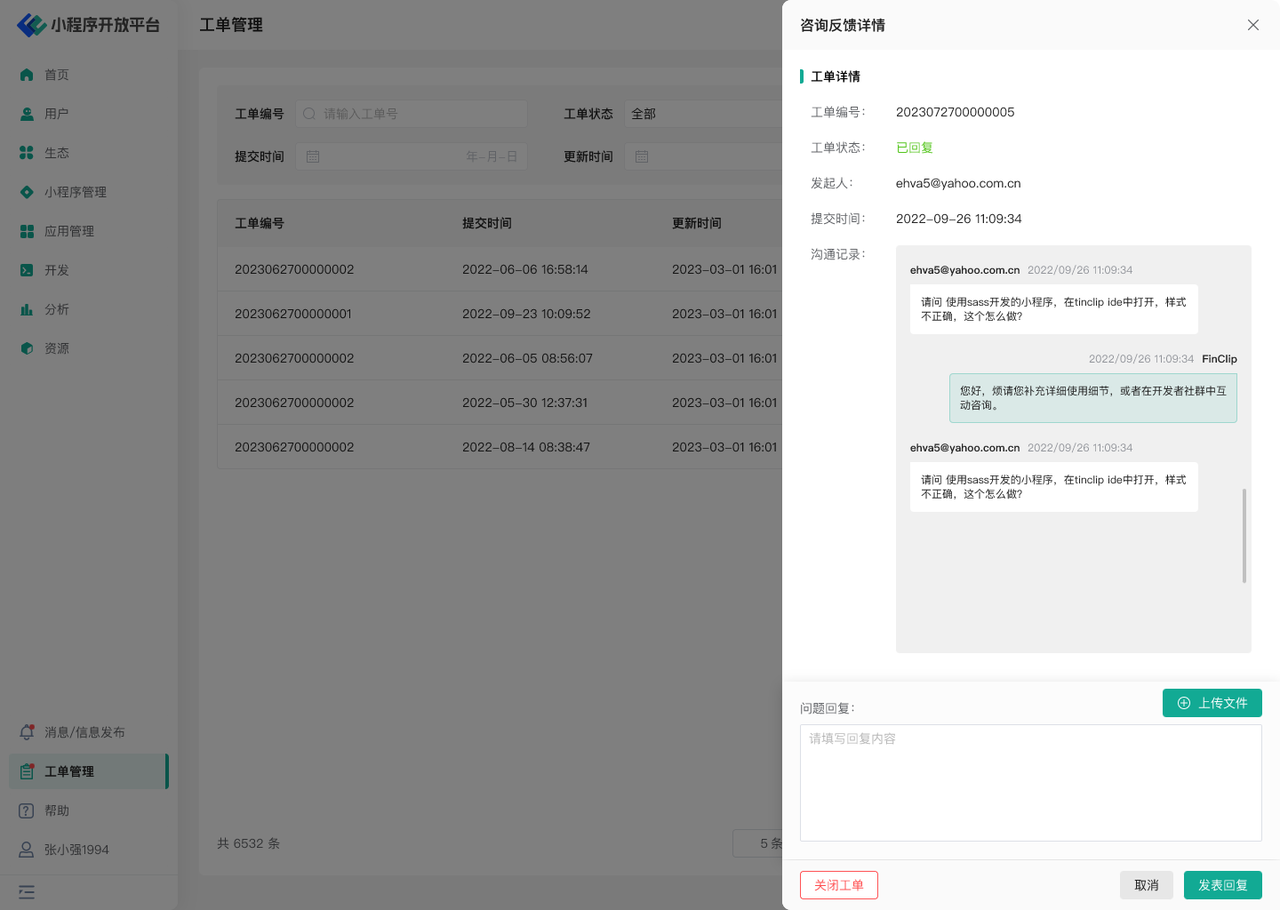
On the ticket list page, click "View Details" to see the corresponding ticket submission information and reply information. You can reply to or supplement the ticket in the dialog box, and you can also upload additional attachments for supplementary explanation. If you consider the issue invalid or have resolved the ticket, you can click "Close Ticket".
# 1.4 Environment Description
| Community Edition | SaaS Edition | Enterprise Edition (Annual Payment or One-time Purchase) | |
|---|---|---|---|
| Role Management | ✅ | ✅ | ✅ |
# 2. Complaint Reporting
# 2.1 Feature Description
In the "Complaint Reporting" menu, you can perform the following:
- View Complaints: View complaint and report information submitted by users regarding Mini-Programs
# 2.2 Terminology Definition
None
# 2.3 Usage Instructions
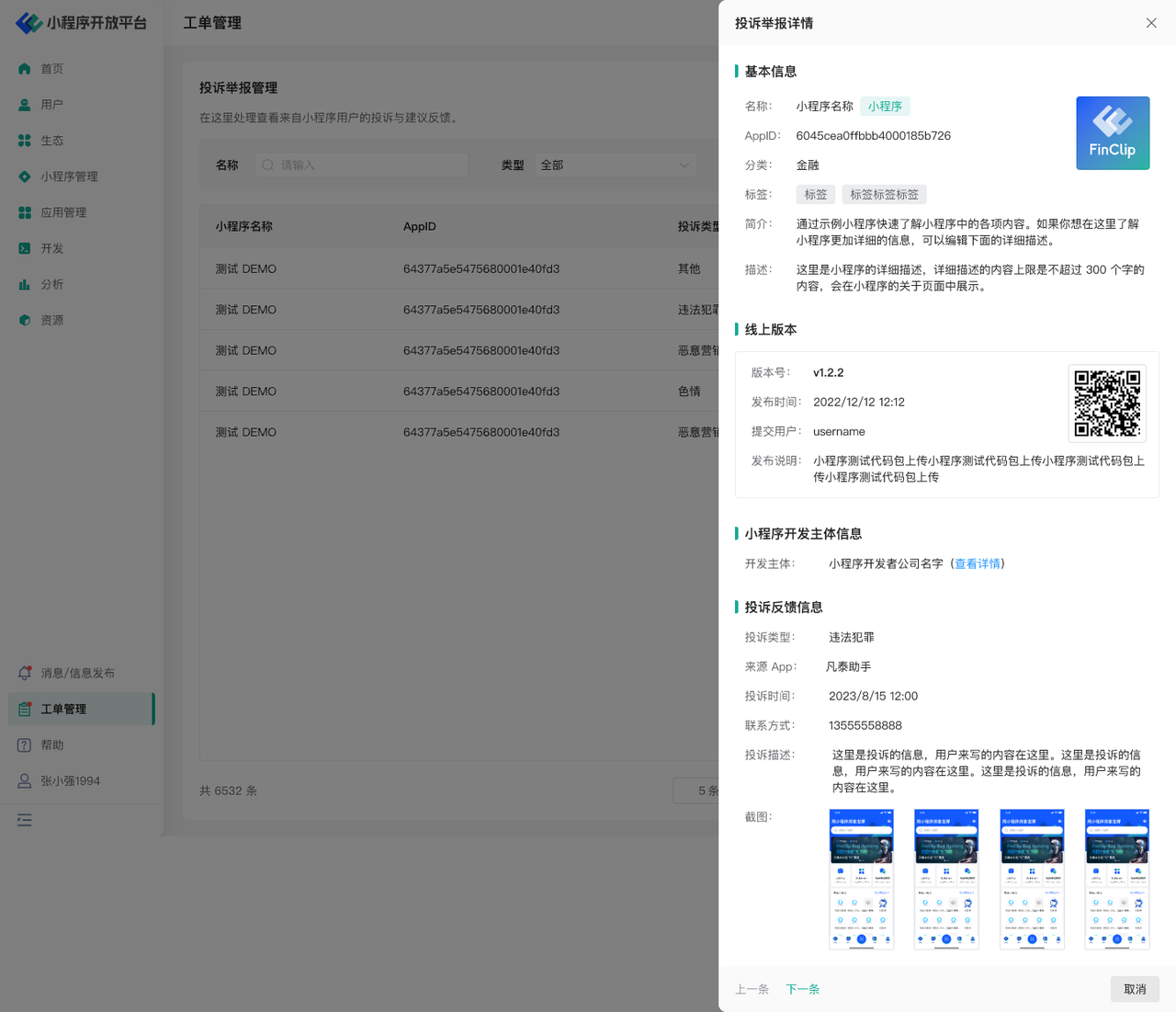
You need to enter the "Complaint Reporting" page, use the filter component to search for the complaint data you need to query, and click "Details" in the operation column to view the corresponding complaint and report information.
# 2.4 Environment Description
| Community Edition | SaaS Edition | Enterprise Edition (Annual Payment or One-time Purchase) | |
|---|---|---|---|
| Role Management | ✅ | ✅ | ✅ |