# Resources - Digital Center (Private Deployment)
# 1. Resource Management
# 1.1 Feature Description
In the "Resource Management" menu, you can:
- View resources: View the usage of various resources for each organization in the current Developer Center.
- Manage resources: Manage resources for each organization and adjust the limits.
# 1.2 Terminology Definition
None
# 1.3 Usage Instructions
# View Resources
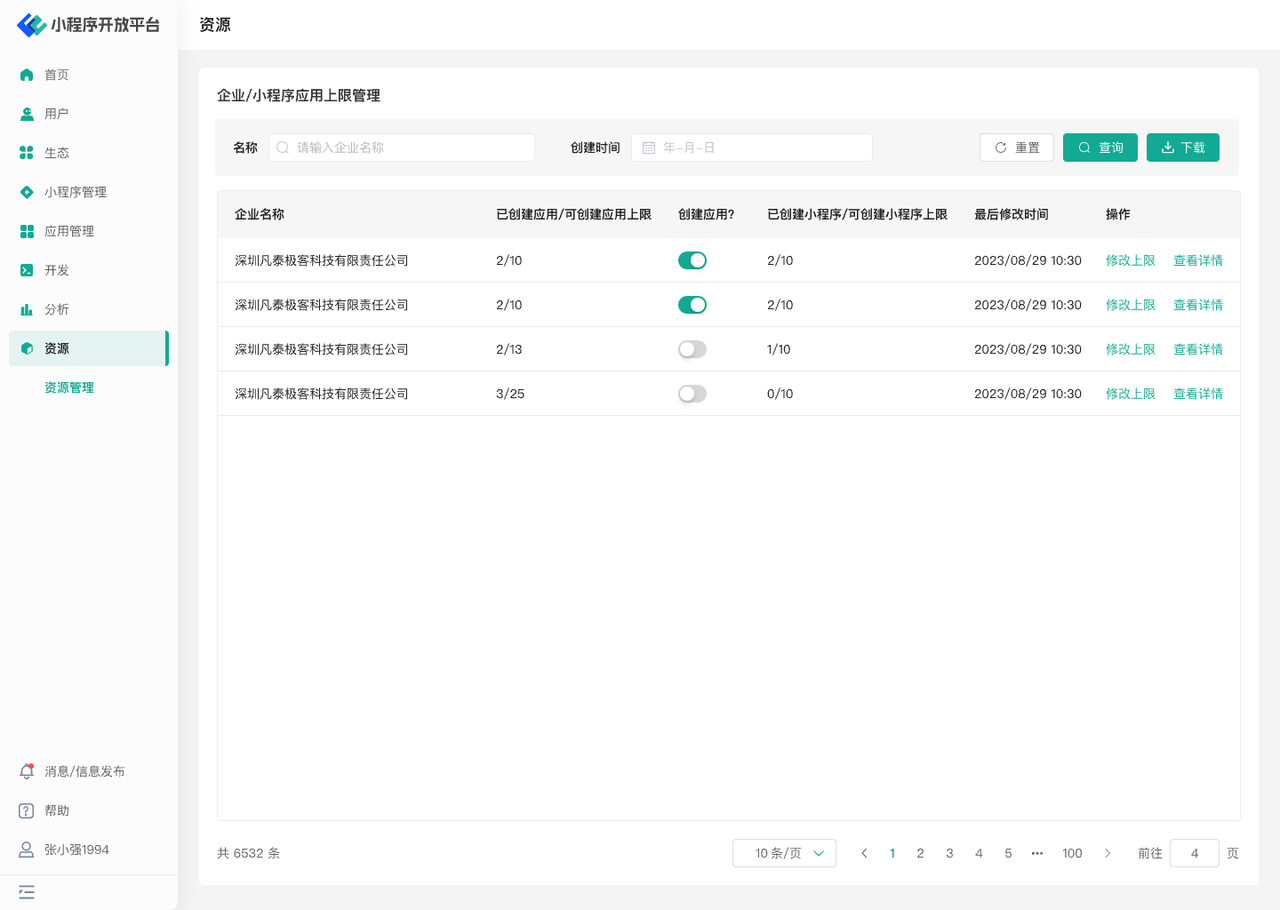
In the list, you can search and query the corresponding organization to view the number of created applications / maximum allowed applications, the number of created Mini-Programs / maximum allowed Mini-Programs, and set whether the organization can create applications.
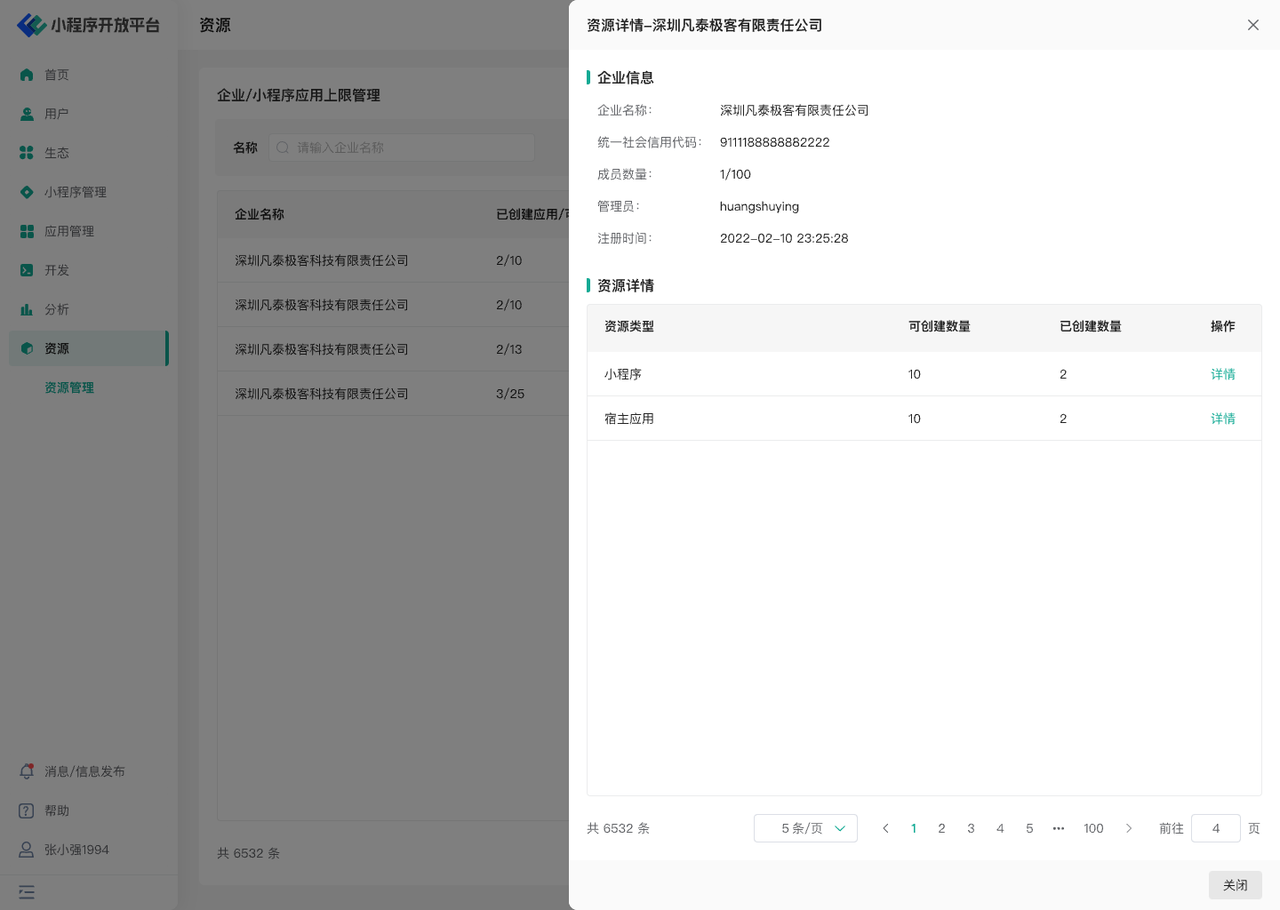
Click "View Details" to see detailed information about the organization and the creation status of Mini-Programs and applications. Click "Details" in the corresponding list to specifically query the created Mini-Program and application information.
# Manage Resources
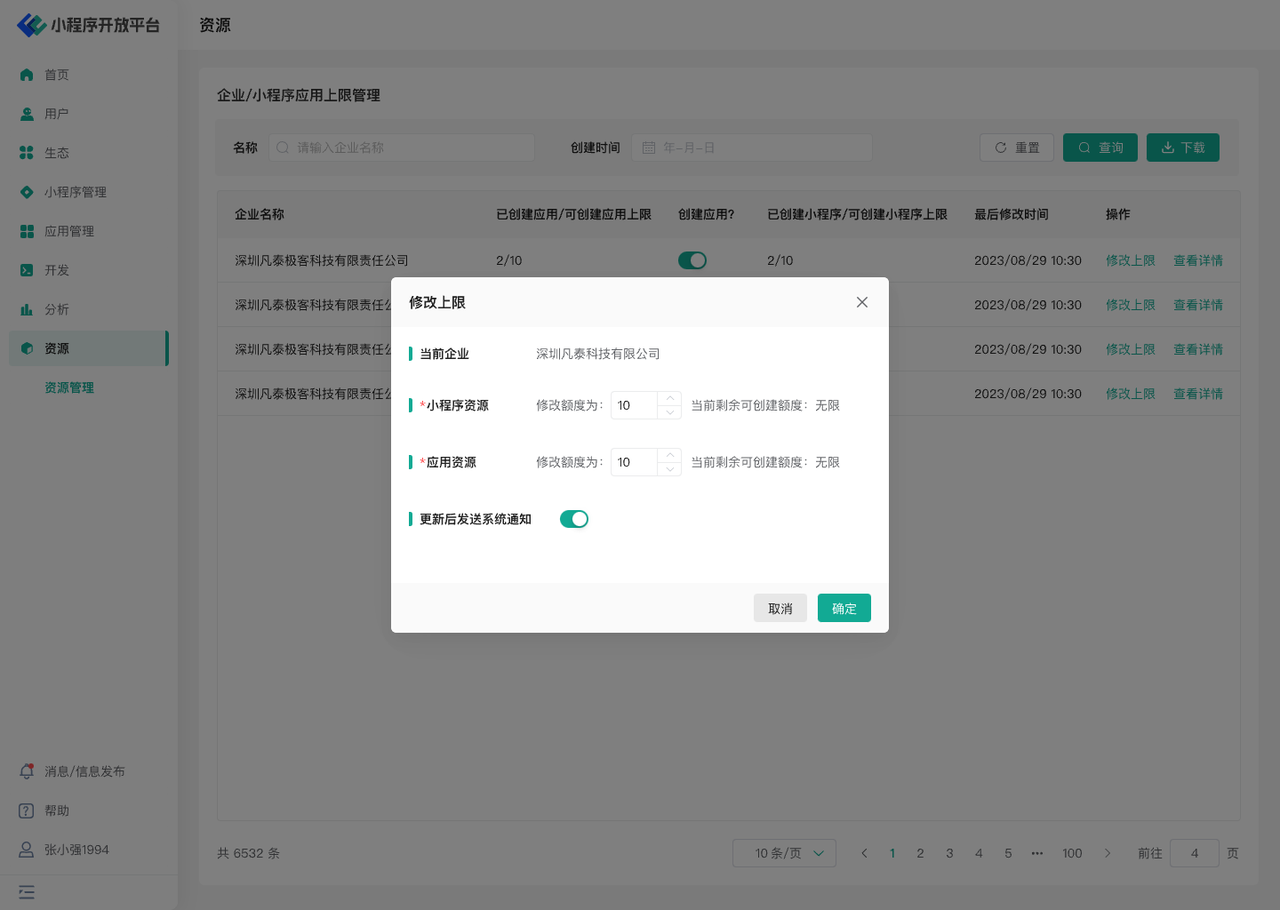
Click "Modify Limit" to change the maximum allowable number of Mini-Program and application resources that can be created. The current remaining available quota is taken from the license quantity.