
# Resources - Digital Center (SaaS)
The following features are only available in the SaaS environment
# 1. Resource Management
# 1.1 Feature Introduction
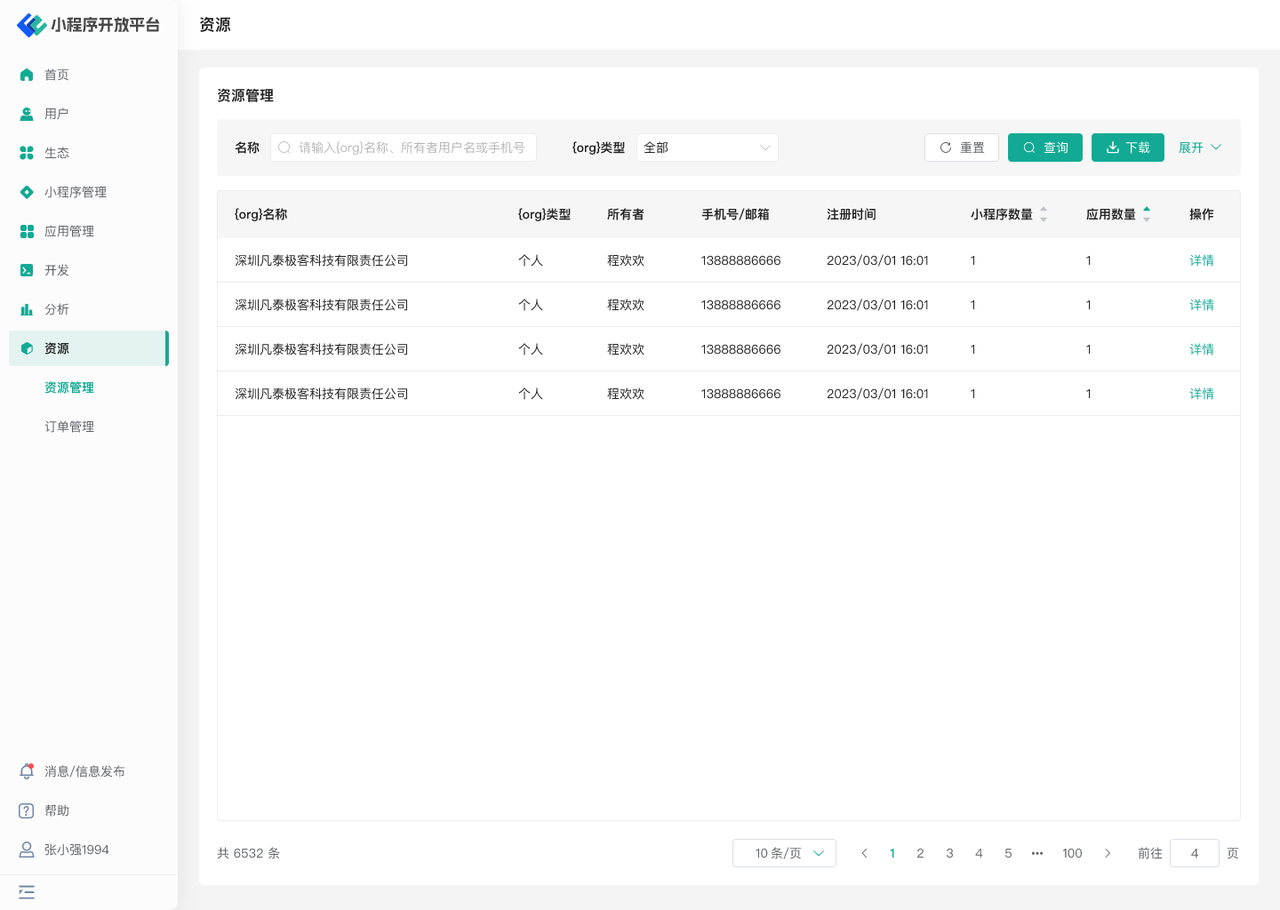
In the "Resource Management" menu, you can:
- View the usage of various resources by different organizations within the current Developer Center
- Manage resources for each organization
# 1.2 Terminology Definition
None
# 1.3 Usage Instructions
# View Resources
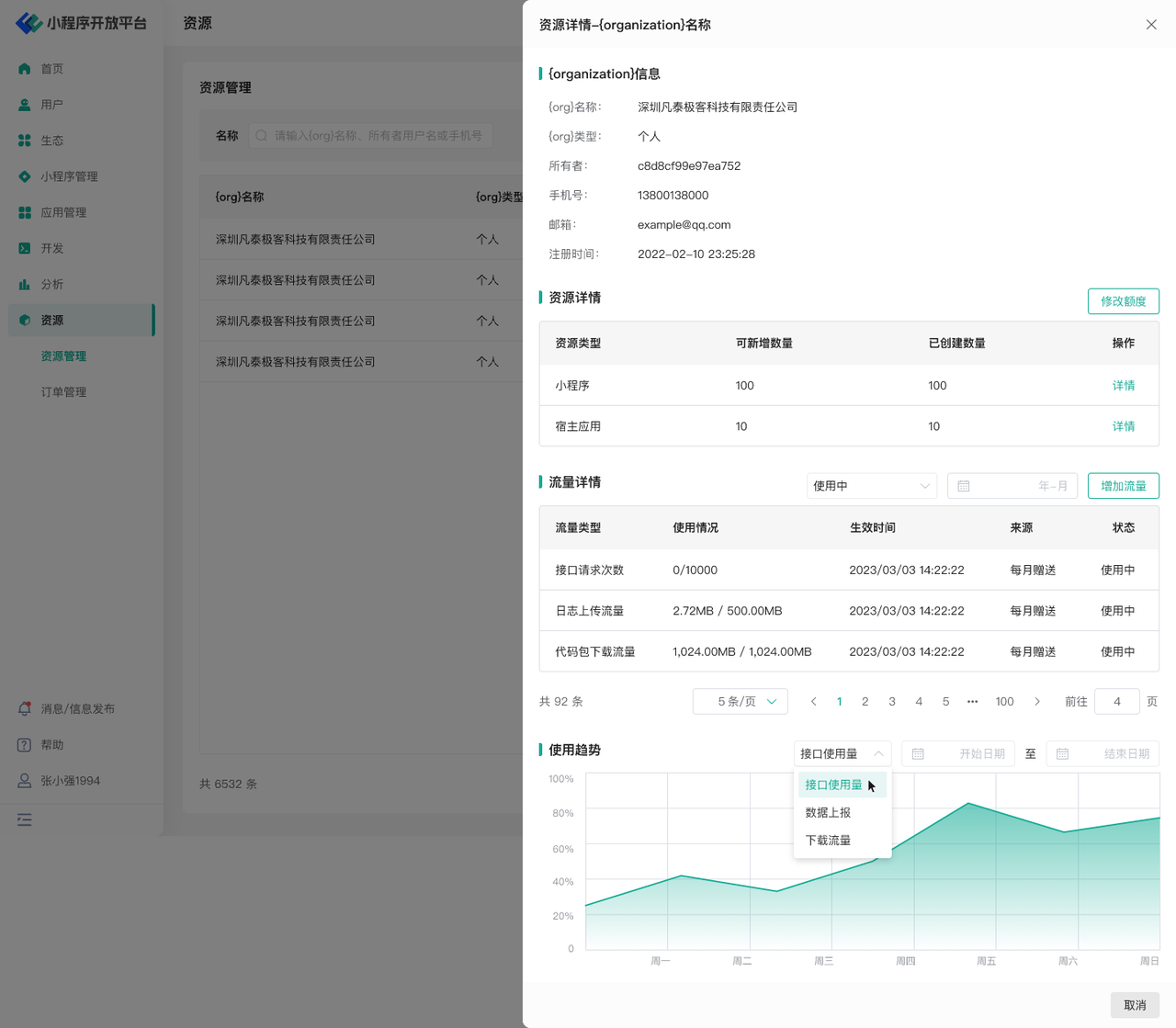
- View resource details for each enterprise/individual user, such as the number of Mini-Programs, number of applications, API call counts, etc.
- Supports filtering and viewing by month
- Can view the usage trend of traffic resources
# Manage Resources
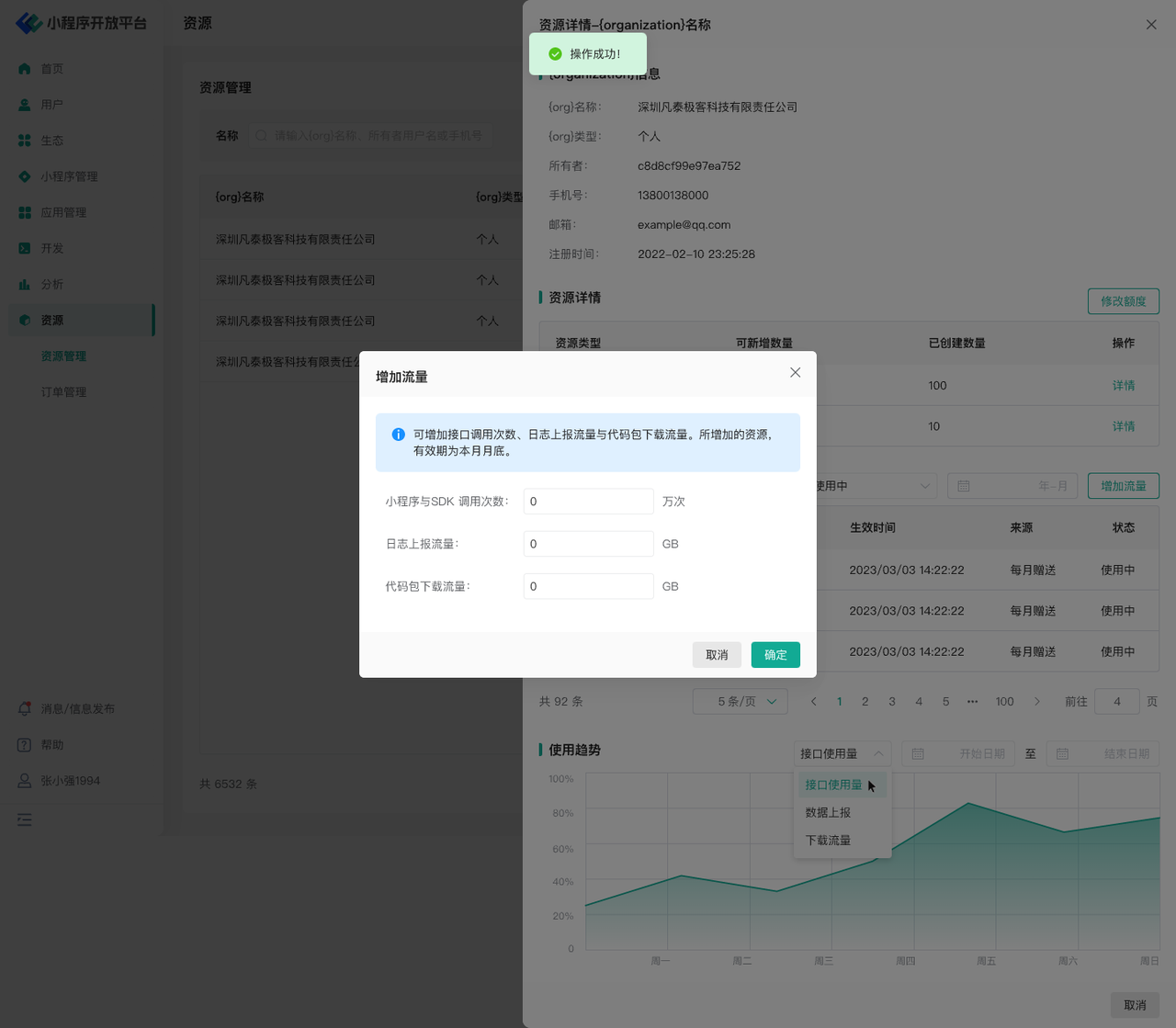
- Modify Mini-Program and application resources
- Increase traffic such as log traffic, code package download traffic, and API request counts
# 2. Order Management
# 2.1 Feature Introduction
In the "Order Management" menu, you can:
- View order details
- Manage orders
# 2.2 Terminology Definition
None
# 2.3 Usage Instructions
# View Order Details
- View details of orders submitted by Developer Center users, such as order creation time, product type, order amount, payment status, etc.
# Manage Orders
- For orders with the status 【Pending Confirmation】, you can perform the "Confirm Order" and "Close Order" operations
- For orders with the status 【Pending Payment】, you can perform the "Close Order" operation