
# License Management and Updates
# 1. Feature Description
License is the unique credential used in the FinClip Mini-Program platform to constrain product usage resources and available features.
# 2. Usage Instructions
# 2.1 Viewing License Validity Period
When on the homepage, you can directly log in to the Operation Center using an administrator account and view the current product's License information at the bottom of the page:
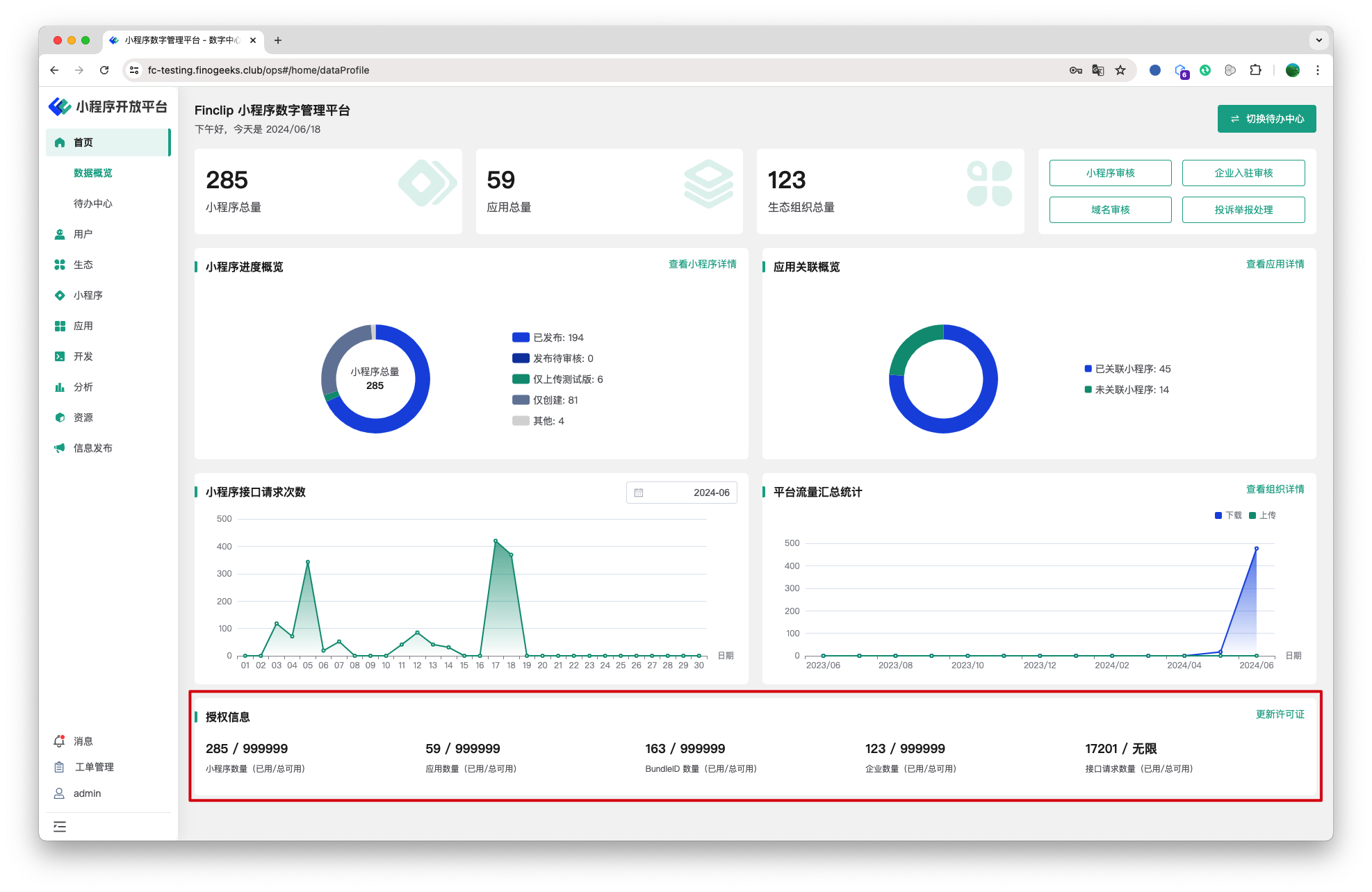
- Mini-Program Count: Indicates the total number of Mini-Programs that can be created in the current platform (excluding disabled Mini-Programs);
- Application Count: Indicates the total number of Host-Apps that can be created in the current platform (excluding disabled applications);
- BundleID Count: Indicates the total number of BundleIDs that can be created in the current platform (excluding disabled IDs);
- Enterprise Count: Indicates the total number of enterprises that can be created in the current platform;
- API Request Count: Indicates the total number of API requests that can be made in the current platform;
# 2.2 Updating License Authorization
If your platform's License quota resources are insufficient or nearing expiration, you can contact FinClip after-sales support personnel to obtain a new License authorization.
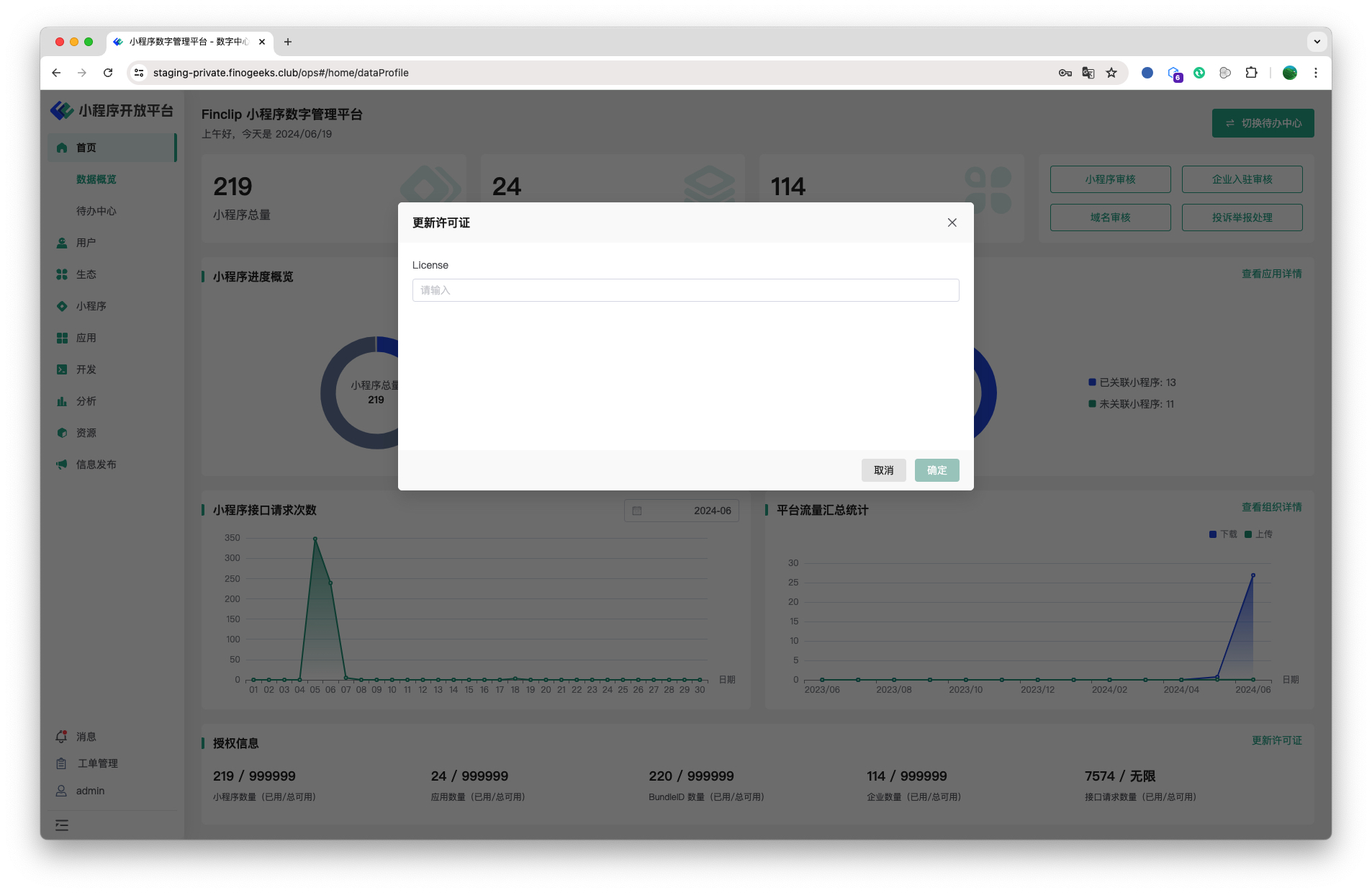
After obtaining the new authorization, click "Update License" in the upper right corner of the card, enter the license content, and then update the authorization details.
# 3. Environment Specifications
| Community Edition | SaaS Edition | Enterprise Edition (Annual Payment or One-time Purchase) | |
|---|---|---|---|
| To-Do Center | ✅ | ✅ | ✅ |