# Fees - Developer Center (SaaS)
The following features are only available in the SaaS environment
# 1. Quota Dashboard
# 1.1 Feature Description
In the "Role Management" menu, you can:
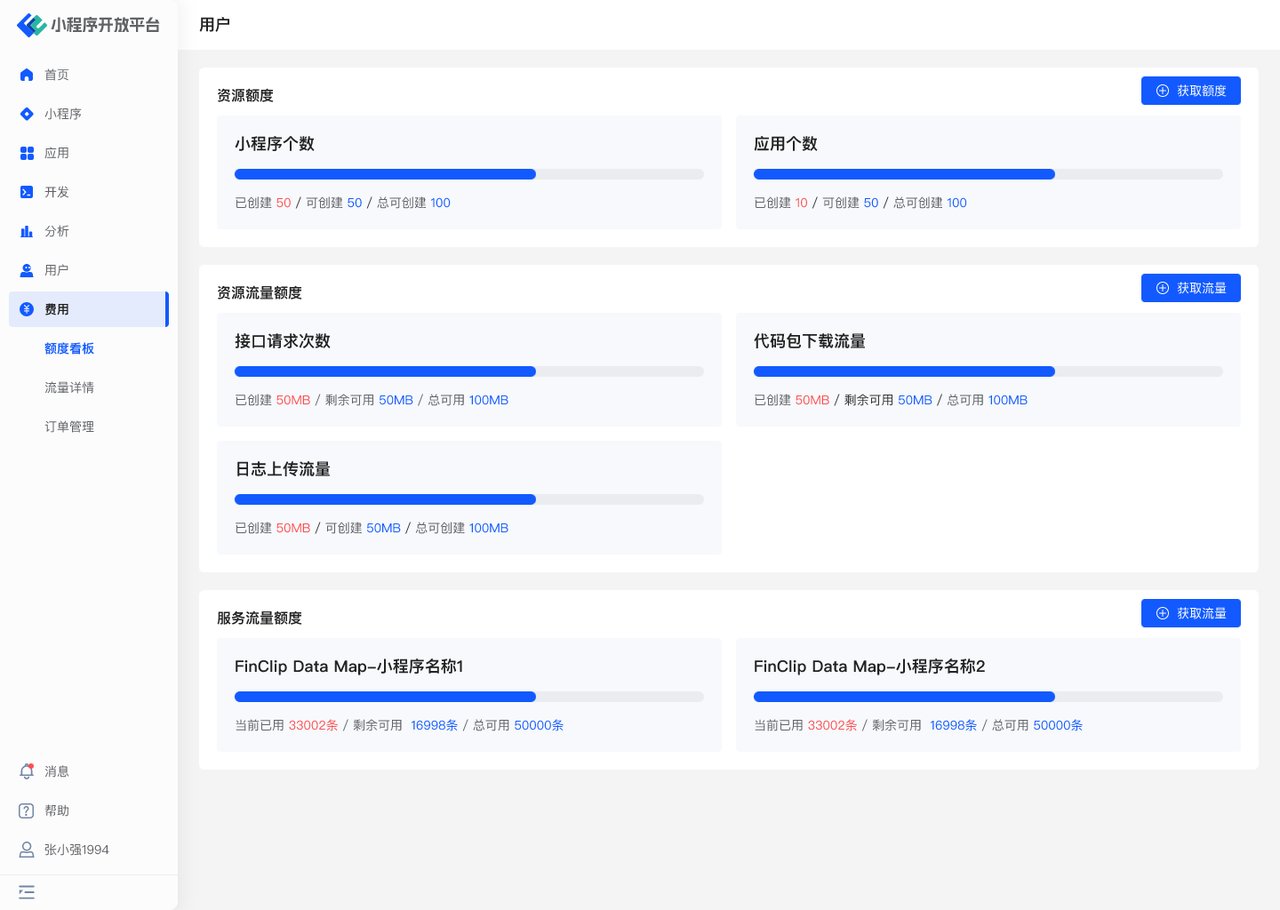
- View quotas: Mini-Program, application usage, API call count, log upload traffic, code package download traffic, and FinClip Data Map status.
- Obtain quotas.
- Obtain traffic.
# 1.2 Terminology Definition
None
# 1.3 Usage Instructions
# View Quotas
- Resource Quotas: View the current quota status for Mini-Programs and applications.
- Resource Traffic Quotas: View the current total traffic, consumed traffic, and remaining available traffic.
# Obtain Resource Quotas
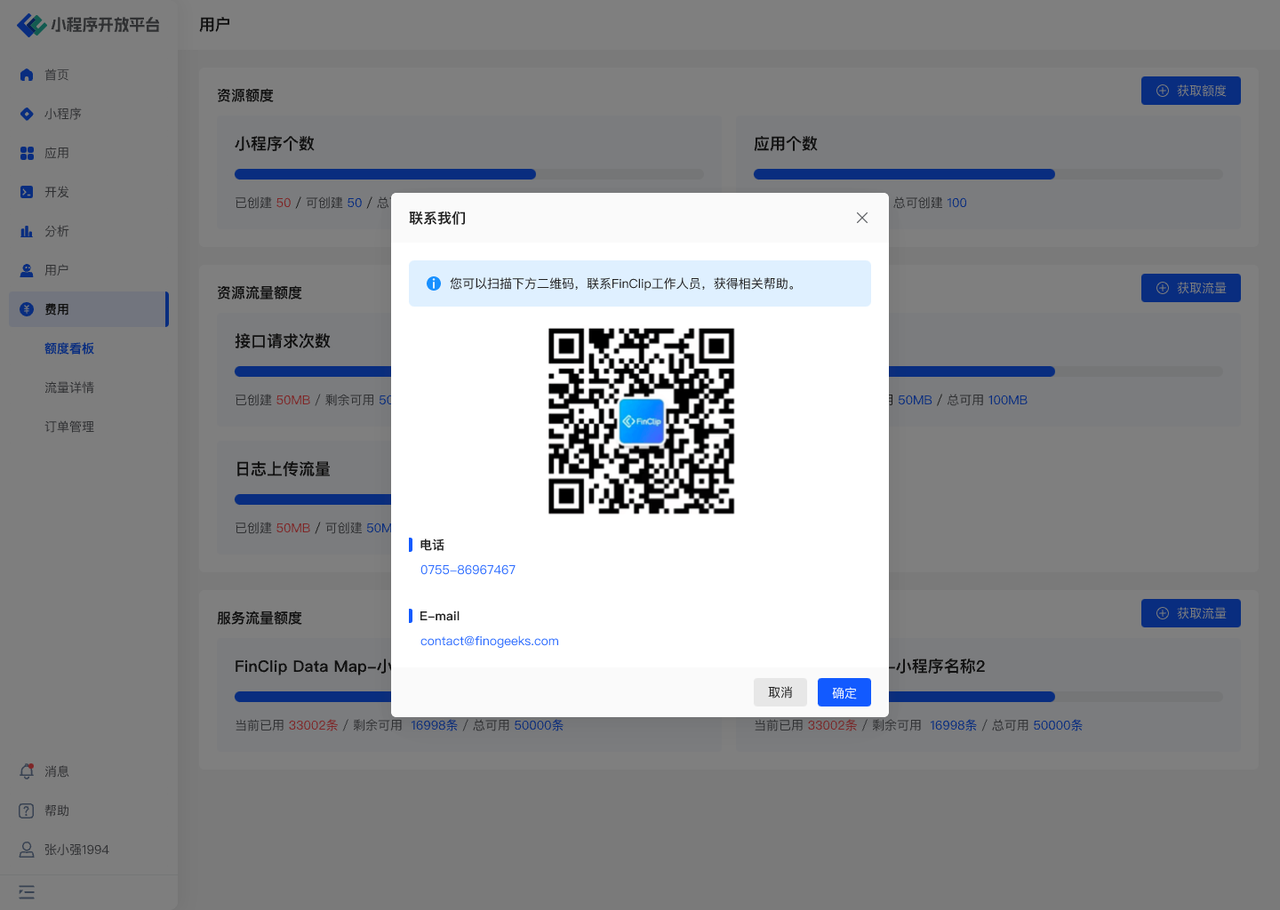
- To obtain resource quotas, please contact our operations personnel, as shown in the figure below.
# Obtain Traffic/Service Quotas
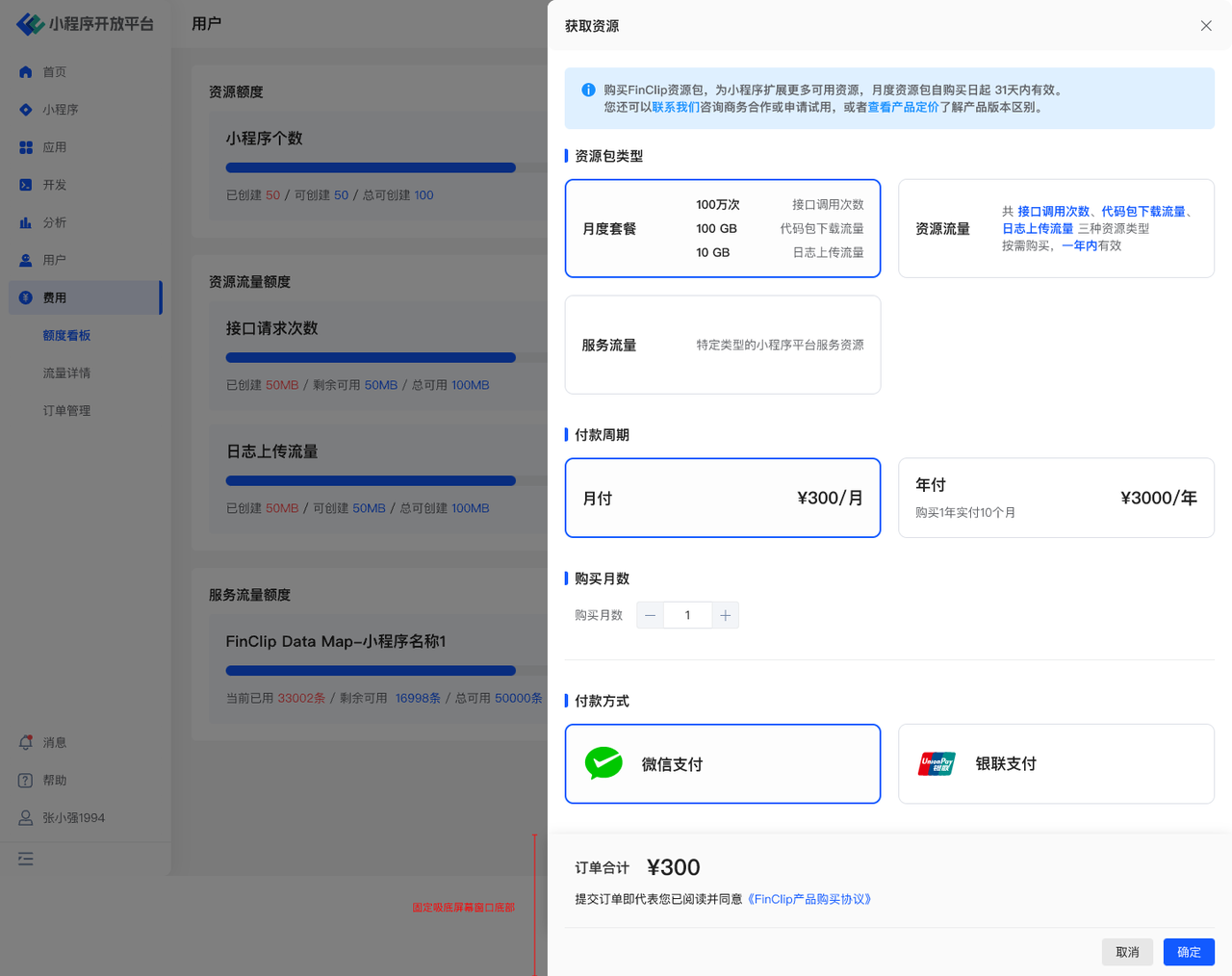
- Purchase API call counts, log upload traffic, and code package download traffic.
- Purchase FinClip Data Map services.
- Supports corporate bank transfers and WeChat Pay.

# 2. Traffic Details
# 2.1 Feature Description
In the "Traffic Details" menu, you can:
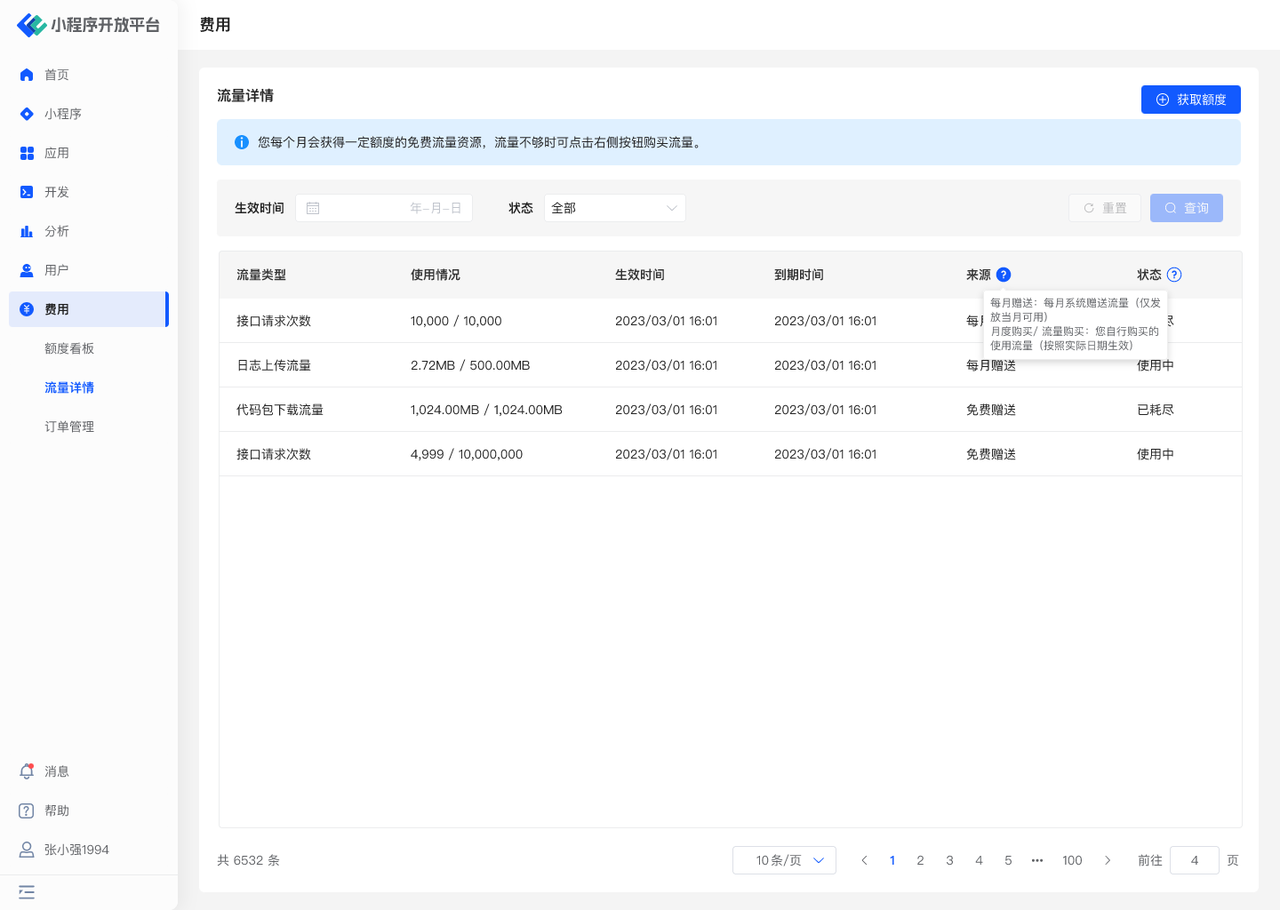
- View traffic details and usage.
- Obtain traffic.
# 2.2 Terminology Definition
None
# 2.3 Usage Instructions
# View Traffic Details
- View details for all types of traffic, including the free resources provided monthly.
- Filter views by time.
# Obtain Quotas
- Purchase API call counts, log upload traffic, and code package download traffic.
- Purchase FinClip Data Map services.
- Supports corporate bank transfers and WeChat Pay.
# 3. Order Management
# 3.1 Feature Description
In the "Order Management" menu, you can:
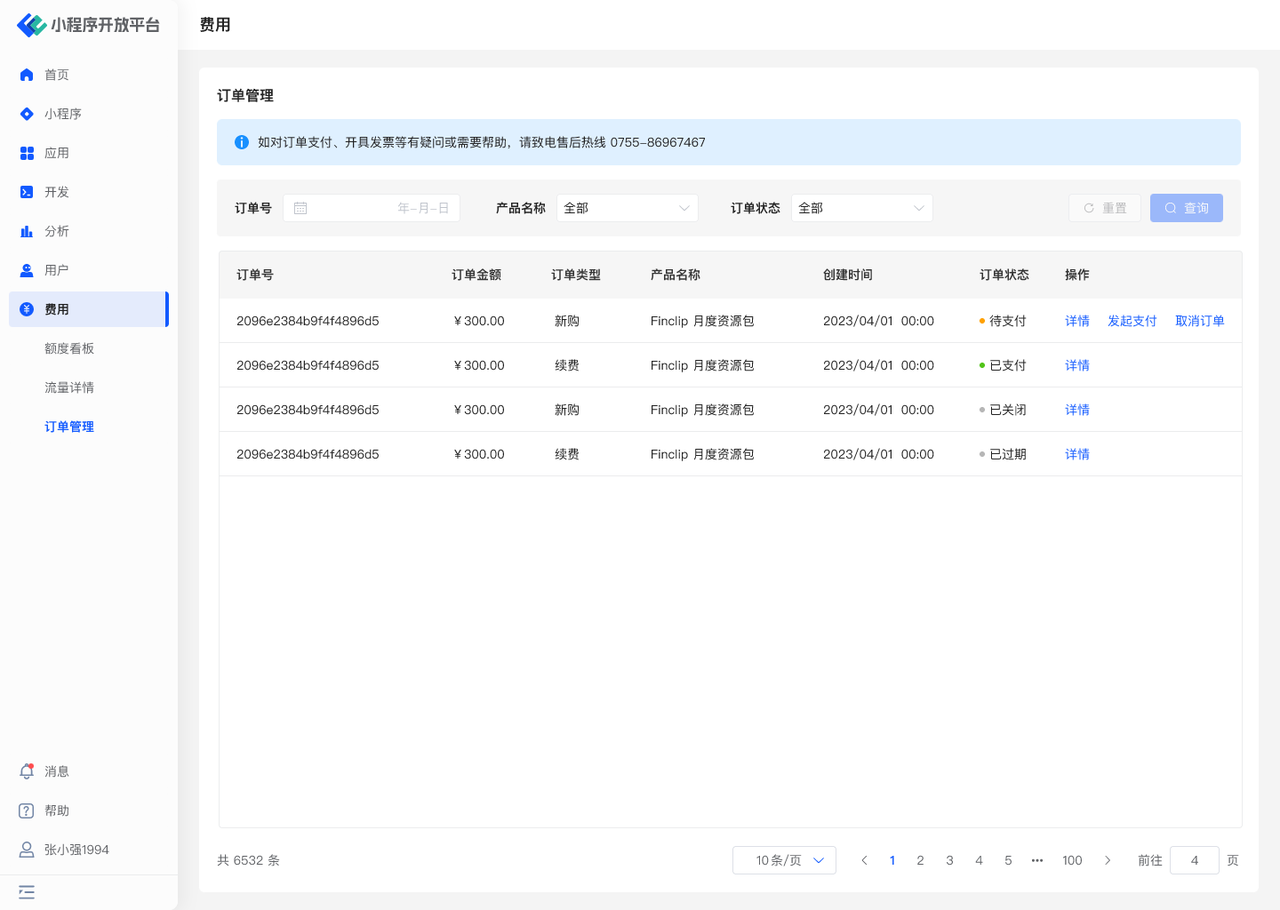
- View basic order information and payment details.
- Complete order payments.
# 3.2 Terminology Definition
None
# 3.3 Usage Instructions
# View Order Information
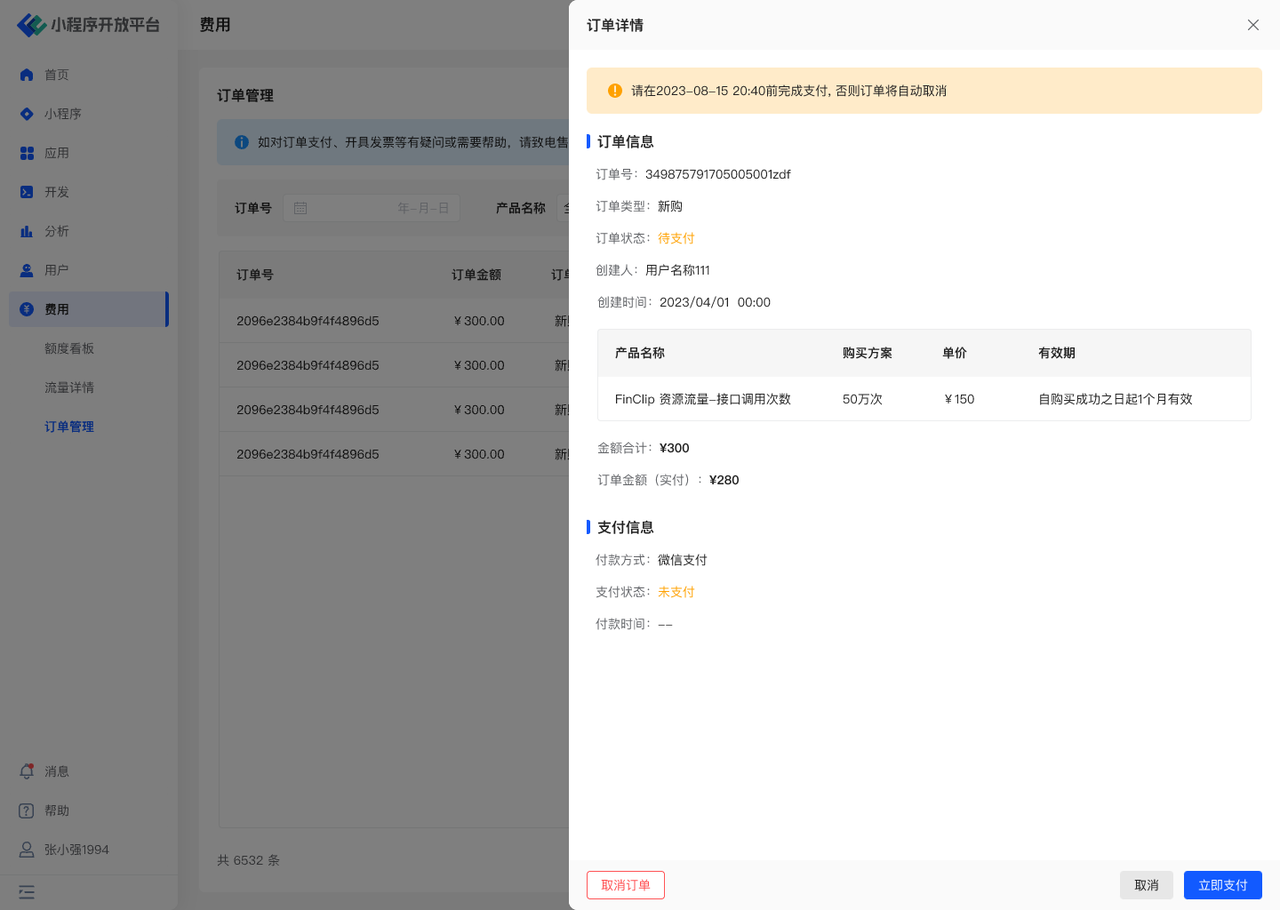
- View basic order information, such as order type, order status, purchased product, validity period, etc.
- View payment details, such as payment status, payment time, etc.
# Pay Order
- For orders that are not yet effective, you can initiate payment or upload corporate bank transfer vouchers here.