
# To-Do Center - Digital Center
# 1. Feature Overview
For other pending operations requiring your attention, you can enter via the "To-Do Center" entry on the homepage. It includes relevant business processes that need to be handled (such as Mini-Program review, Mini-Program binding, custom API calls, etc.). The To-Do Center allows quick access to business processes requiring attention, facilitating business operations.
# 2. Terminology Definitions
- Overview Homepage: The Overview Homepage is the default homepage of the Developer Center. You need to switch to the To-Do Center using the button in the upper right corner of the page.
- Data Center: The Data Center is the default homepage of the Digital Center. You need to switch to the To-Do Center using the button in the upper right corner of the page.
- To-Do Center: The To-Do Center is a centralized hub for all pending or to-be-processed information, used to quickly resolve or handle relevant issues requiring processing or approval.
# 3. Usage Instructions
# 3.1 View To-Do Tasks
When on the homepage, click the "To-Do Center" button in the upper right corner of the screen to switch to the To-Do Center.

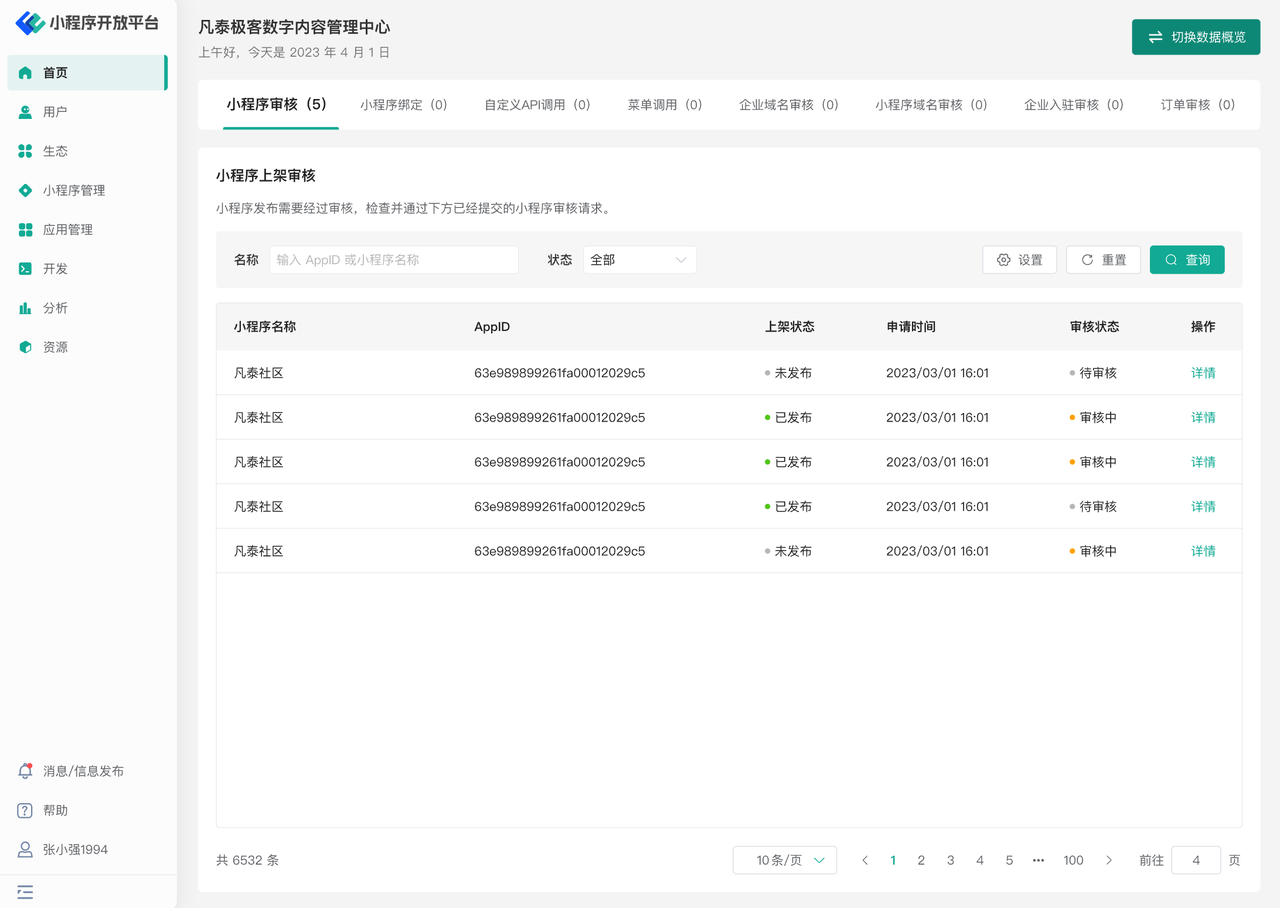
In the "To-Do Center," you can see different pending tasks based on the current user's role permissions, such as "Mini-Program review, Mini-Program binding, custom API calls," and other menus as shown in the figure below.
# 3.2 Process To-Do Tasks
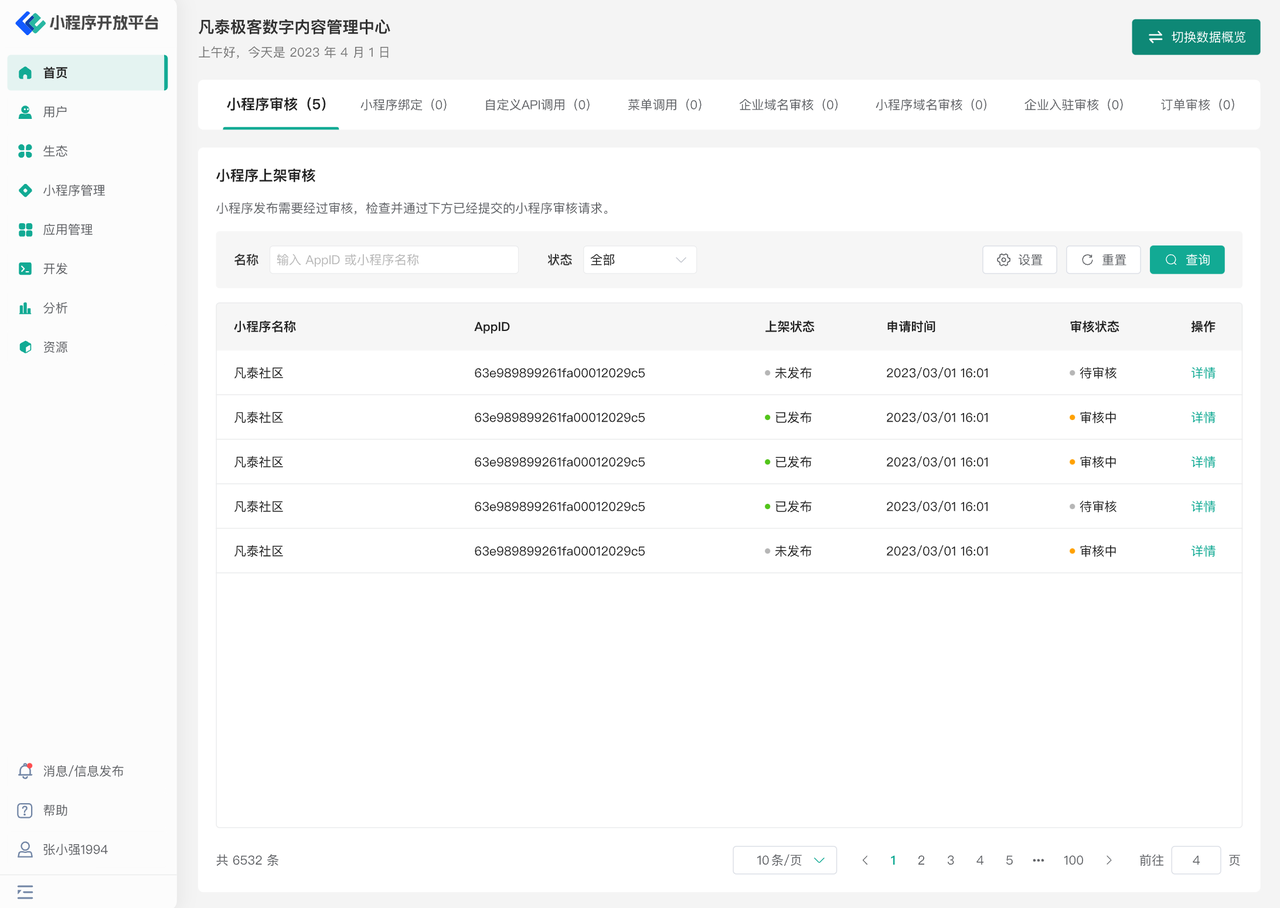
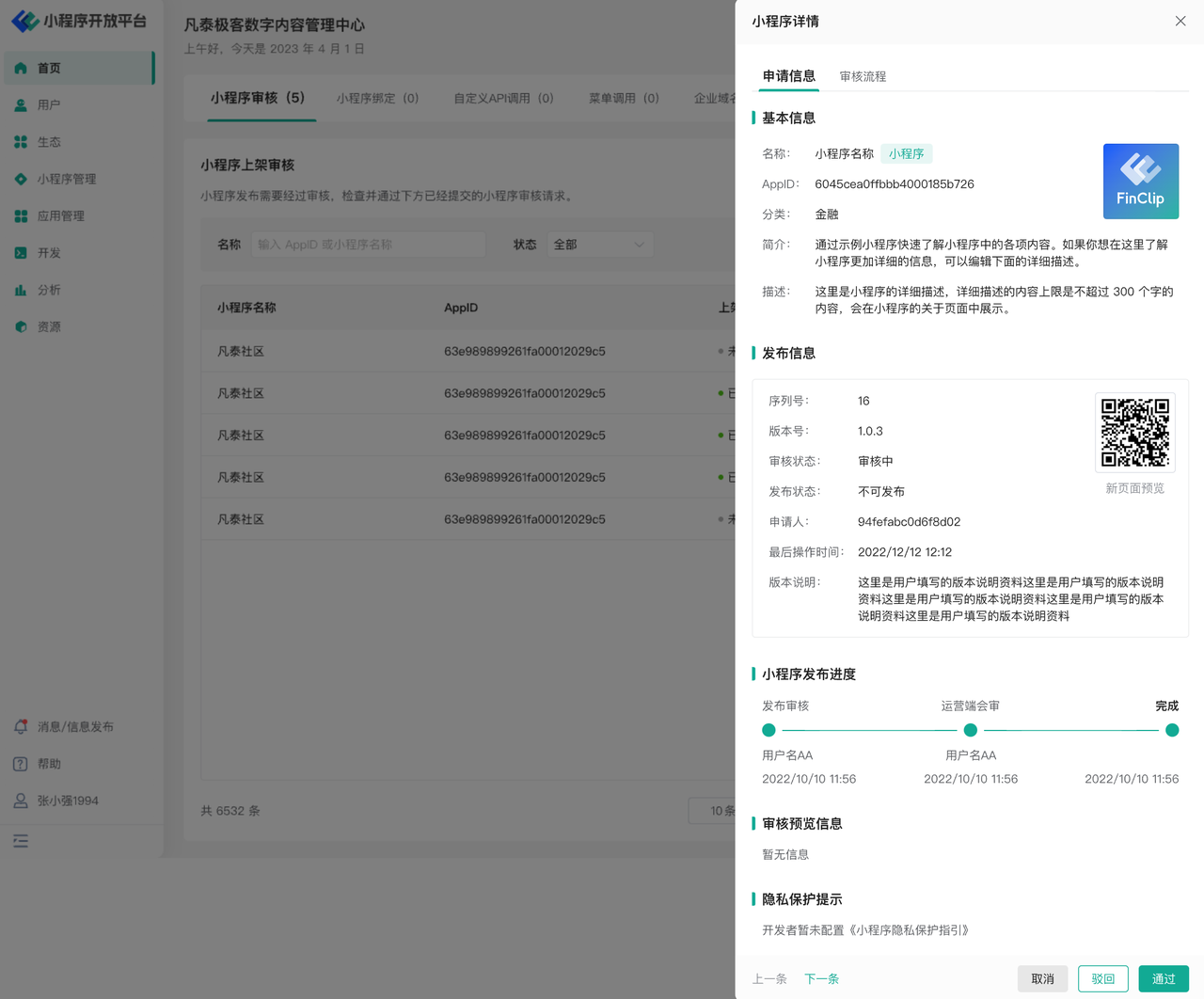
As shown in the figure below (screenshot uses Mini-Program review as an example), click the "Details" button on the far right of the pending item. In the subsequent pop-up window, you can view the detailed content of the task.
Click the "Reject" or "Approve" button at the bottom of the pop-up window to operate on the current pending content.
# 3.3 Check To-Do Task Progress
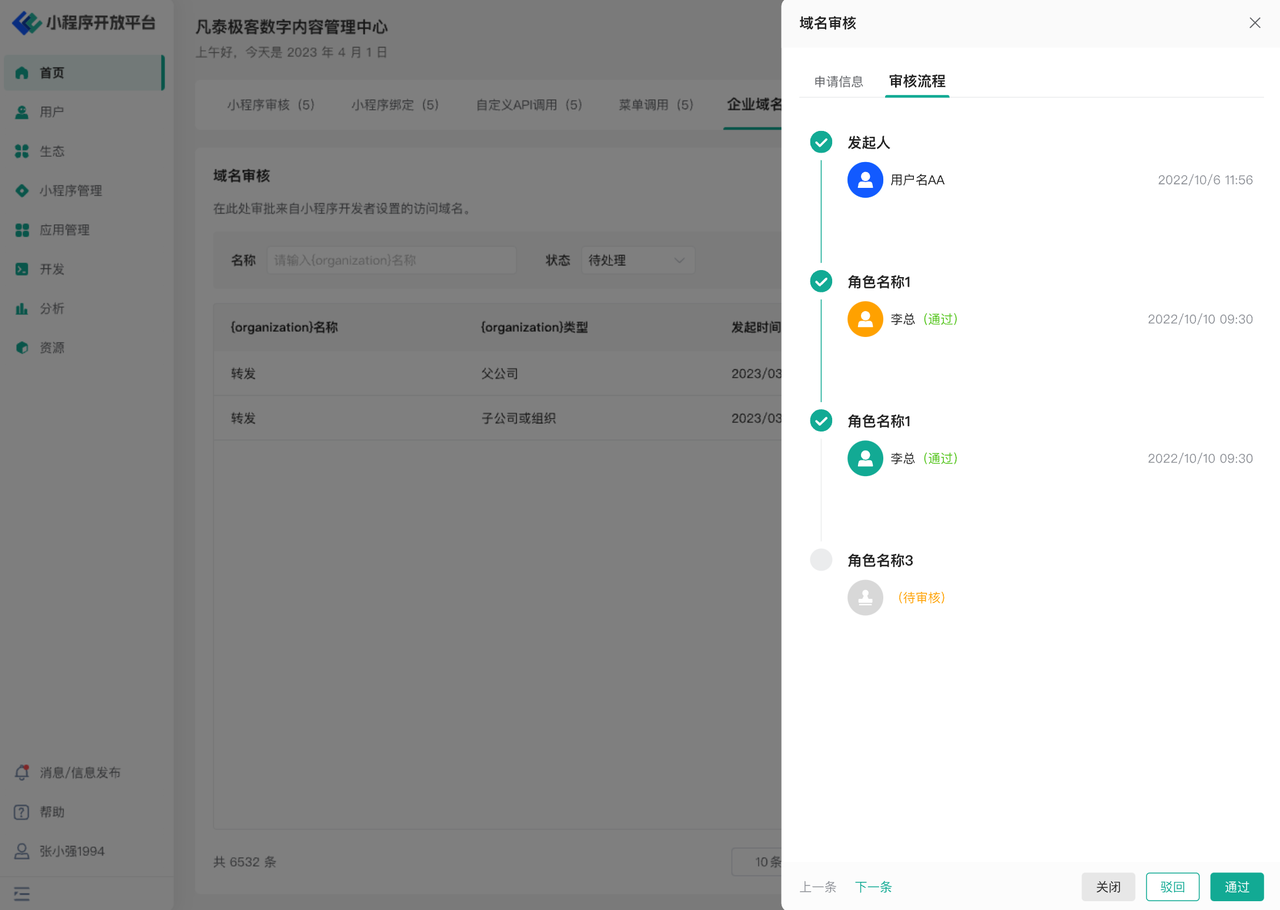
In the upper right corner of some to-do task pop-up windows, a "Review Process" toggle button will appear. Click it to view the progress of the current review process.
# 4. Environment Specifications
| Community Edition | SaaS Edition | Enterprise Edition (Annual Payment or One-Time Purchase) | |
|---|---|---|---|
| To-Do Center | ✅ | ✅ | ✅ |