
# FinClip Studio Launch Announcement
FinClip IDE (FinClip Integrated Development Environment, abbreviated as FIDE) is an "integrated development environment for Mini-Programs on the desktop" launched for developers. Since 2021, it has been accompanying Mini-Program developers from various platforms to complete various functions such as Mini-Program development, debugging, preview, and upload.
As the various functions within FinClip IDE gradually increased, we have progressively added various plugins or capabilities such as Mini-Program compatibility checks, Mini-Program development, real-device debugging and preview, one-click conversion of Mini-Programs to App, and Mini-Program cloud development, aiming to provide developers with a more comprehensive experience and assistance during the Mini-Program development process.
In 2022, we identified significant limitations in the performance and experience of the existing FinClip IDE. As Mini-Program developers delved deeper into usage and scenarios, they increasingly encountered various anomalies such as Mini-Program code loading lag and decreased preview rendering performance. When encountering these unexpected situations, the normal development experience was easily disrupted.
Therefore, starting in Q4 2022, we undertook a comprehensive refactoring and upgrade of FinClip IDE. Beginning in April this year, we launched the FinClip IDE New Version Beta Program (opens new window), hoping to leverage the power of more developers to help us jointly create a better Mini-Program Developer Tools.
Alongside the beta program update, FinClip IDE was also renamed to FinClip Studio. Upgrading from IDE to Studio not only brings a completely new name but also signifies that IT has become more powerful.
# 1. FinClip Studio Official Launch
In the new FinClip Studio, we have made substantial improvements to the underlying architecture based on user feedback. We have also implemented performance enhancements to help developers complete Mini-Program development and testing tasks faster.
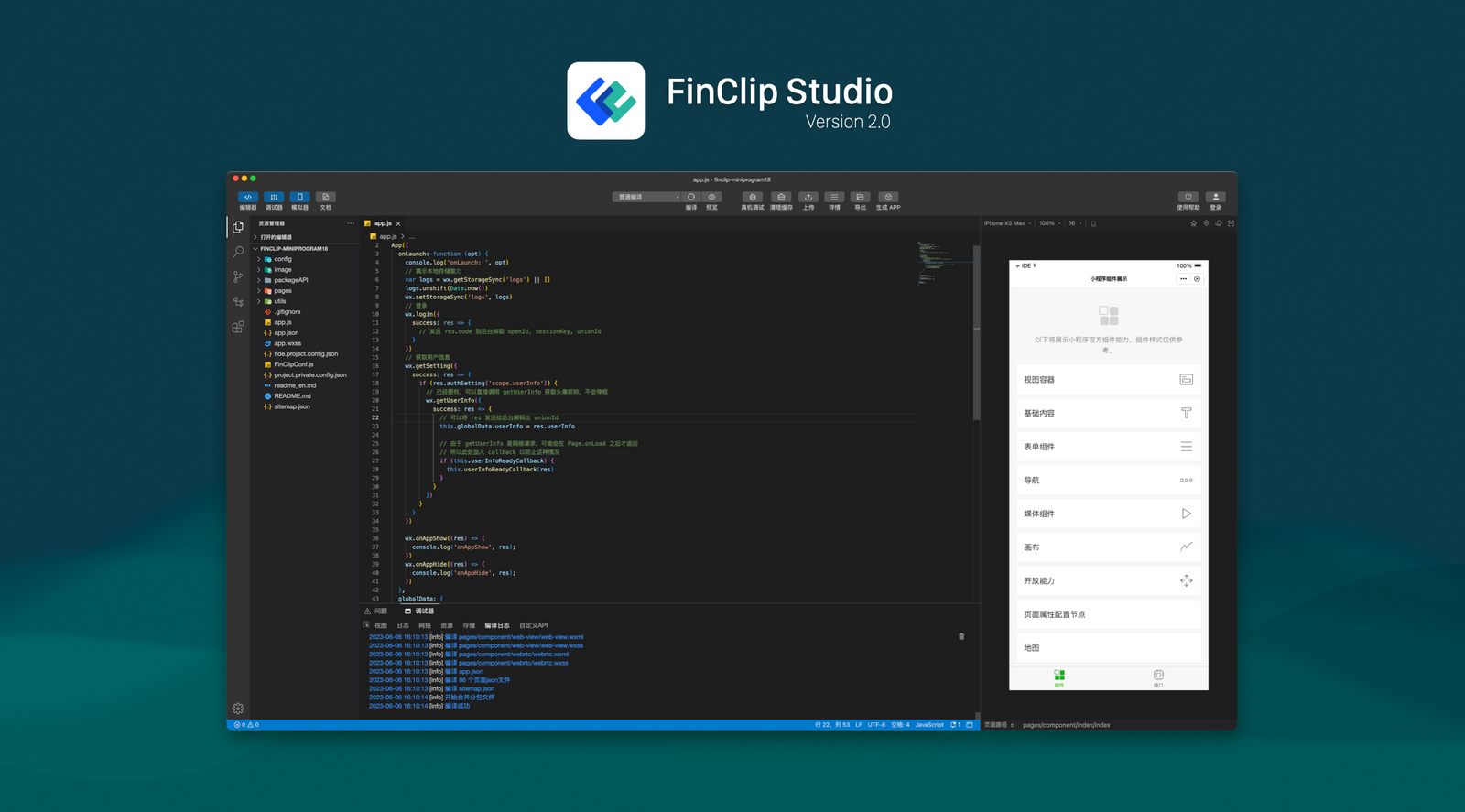
The new version of FinClip Studio significantly improves the performance of the Mini-Program code preview and rendering process. It not only reduces the time consumption during compilation but also adds features such as optimized editing experience, code hinting and auto-completion, multi-project opening capability, and support for low-code Mini-Program development. Subsequently, we will expedite the completion of Mini-Program plugin and multi-language support capabilities.
# 2. FinClip Studio Optimization Introduction
The focus of this FinClip Studio update is to provide every developer with a more完善的 editor experience, one that is even "closer to the VS Code development experience." The new FinClip Studio has the following main features:
# 2.1 Code Auto-Completion
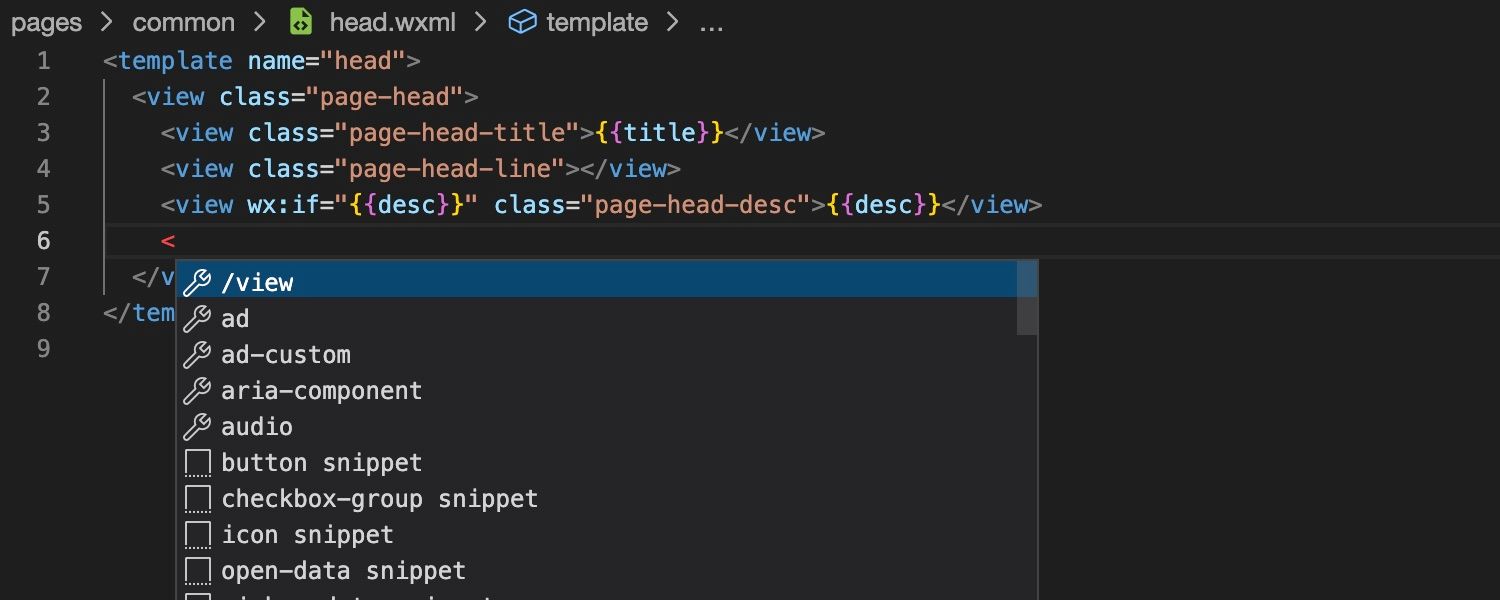
FinClip Studio will automatically pop up a set of selectable code snippets after the user inputs certain characters. Developers can choose one to automatically complete the code writing.
# 2.2 JS Method Auto-Completion
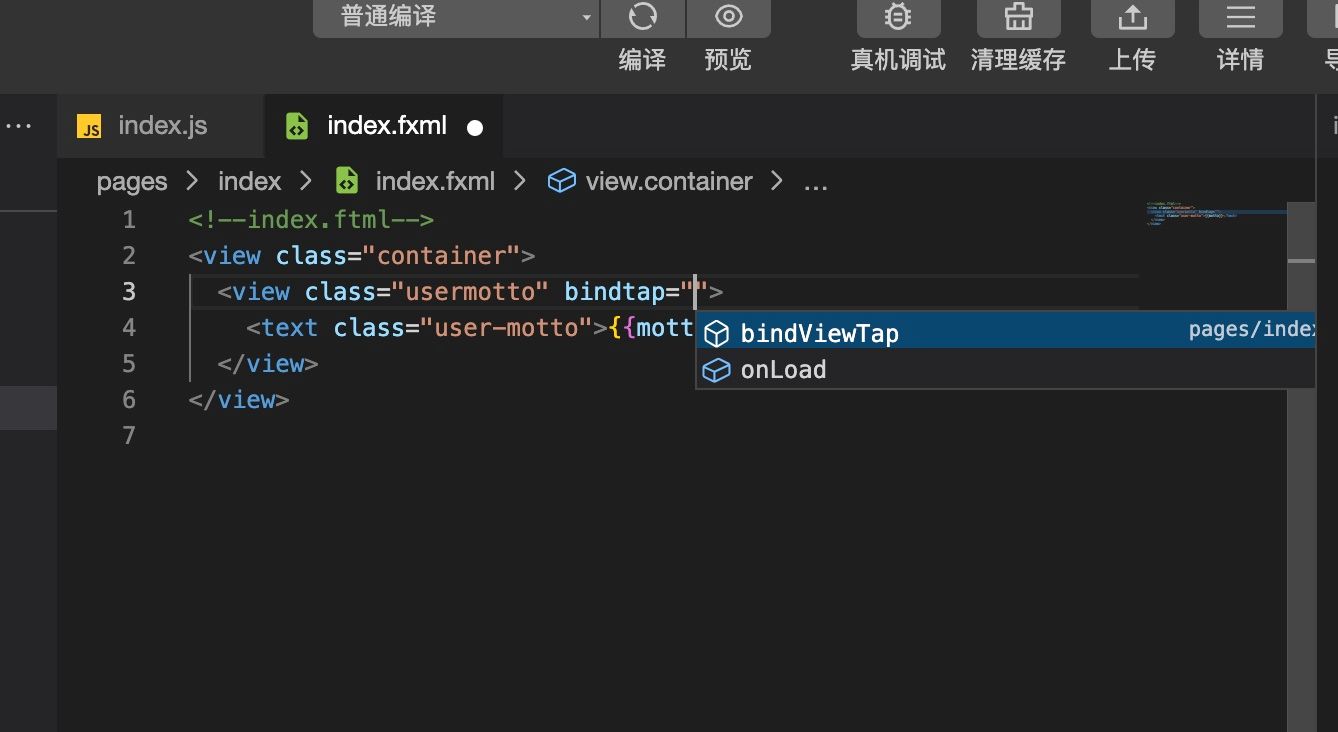
The code completion feature in FinClip Studio now supports reading existing methods from .js files. When writing .fxml files, it can automatically read method names from .js files for completion.
# 2.3 Support for Multiple Open Projects
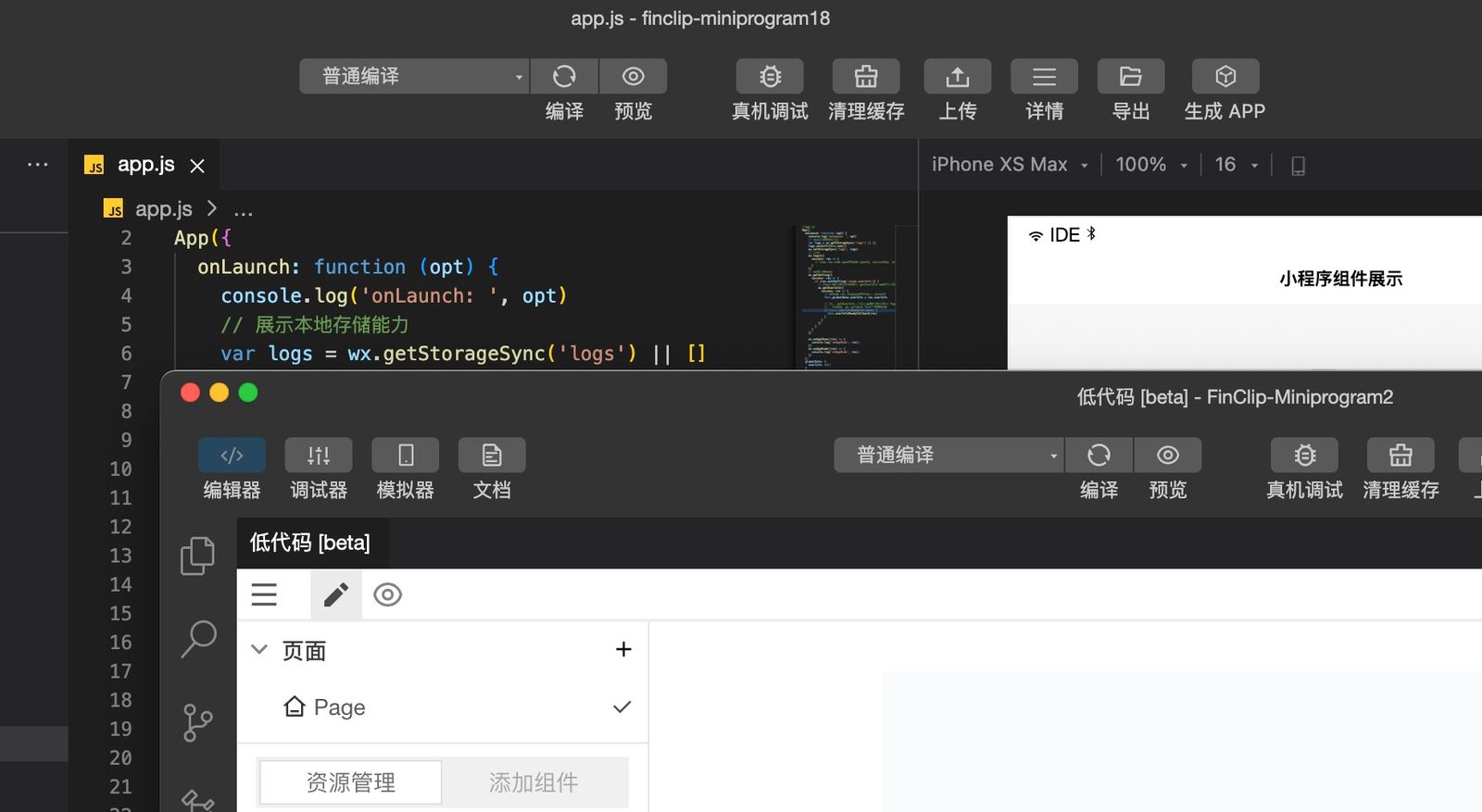
FinClip Studio now supports editing or configuring multiple different Mini-Program projects simultaneously. Developers can edit multiple different Mini-Program projects at the same time according to their needs.
# 2.4 Code Method Reminders
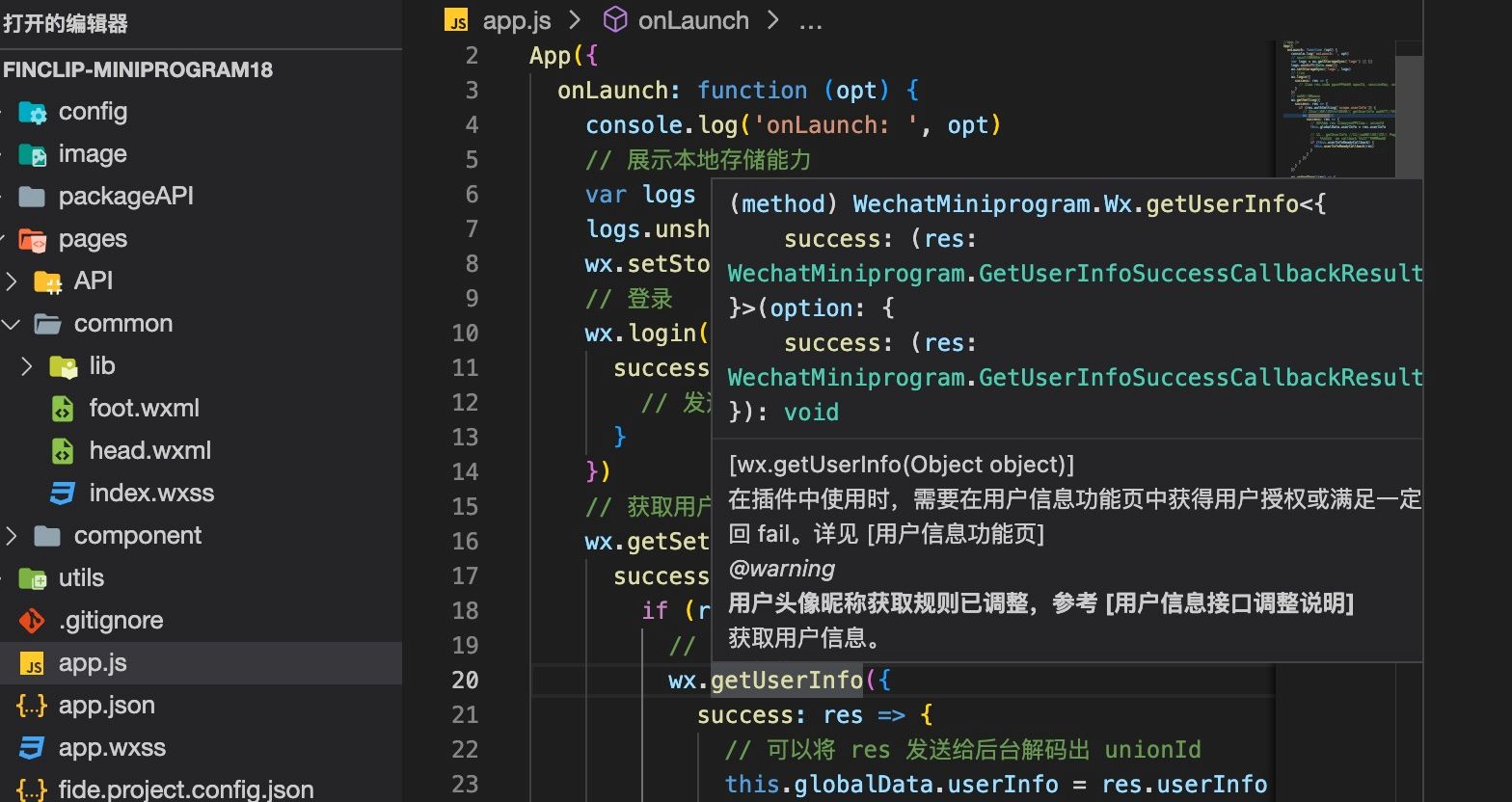
FinClip Studio now supports providing usage reminders for methods throughout code files. Subsequently, we will also provide relevant documentation explanations and corresponding guidance for the called APIs and related methods in the code.
# 2.5 Git Management
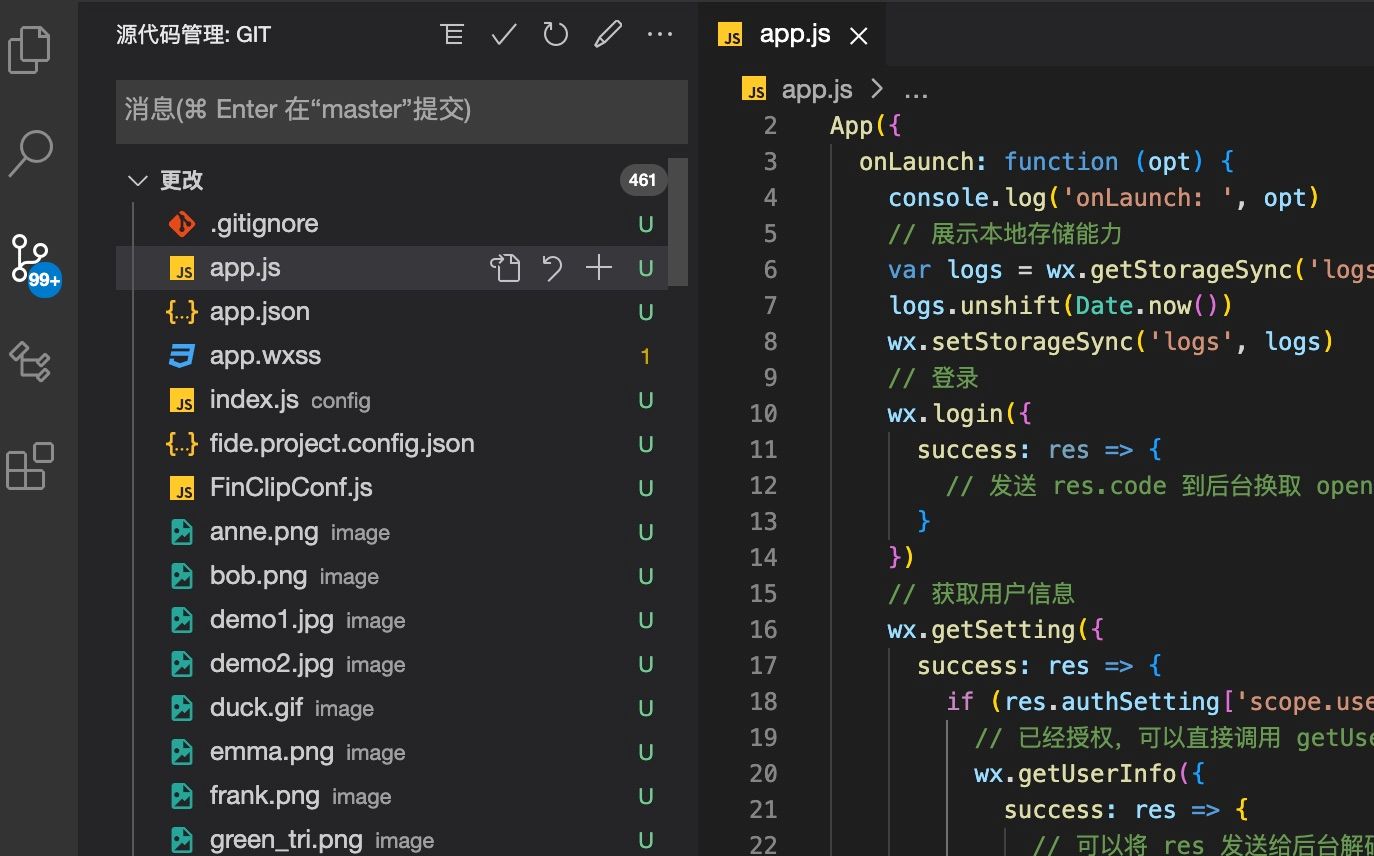
FinClip Studio now supports direct management of code repositories to facilitate the management and updating of Mini-Program or project-related code.
# 2.6 Editor Integrated Terminal
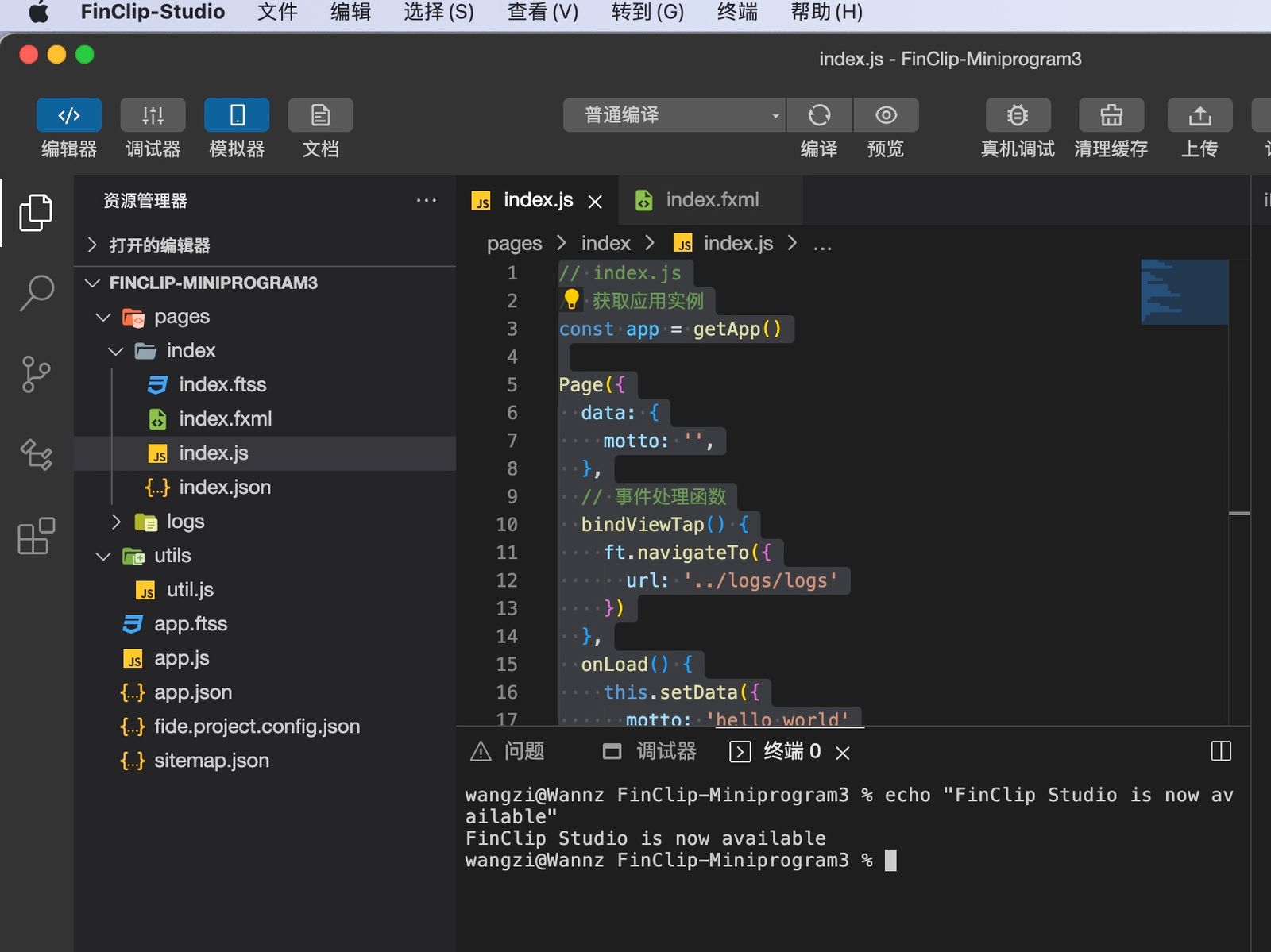
FinClip Studio integrates the system terminal, allowing you to directly use the command line within the development environment to complete project setup, building, or development work.
# 2.7 Full Interface Zoom
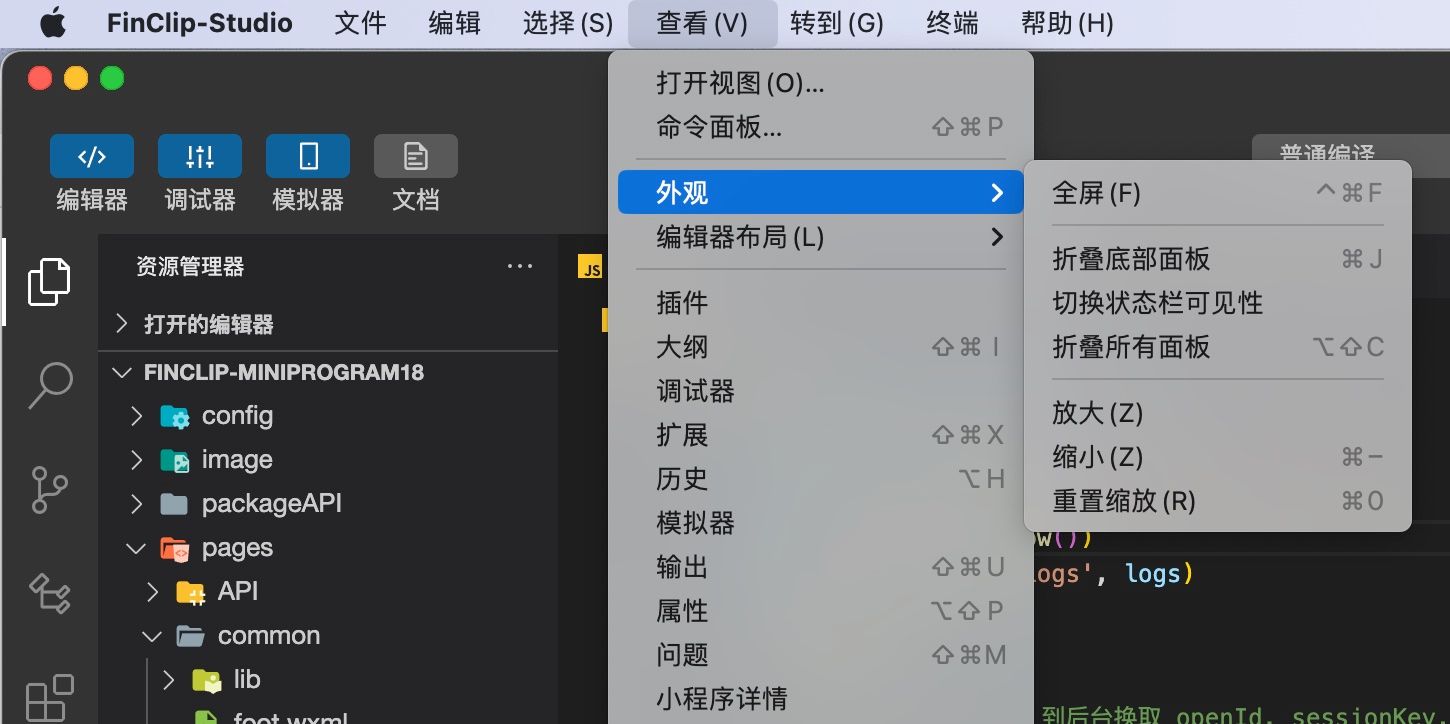
FinClip Studio allows for full zooming in and out of the interface, simultaneously increasing or decreasing the size of all UI elements. You can configure this via the relevant menu in the main menu.
# 2.8 New UI Enhancements
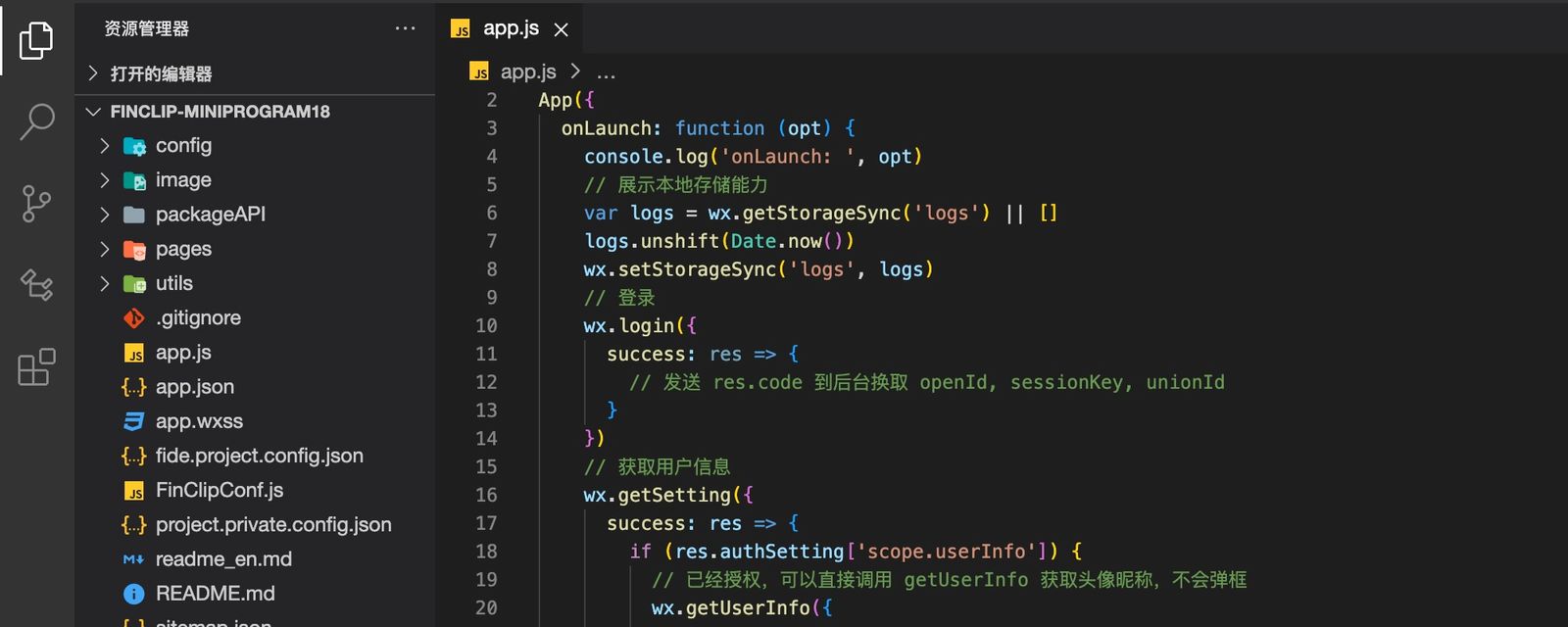
FinClip Studio introduces UI components and appearance styles with a completely new aesthetic. Compared to the old version, the appearance is more integrated and pleasing to the eye.
# 3. Low-Code Development Capability
Accompanying the launch of FinClip Studio is a new low-code development feature. You can choose the "Low-Code" template when creating a new project to explore its usage.
To view the detailed guide for the low-code tool, please click here.
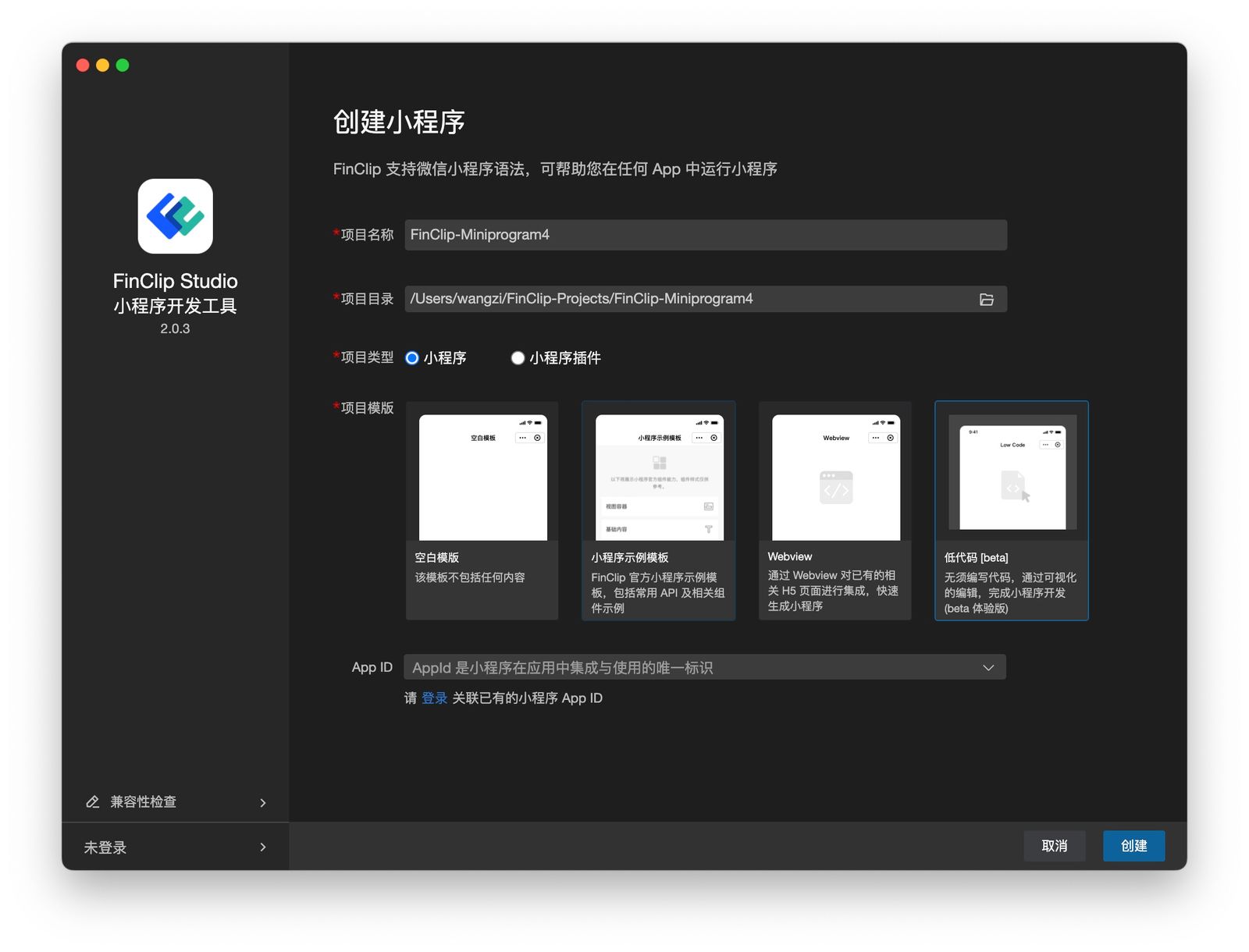
Different from common low-code development tools on the market, the low-code tool provided by FinClip Studio is more oriented towards use by R&D personnel. It aims to accelerate the development process for R&D personnel, thereby making the development of related projects and applications simpler. The low-code tool also has the following capabilities:
# 3.1 Direct Data Source Connection
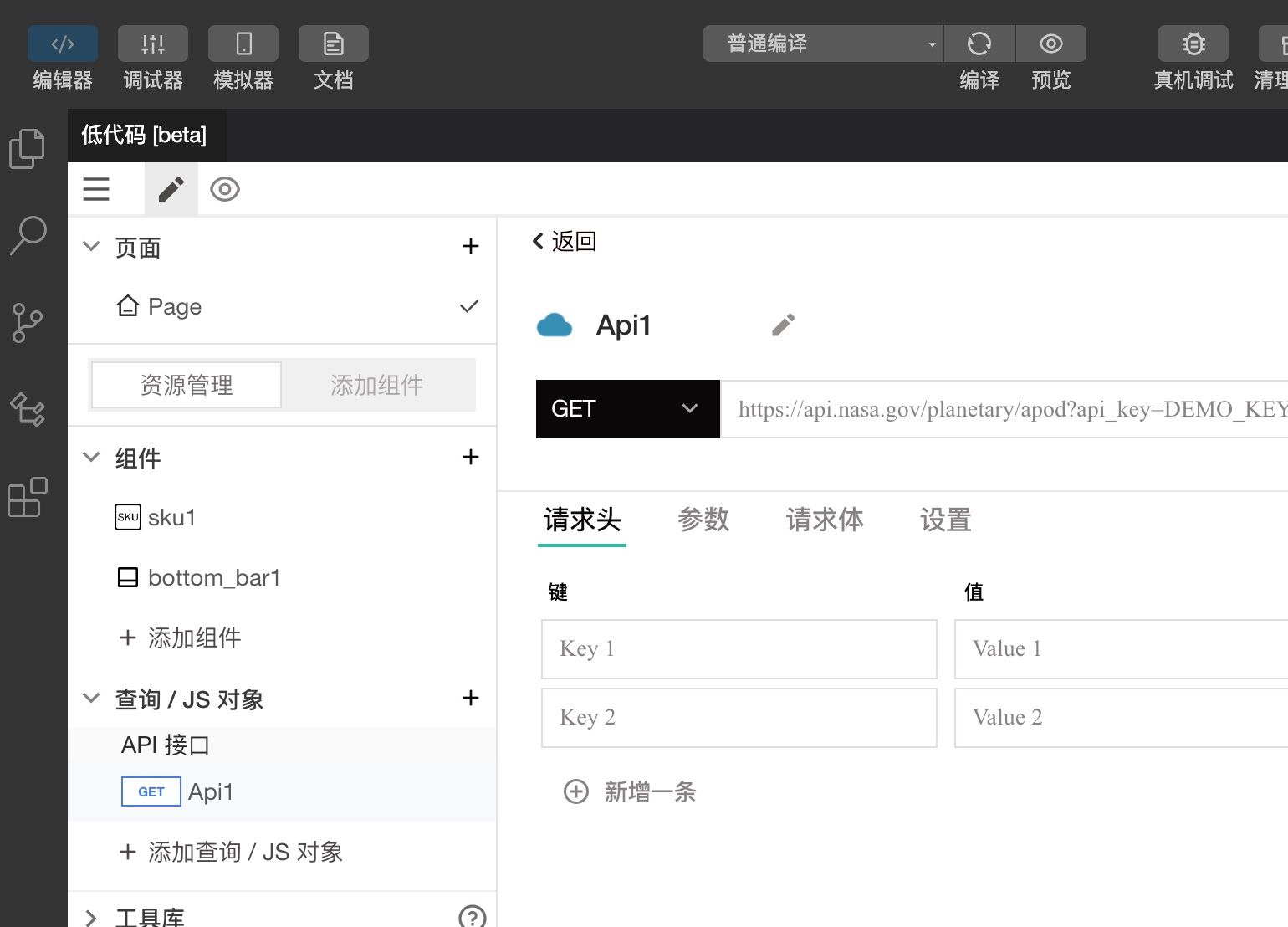
The low-code tool can directly connect to data sources (API, DB) without intruding into the customer's architecture. Any backend data becomes JS variables that can be freely transformed and configured onto any view component.
# 3.2 Visual Modeling Tools
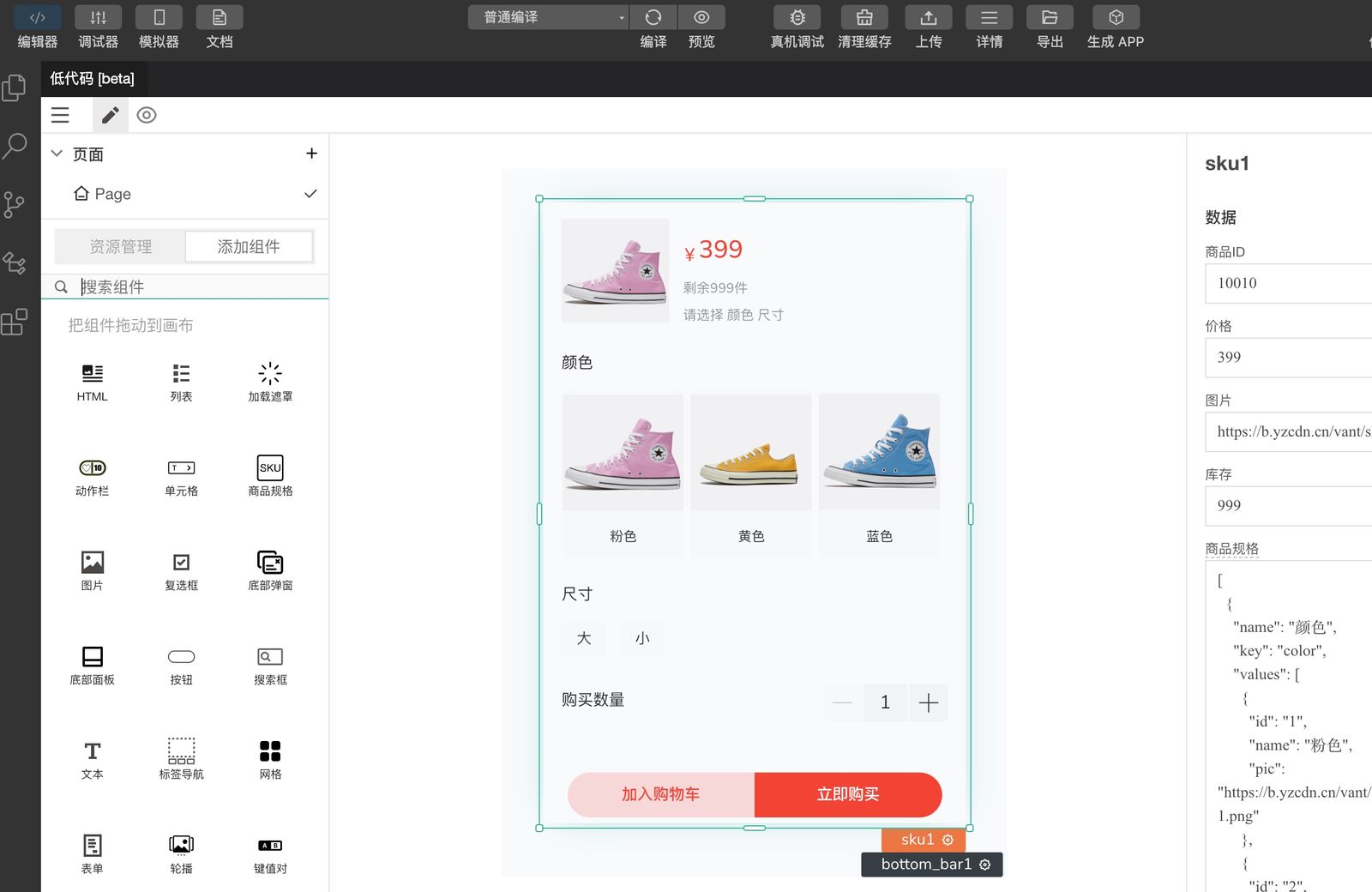 The low-code tool comes with intuitive and flexible visual modeling components such as tables, charts, forms, buttons, and more. Developers can configure various components through drag-and-drop, eliminating the need to repeatedly write complex code.
# 4. Download Address
You can download and use FinClip Studio via the FinClip product official website or the link below. For any issues encountered during use, please feel free to provide us with timely feedback so that we can work together to make it better.
- Click to go to the download page: https://super-apps.ai/downloads/?activeTab=ide