
# AI Copilot
In October 2024, FinClip Studio integrated the Copilot development plugin (project codenamed FinMUSE during development), which helps developers improve programming efficiency and reduce repetitive tasks. This plugin can assist users in quickly generating code templates, auto-completing code snippets, and performing real-time code error checks.
Please note: Currently, this feature is only available for macOS (version 13.7 and above). Other versions do not support this feature yet. Please ensure your operating system meets the installation requirements.
# 1. Using Copilot
After upgrading to the latest version of FinClip Studio and completing the login process, you will see the feature entry on the left side of the Studio interface. FinClip Studio will automatically load the plugin.

Click the Copilot button on the sidebar, then enter text in the chat panel to start a conversation with the AI. Use Shift+Enter to create a new line.
# 2. Different Functions of Copilot
Building on support for multiple language features, Copilot has enhanced understanding related to Mini-Program pages and functions. When using it, you can not only perform targeted optimization and ask questions about specific code blocks but also consult Copilot for more comprehensive Mini-Program introductions and guidance.
# 2.1 Referencing Files or Websites
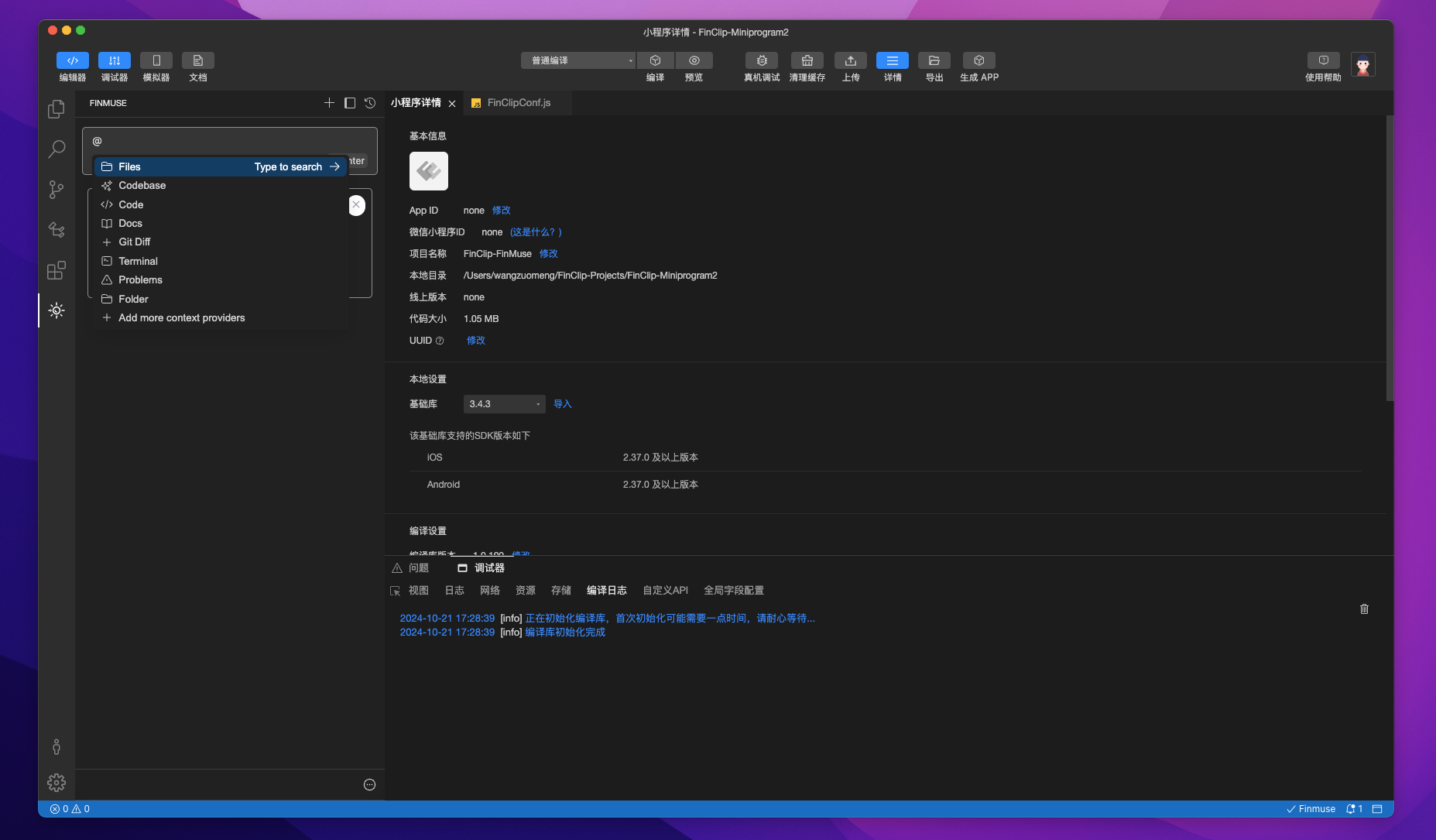
Enter @ to reference relevant files or web pages for more accurate responses.
# 2.2 Referencing Code Blocks Using Shortcuts
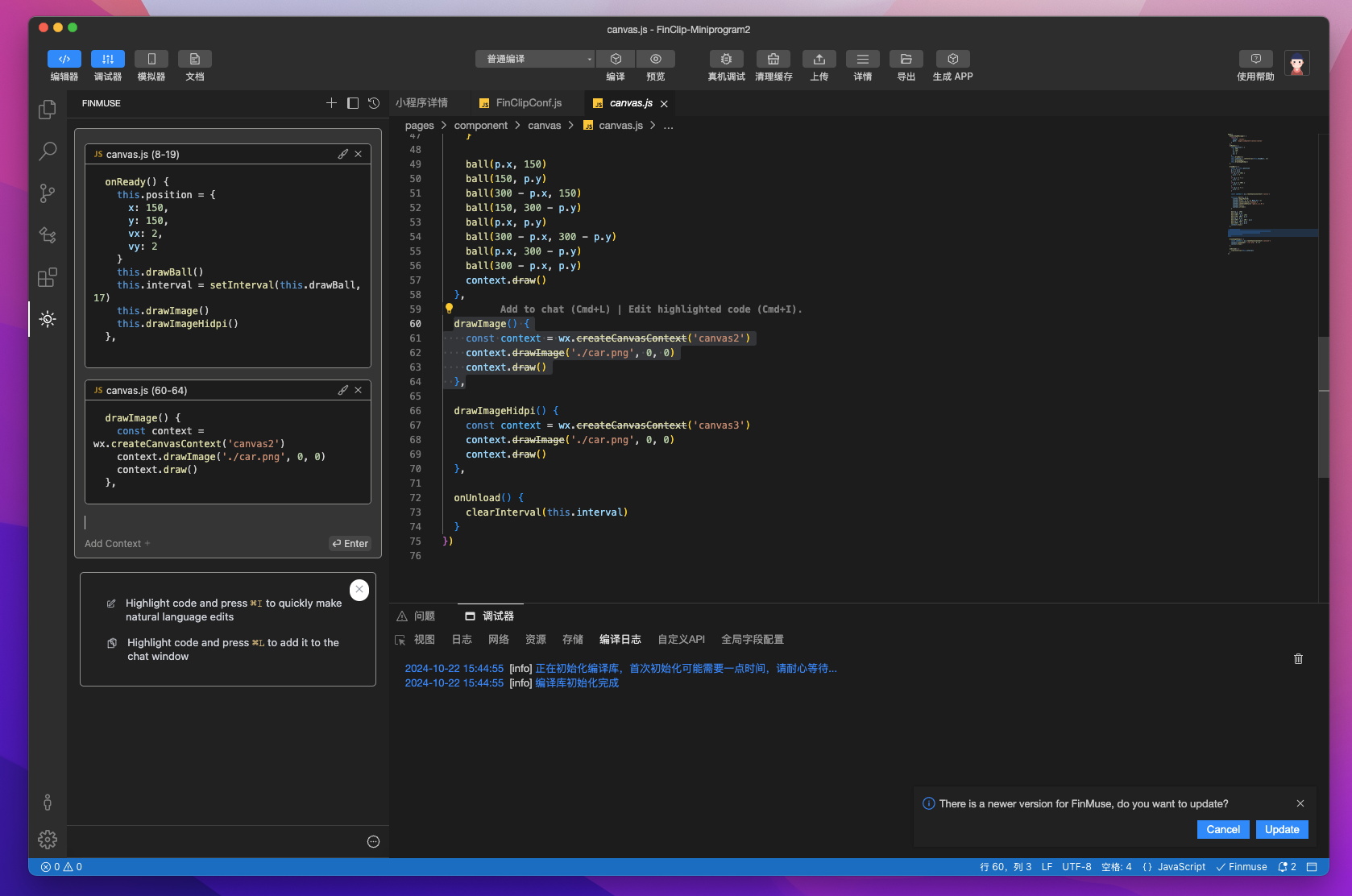
Select a code block and press the shortcut Cmd+L (macOS) / Ctrl+L (Windows) to directly reference that code block in the chat.
After referencing a code snippet, enter the /edit command in the chat window to automatically modify the referenced code.
# 2.3 Quickly Editing Currently Selected Code
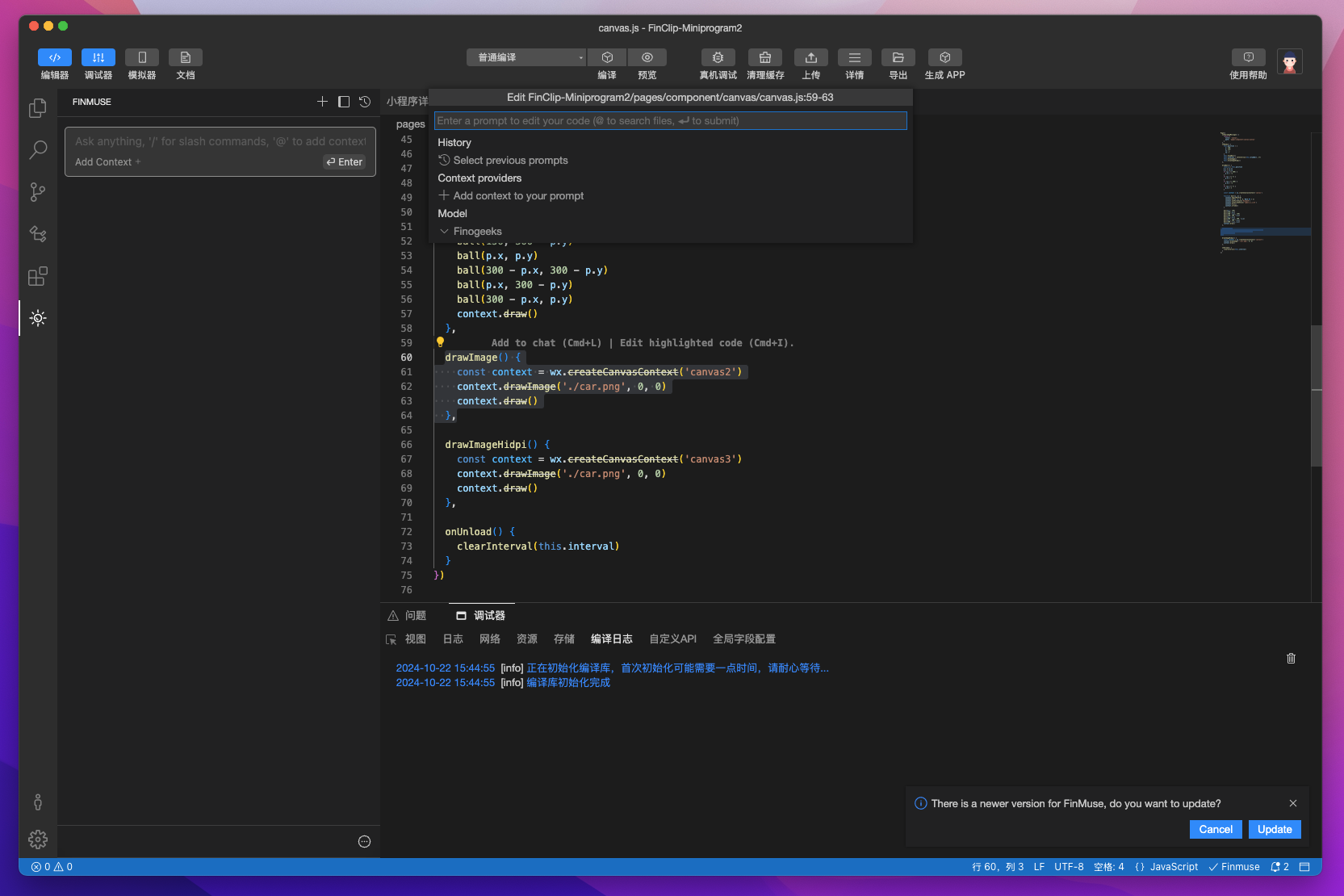
Select a code block and press the shortcut Cmd+I (macOS) / Ctrl+I (Windows) to directly modify the selected code.
# 2.4 Custom Referenced Websites
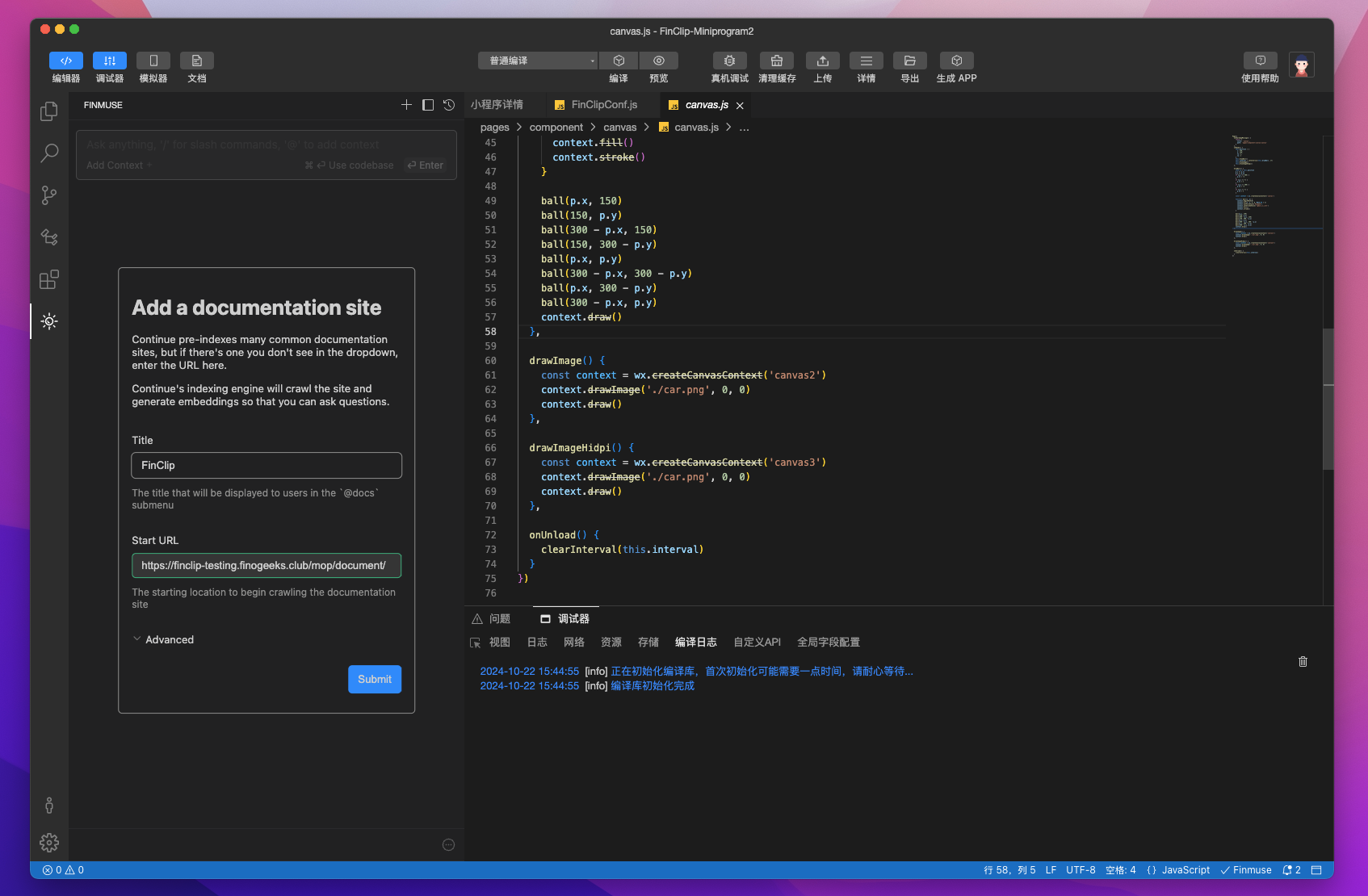
Enter @docs in the chat window, press Enter, and select the Add Docs option to customize referenced documentation.
Please note: This operation has certain performance requirements for your computer. When adding new documents, multiple local processes will be started to crawl the website content and generate embeddings locally.
# 2.5 Custom Commands
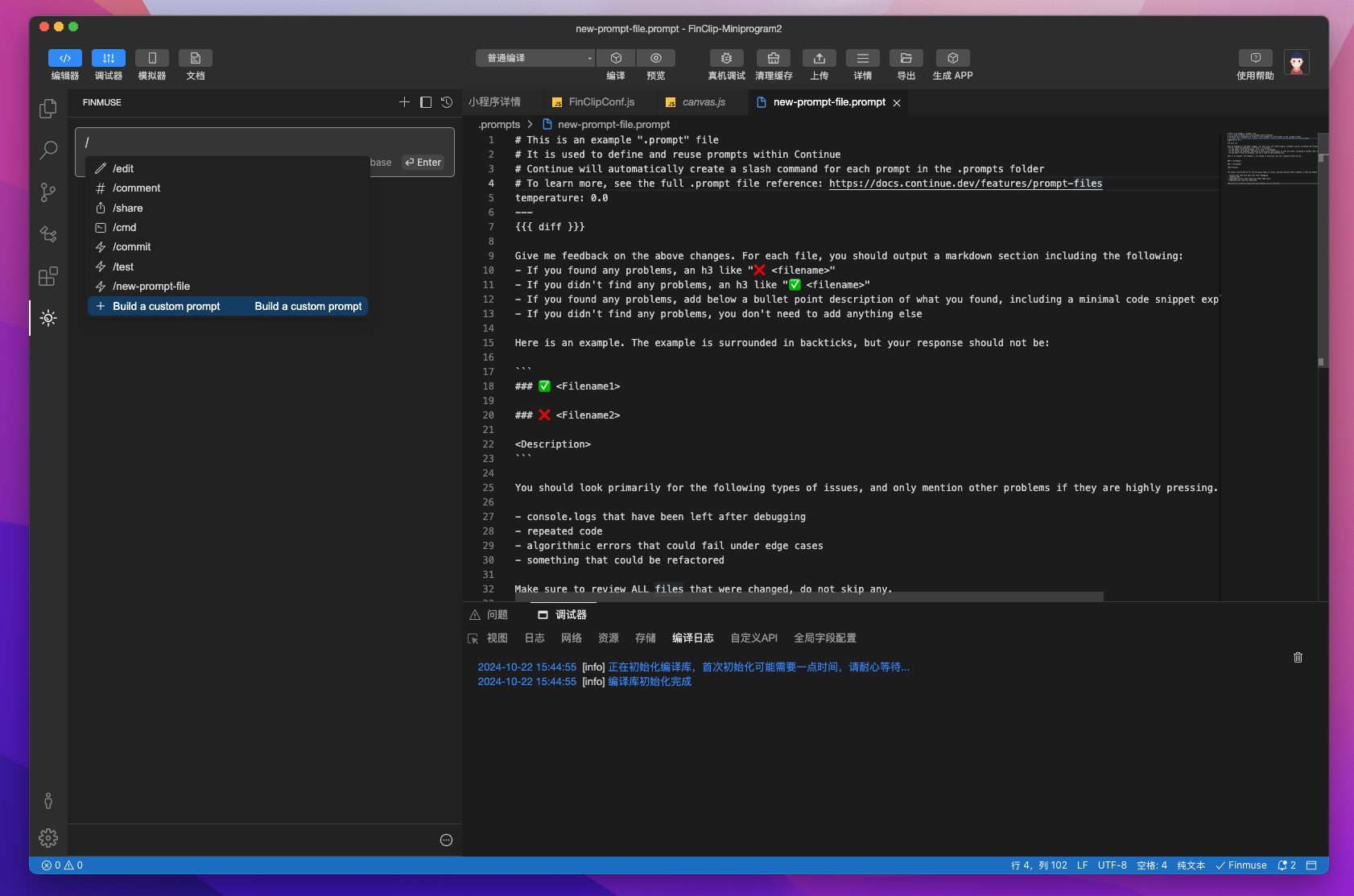
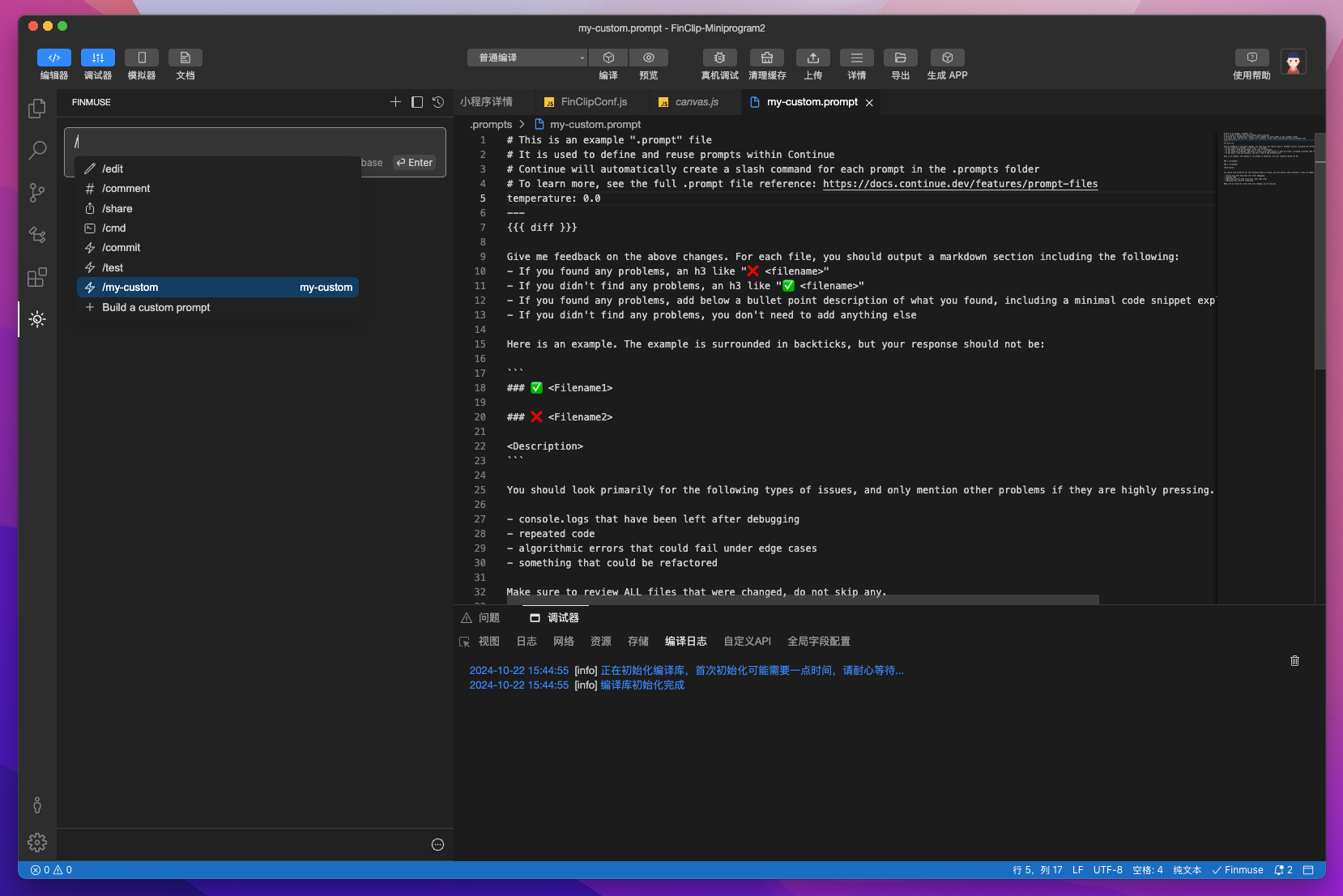
Enter / in the chat box and select Build a custom prompt. This will create a .prompts/new-prompt-file.prompt file in the current project's root directory. The file name will be the command name.
# 3. Feedback
FinClip Studio Copilot is a highly useful collaborative assistant. We hope it helps you quickly acquire relevant capabilities during Mini-Program development and other related operations, providing a more enjoyable coding experience.
If you encounter any functional anomalies requiring improvement or have user experience-related issues while using this feature, please contact us via the WeChat Developer Community, the product team's email (contact@finogeeks.com), or other available channels.
# 4. Algorithm Model Filing
The algorithm model relied upon by the FinClip AI Copilot (FinClip Mini-Program Generation Large Model Algorithm) has been filed with the relevant national authorities.
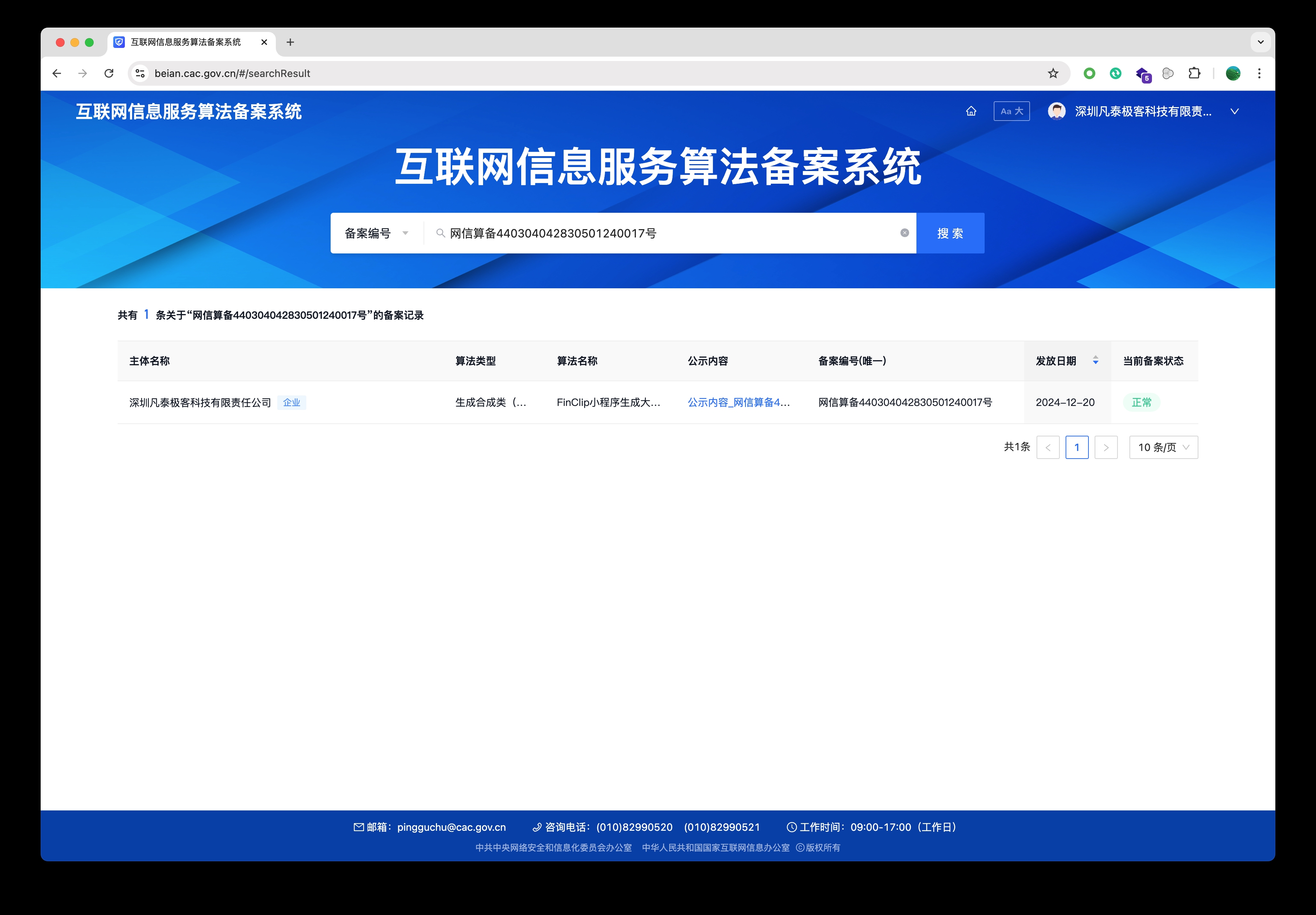
If you require relevant filing credentials, you can log in to the Cyberspace Administration of China's Internet Information Service Algorithm Filing System and search for the Filing Number "网信算备440304042830501240017号" to view the related filing information.